

Reynolds Voice
Drop a single Markdown file into your Claude skills folder. From then on, Claude writes LinkedIn posts, articles, and newsletter copy in a witty, approachable voice that actually sounds human.
Install Reynolds Voice and Claude can:
- → Rewrite drafts in a witty, approachable editorial voice without losing the original argument
- → Generate fresh LinkedIn posts, articles, and newsletter copy that sound human
- → Critique drafts against a clear ruleset (em dashes, throat-clearing, shame hooks, dense paragraphs)
- → Fork the file and ship your own brand voice with the same structure
theCLICK maintains it. It is free.
What you can do once it is installed
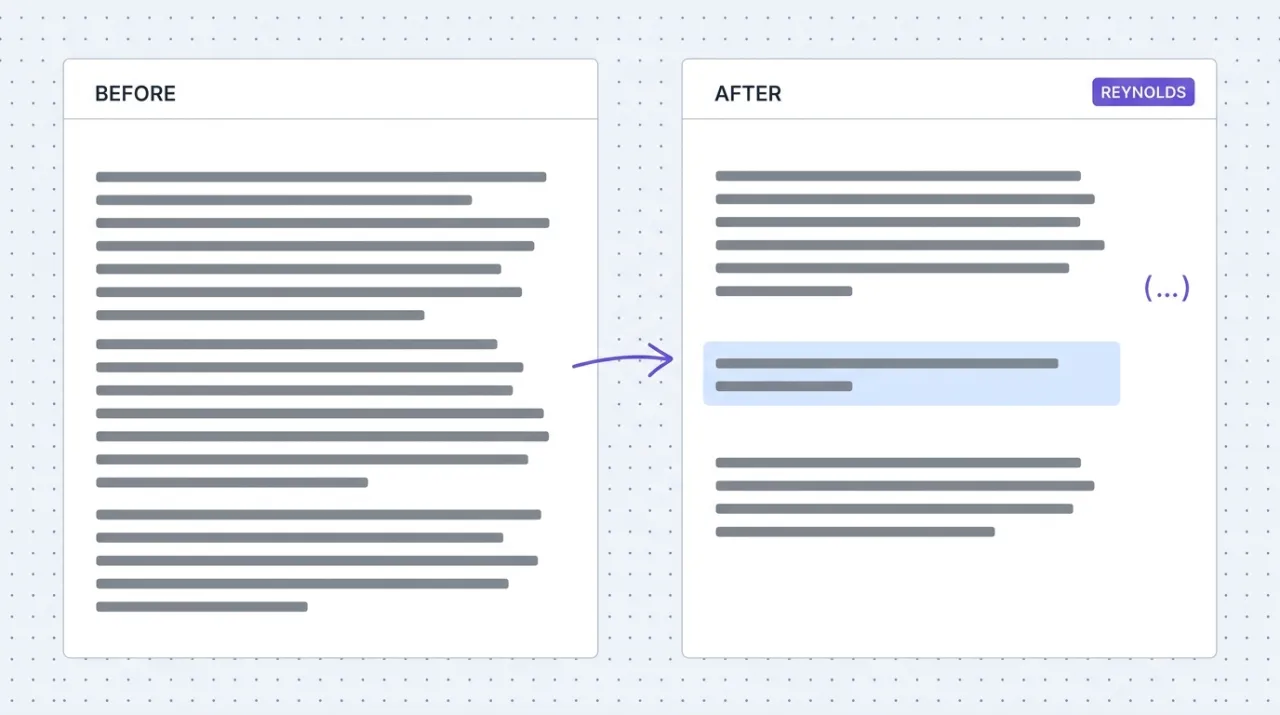
Ask Claude to rewrite a draft in the Reynolds voice. It applies the rules in the file: short punchy paragraphs, single-sentence lines for emphasis, parenthetical asides, plain-English jargon decoding, no em dashes, no shame hooks. Use it on LinkedIn drafts that read corporate, blog posts that need rhythm, newsletter copy that sounds like a person wrote it, or video scripts that need to land. The file is short on purpose so Claude can keep all the rules in working memory while it writes.
Attach the file. Ask Claude to add it as a skill.
This skill is a single Markdown file. Download it, attach it to a Claude Cowork conversation, and ask Claude to add it as a skill in your workspace. From then on, you can apply the voice on demand.
Download Reynolds Voice (.md)3 steps
- Download the
reynolds-voice.mdfile above. - Open Claude Cowork. Start a new conversation and attach the file (drag and drop or the paperclip icon).
- Paste the prompt below. Claude will save it as a skill in your workspace and demonstrate it.
Copy and paste this prompt with the file attached
Add the attached Reynolds Voice file as a skill in my workspace so I can apply this voice in any conversation. Then demonstrate by rewriting a short paragraph of your choice in this voice and explain what you changed.
Using Claude Code or another setup?
In Claude Code (global skill)
Drop the file into your skills folder (most users use ~/.claude/skills/) or place it inside the workflow folder that will use it. Then mention Reynolds Voice by name in your prompt.
In a project workspace
Save the file anywhere Claude reads from in your project (e.g., next to the workflows that use it). Reference the file path or skill name in your prompt.
Starter prompts
Copy any of these into Claude after you install Reynolds Voice to see it in action. Each prompt is generic enough to work in any workspace.
Rewrite a LinkedIn post that reads too corporate
Paste a LinkedIn draft and ask Claude to rewrite it in Reynolds voice. Specify the angle if you want one preserved. The skill will kill throat-clearing openers, break long sentences into shorter ones, add a parenthetical aside or two, and end on a sharper closing line.
Turn a webinar transcript into a blog post
Paste a webinar or video transcript and ask Claude to draft a blog post in Reynolds voice covering the same ground. The skill keeps the post conversational and direct, breaks dense walls of text into short paragraphs with white space, and decodes any jargon the speaker used.
Critique a draft against the voice rules
Paste any draft and ask Claude to critique it against the Reynolds voice rules without rewriting it. The skill returns a list of specific lines that violate the voice (corporate filler, em dashes, shame hooks, dense paragraphs) so you can decide what to keep and what to cut.
What this plugin does
A Claude skill is a Markdown file with a name, a description of when to use it, and a body that tells Claude how to behave when the skill is triggered. Reynolds Voice is one of those files. It defines an editorial voice for content writing: conversational, sharp, a little snarky, generous with white space, allergic to corporate filler and em dashes. The file is short by design (under a thousand words) so the rules stay in Claude's working memory while it drafts. Install it once and Claude can apply the voice to any content task on request. The skill is platform-agnostic: it works in Claude Code, Claude Desktop, and the Cowork app with no API keys, no external services, no setup beyond saving the file. Maintained by theCLICK and released free under an MIT-style license. Fork it, edit it, ship your own version. Attribution appreciated but not required.
The four jobs it does best:
One file, every platform
Claude skills are portable. The same Markdown file works in Claude Code, Claude Desktop, and Claude Cowork. Save it once, use it everywhere.
Short on purpose
The skill is under a thousand words so Claude can hold the rules in working memory while it writes. Short voice files get applied. Long ones get skimmed.
Clear anti-patterns
The file names the writing patterns to kill on sight (corporate filler, passive hedging, AI tells, em dashes). Claude has explicit permission to reject them, not just avoid them.
Fork-friendly
Released under an MIT-style license. Copy the structure, swap in your own brand rules, and ship your house voice as your own skill.
Who it is for
- • Solo experts and creators: the fastest way to make Claude sound like you (or like a sharper version of you) without writing a thousand-page style guide. Install the file, ask for rewrites, and the voice is consistent across LinkedIn, the blog, and the newsletter.
- • Marketing teams: a starter for documenting house voice as code. Fork the file, swap in your brand's hard rules, and every writer (or every Claude session) starts from the same baseline.
- • Founders running their own marketing: punchy, conversational copy without hiring a brand-voice consultant. The skill applies the rules so you can spend the time on the message, not the rewrite.
- • Skip if: you write academic or technical content where Reynolds' conversational tone is the wrong fit. Or if your brand voice is highly formal. The structure of this skill still works as a template, but the contents will need a heavier rewrite.
Ways marketers and operators use Reynolds Voice
16 ways the same tool shows up across content, research, lead gen, and quality assurance work.
Editorial writing
- • Rewrite LinkedIn drafts to read more punchy and human
- • Turn video transcripts into blog posts with the right rhythm
- • Polish newsletter copy that started life as bullet notes
- • Generate fresh long-form pieces from a brief
Voice consistency
- • Critique drafts against the voice rules without rewriting
- • Audit existing content for em dashes, throat-clearing, and AI tells
- • Train Claude on team-specific extensions to the voice (added rules, branded vocabulary)
- • Maintain consistent voice across multiple writers or sessions
Brand voice development
- • Use as a starting template for documenting your own brand voice
- • Fork and customize for client brand work (agencies)
- • Extract patterns from existing content into a portable voice file
- • Pair with a sales voice skill for full content + sales coverage
Content production workflows
- • Apply during the editing pass on any draft Claude writes
- • Pre-flight check on draft outputs from other tools or contributors
- • Reformat repurposed content from one platform to another
- • Generate variants of the same piece for different channels
For teams running this at scale
If a team writes hundreds of pieces a week, the skill scales fine on its own. The next step beyond a voice file is a content production plugin that wraps the voice with workspace files (hook library, format specs, proof assets) and a capture model that learns your team's preferences over time. The voice file is the right starting point. Outgrow it deliberately.
We use the Reynolds voice across every editorial piece we publish: LinkedIn posts, blog articles, the weekly newsletter, video scripts. The file in this library is the file we actually run in production at theCLICK. We ship it free because a sharp voice file is the cheapest, highest-leverage thing a content marketer can install. Watch item: the voice has opinions (no em dashes, no reframe constructions, no shame hooks). If those rules do not fit your brand, fork the file and edit them. The structure is the value; the contents are a starting point. Current as of May 2026.
More in the library
Other entries that share a category with this one. Editorial picks from theCLICK.

Draper Voice
Drop a single Markdown file into your Claude skills folder. From then on, Claude writes sales pages, promotional emails, and ad copy with the punch and urgency that actually moves readers to act.

Nano Banana MCP
An open-source MCP server that connects Claude to Google's Nano Banana image models (Gemini 2.5 Flash Image, and Nano Banana Pro for Gemini 3 Pro Image). Generate, edit, and compose images up to 4K without leaving the conversation.
STAY IN THE LIBRARY LOOP
Get the next library entry first
We review new plugins, MCPs, skills, and CLIs as they ship. Subscribe and you'll get a short heads-up the next time we add one to the library, plus theCLICK's weekly AI marketing brief.
This library is operated by theCLICK (Modern Publisher, LLC) and is not affiliated with, endorsed by, or sponsored by Anthropic, PBC. Claude and Claude Cowork are trademarks of Anthropic, PBC.