

TLDR:
- A Claude Skill is a folder of instructions Claude loads when the work calls for it.
- A Skill is a Markdown file (SKILL.md) plus optional reference files. That is it. No code.
- Skills are debuggable, portable, shareable, and stackable in ways Custom GPTs cannot match.
- There are two ways to build one. Write it yourself in plain Markdown, or have Claude write it for you.
- Move slow and fix things. The Skills you fix this month carry you all next year.
What You Will Set Up in This Phase
By the end of this part, your workspace has:
- A
skills/directory at the root, with one or two Skill folders that already do real work for your business. - A working
SKILL.mdfile written either by you or by Claude. - The skill-creator skill installed so future Skills get built faster.
The Quick Start ships with the first five Skills pre-installed. Most operators add their first custom Skill in under an hour.
If you have been building Custom GPTs for the last year, you already understand the concept. A Skill is the same idea, with the structural problems solved.
This is Phase 3 of theCLICK's setup framework for Claude Cowork. It rests on the Get Started setup, where the Quick Start writes your CLAUDE.md and core files. Skills only work because the context window loads them on demand. They are what AI agents actually reach for when they need a capability. And they feed Phase 4 (Connectors) because Skills are the things that call Connectors when the work needs to reach outside Claude.
What Is a Claude Skill
A Skill is a prompt that lives in a file, not a chat. That one structural change is what gives you everything in the rest of this page.
Anthropic's docs call them Agent Skills. Everyone calling them by name in conversation says Claude Skills. Same thing.
A Skill is a Markdown file (SKILL.md) plus optional reference files. The Markdown file tells Claude how to do one specific job. Write an email. Run an SEO audit. Draft a newsletter. Audit a sales page. Each job is one Skill.
Claude only reads the Skill when the work calls for it. That is the breakthrough. You can have a hundred Skills in your workspace and Claude only reads the body of the few relevant to the current task. The others sit on disk with just their name and description loaded, a few hundred tokens of metadata each, the full instructions waiting until they are needed.
The SKILL.md file is the structural piece that makes the rest of the framework compound. The context window does not have to hold every instruction up front. Skills load on demand. Workspaces can grow without drowning.
Skills vs Custom GPTs
Most operators land on Claude after a year of Custom GPTs. The comparison below names exactly what changes.
| Custom GPTs | Claude Skills | |
|---|---|---|
| Written in | A proprietary OpenAI form | A plain Markdown file (SKILL.md) |
| Where the prompt lives | Locked inside the OpenAI builder UI | A folder on your computer that you own |
| Code execution | Yes, inside the GPT's sandbox | Yes, through Claude's code execution tools |
| File access | Knowledge files only, attached at build time | Reads and writes any file in the workspace folder |
| Connects to apps | Limited custom actions, fiddly to configure | Full Connector library, plus remote MCP for anything not native |
| Fixability | Reverse-engineer through the builder UI | Open the file, find the wrong line, edit, save |
| Portability | Locked to ChatGPT, hard to export | Zip the folder. Hand it to anyone. Done. |
| Stacking | Each GPT is an island | Skills chain together into workflows |
| Shareability | Awkward sharing settings inside OpenAI | Files. You can share files. |
| Ownership | OpenAI's cloud, OpenAI's terms | Your folder, your machine, your files |
All a Skill is and all a Custom GPT ever was is a prompt. The difference is where the prompt lives, how you fix it when it breaks, and what it can reach when it runs.
For the full breakdown with concrete examples, the original comparison article goes deeper.
Why Skills Are Easy to Fix
This is the line that hits first.
Why a broken Skill is easy to fix
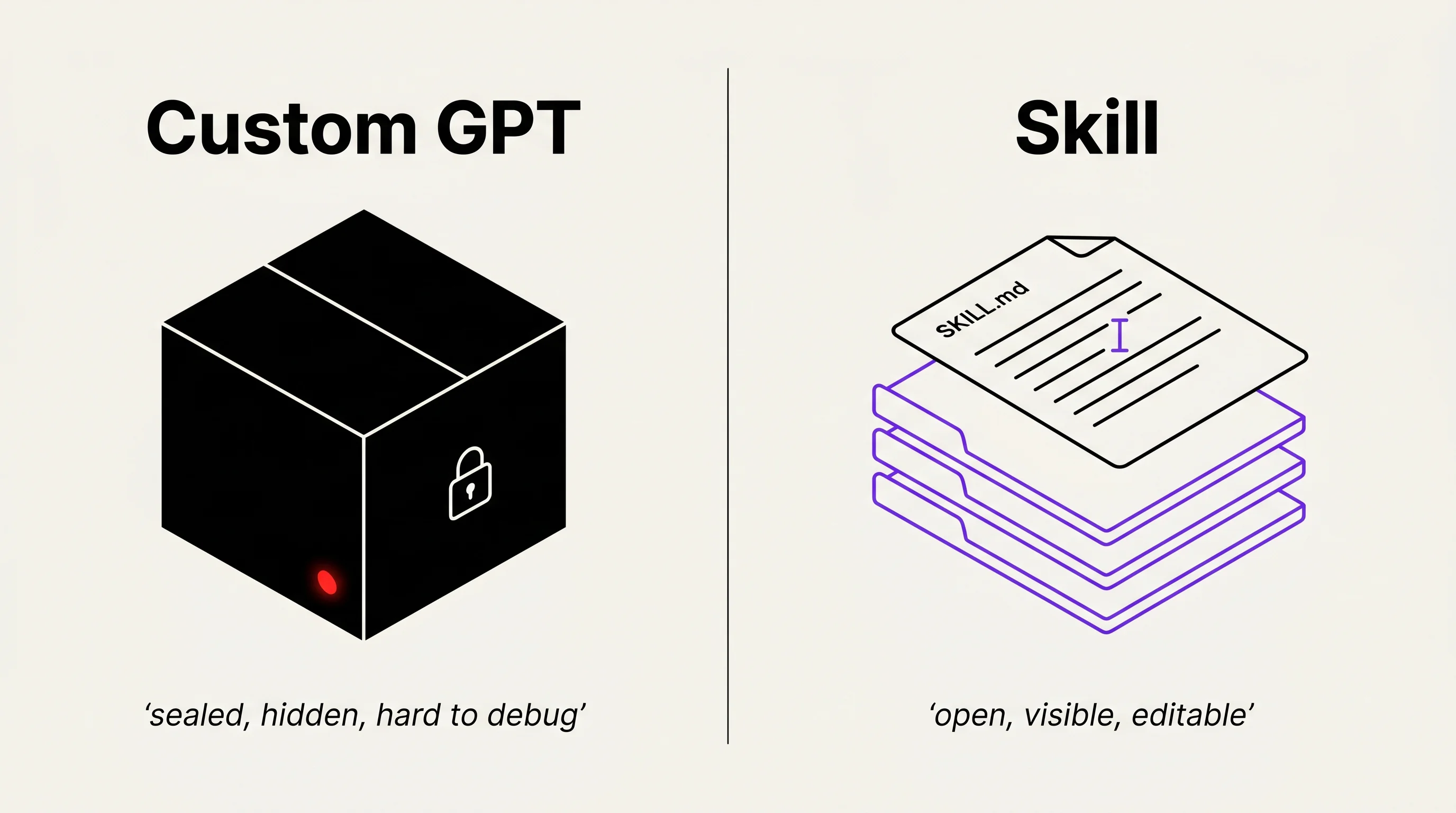
A Custom GPT lives behind a wall. You can edit instructions, but you cannot see exactly how OpenAI's system is calling them, what the model is loading first, or where your wording got compressed. When a GPT misbehaves, you guess. You change a line. You test. You guess again.
A Skill lives in your folder as a Markdown file. When a Skill misbehaves, you open the file. You find the line that is wrong. You fix it. You save. You run the Skill again. The whole loop is five minutes.
This is the line worth remembering. Skills are debuggable. That alone justifies the switch.
Better still, the fixes compound. The first time you run a new Skill is the most expensive run. By the tenth, the bugs are gone, the rough edges are smoothed, and the Skill does the job at quality every time. Custom GPTs degrade with platform changes. Skills sharpen with use.
Skills Are Portable and Shareable
A Skill is a folder. You can zip it. You can share it. You can install one someone else built.
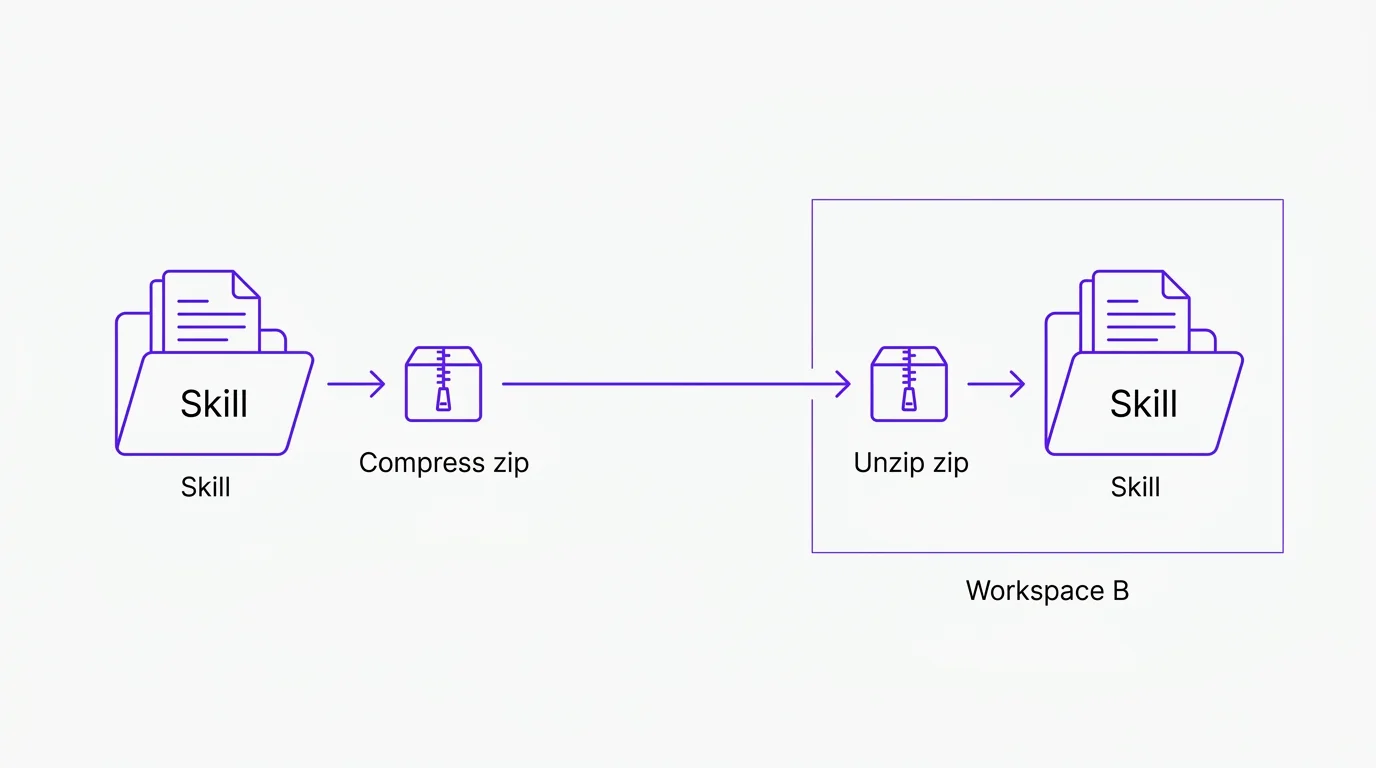
theCLICK's Skill library is a set of pre-built Skills you can install in one click. Your agency can ship a Skill kit to clients. Your team can install the same workflow across five workspaces and get the same output. None of that is possible with a Custom GPT.
Skills travel. Custom GPTs do not.
The implication is bigger than convenience. Once Skills can be packaged and shared, they become software. Real software, built in natural language, distributed like apps. The Quick Start ships with the first set installed.
Skills Are Stackable
One Skill does one job. A workflow stacks Skills together to get a real job done.
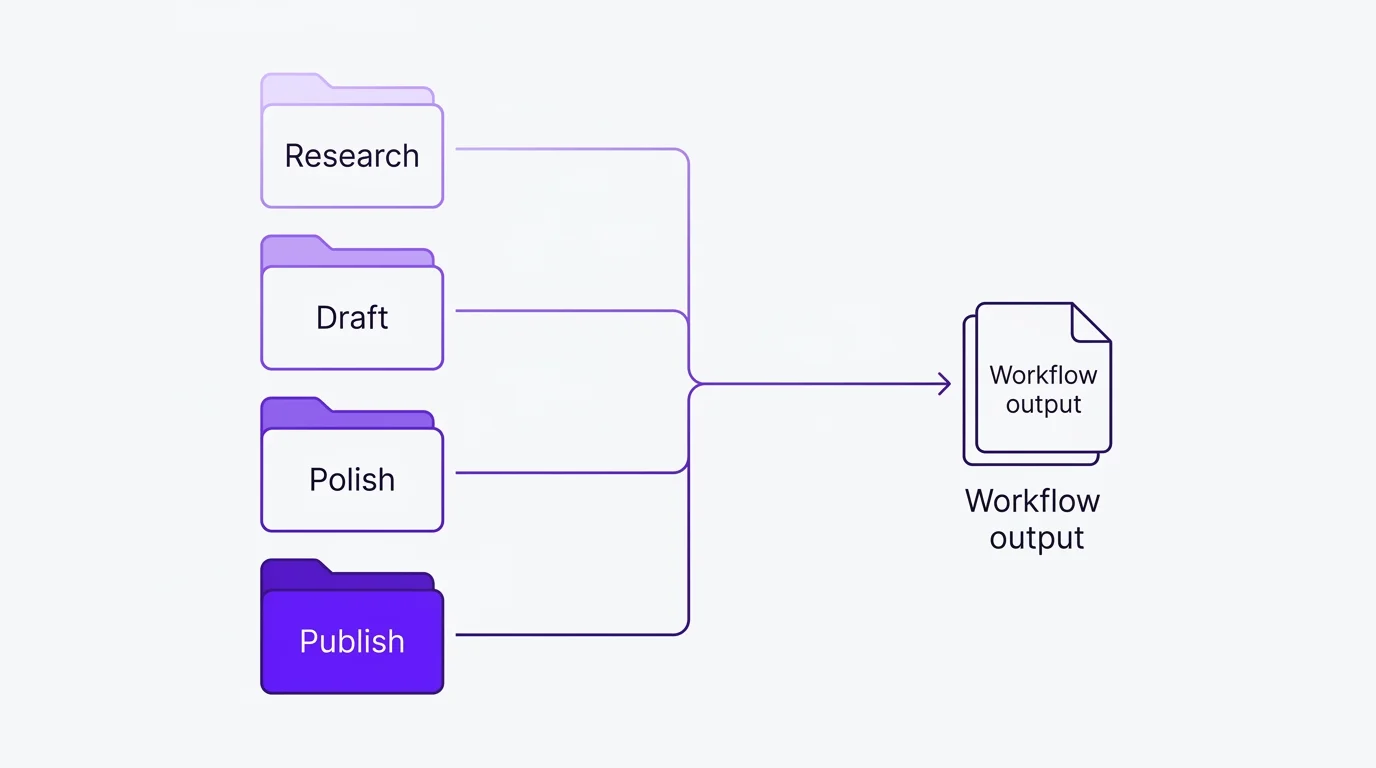
Imagine baking a cake. Making the icing is a Skill. Mixing the batter is a Skill. Baking is a Skill. The cake itself is the workflow that calls the icing Skill, the batter Skill, and the baking Skill in order.
Translate that to marketing. An "SEO audit" workflow calls a page-quality Skill, a backlink-check Skill, and an E-E-A-T Skill. Together they audit a page in minutes. A "weekly newsletter" workflow calls a research Skill, a draft Skill, and a polish Skill. The output is a finished issue waiting in your folder.
Skills give you reach when paired with Connectors. One Skill can call a Connector to pull a Notion page. The next Skill in the workflow polishes that page. The next Skill posts it to Slack. The stack does the whole job.
Two Methods to Create a Skill
There are two ways to create a Skill. You can write it yourself, or you can ask Claude to write it for you.
Method 1: Write It Yourself
Create a folder. Name it after the job (in kebab-case, like weekly-newsletter-draft). Drop a SKILL.md file inside. Write the instructions in plain Markdown. Save.
The file does not need to be long. A working Skill is often twenty to fifty lines. Here is a short real example you can use as a template.
---
name: weekly-newsletter-draft
description: Draft a weekly newsletter from this week's content notes.
---

# Weekly Newsletter Draft

## When to use

The user asked you to draft the weekly newsletter, or it is Sunday
afternoon and the scheduled job triggered.

## Inputs

- /content/this-week.md (notes from the week)
- /core/brand-voice.md (voice rules)
- /core/persona.md (audience)

## Steps

1. Read the three input files.
2. Pick the strongest 3 stories from this-week.md.
3. Draft a subject line. Curiosity, not clickbait.
4. Draft the body in the Reynolds voice from brand-voice.md.
5. Save the draft to /newsletter/drafts/YYYY-MM-DD.md.

## What good looks like

Clear subject line. One idea per section. Short paragraphs.
Specific over abstract. No em dashes.

## What to avoid

Hype. Manufactured urgency. Generic openers.
That is a working Skill. Write it. Save it. Run it.
Method 2: Have Claude Write It
Tell Claude what the job is. Describe what good output looks like. Walk through the steps the way you would explain them to a new hire. Claude writes the SKILL.md file for you. You read it. You edit. You save.
Method 2 is faster. Method 1 makes you understand what is actually in the file.
In practice, most people start with Method 2 and shift toward Method 1 as their judgment about good Skills sharpens. Both methods produce the same kind of file. The only difference is who held the keyboard.
The Skill library has working examples to look at if you learn faster from real files than from documentation.
Move Slow and Fix Things
Silicon Valley's old line was move fast and break things. For Skills, the discipline is the opposite.
You build one Skill. You run it ten times. You watch what it gets wrong. You open the file. You fix the line that is wrong. You save. You run it again.
That is the whole loop, and it works because a Skill is a Markdown file you can actually see. A bad bullet point in the output traces back to a line you can edit. A weak prompt traces back to a sentence you can rewrite. The Skill gets sharper every iteration, and the time you spend in the first month pays compound interest for the rest of the year.
Skills compound. The ones you fix this month carry you all next year.
Move slow. Fix things. Ship Skills that hold up.
How to Structure Your Folder
Claude reads your folder top-down. The structure matters as much as the content.
A few conventions that work.
- Keep Skills under a
skills/directory. - Name Skill folders after the job, in kebab-case (
weekly-newsletter-draft, notWeekly_Newsletterorwnd). - Each Skill folder contains a
SKILL.mdand optional reference files. - Group related Skills under a parent folder (
marketing/,sales/,ops/).
Here is a clean example.
my-business/
├── CLAUDE.md
├── core/
│   ├── brand-voice.md
│   ├── persona.md
│   └── offers.md
├── skills/
│   ├── marketing/
│   │   ├── weekly-newsletter-draft/
│   │   │   └── SKILL.md
│   │   ├── linkedin-post/
│   │   │   ├── SKILL.md
│   │   │   └── reference-posts.md
│   │   └── seo-page-audit/
│   │       └── SKILL.md
│   └── sales/
│       └── proposal-draft/
│           └── SKILL.md
└── content/
    └── this-week.md
Structure is documentation. Claude reads it the same way a new teammate would. A clean folder tells the model what kind of work happens here and where to look first.
For the file that ties the whole workspace together, see CLAUDE.md on the Get Started page.
What You Have When This Phase Is Done
A skills/ directory with at least one working Skill in it. A SKILL.md file you can open and read. The mental model of "one Skill, one job" and "Skills stack into workflows." The discipline to move slow and fix things instead of rebuilding the same Skill from scratch every week. Phase 4 (Connectors) is how those Skills reach out to the rest of your stack.
See Claude Skills in Action
The fastest way to feel what Skills do is to install five of them and run one tonight.