Build (or upgrade) an email newsletter that runs on a repeatable AI system so production is fast, high-quality, and focused on generating revenue.
“Russ' AI training paid for itself many times over within my first quarter... this training has helped me land 2 clients and expand into new markets.”

Founder, Brennan Communications
| The Old Way | The Growth OS Way |
|---|---|
| Newsletter is optional, inconsistent, and sent "when you have time." | Newsletter becomes a simple operating rhythm that compounds weekly. |
| Every send starts from scratch: "What do I say? What do I promote?" | Reusable issue frameworks, prompts, and CTAs make shipping predictable. |
| Content is disconnected from pipeline, so results feel fuzzy. | Every issue ties to a goal: lead capture, warming, conversion, or retention. |
| Writing takes hours because you're juggling tools, drafts, and decisions. | Growth OS keeps strategy, templates, and drafting in one place so production is fast. |
| You get stuck in the hamster wheel: more content, more stress, no compounding. | You build an asset: a library of issues + segments + offers that gets stronger over time. |
“I just renewed my subscription for theCLICK for another year because I want to continue to learn the skill to master AI for our company. We appreciate how Russ is teaching marketing and the use of AI at the same time.“

CEO, EQUINERA
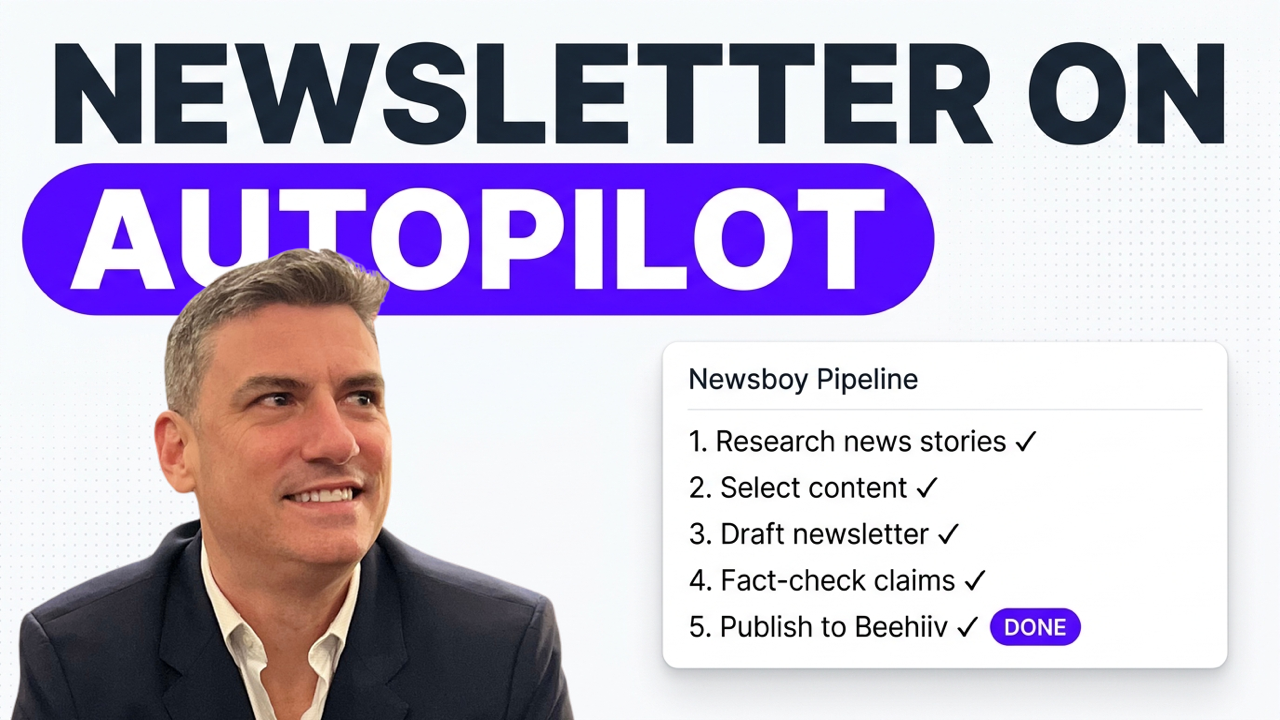
Turn unpredictable leads into a steady weekly engine. Install the Newsletter Module into ChatGPT so every issue is built to create pipeline (capture → warm → convert) instead of “sending something when you remember.”
End the weekly restart. Use the installed Issue Template + Issue Library so you’re never staring at a blank page—each send starts from a proven structure and gets easier (and stronger) over time.
Ship in a sane week. Run the Weekly Issue Builder workflow (plan → draft → refine → QA) so newsletter production drops from hours to a consistent 30–45 minute block without sacrificing quality.
Make every email pull its weight. Use the CTA + Offer Map to choose what you’re promoting (and why) so your newsletter reliably drives leads and sales instead of vague “value content.”
Keep voice consistent while moving fast. Run AI with your business context (persona + offer inputs inside GrowthOS) so drafts sound like you, stay on-message, and point to the right next step.
Reduce complexity without dumbing it down. Install a simple one to two issues per week rhythm so your newsletter becomes predictable infrastructure, not a creative project that expands to fill your calendar.
Turn one issue into multiple growth assets. Use your GrowthOS workspace to repurpose the same core message into social posts, lead magnets, and follow-ups so you get compounding output without adding more content creation.
Build authority without becoming a performer. Publish consistently with a system that makes your best thinking visible on schedule, so trust builds in the background while you stay focused on running the business.
About your instructor
I'll be your guide as we install a newsletter that generates leads and sales into your business.
Over the past two decades, I've been immersed in digital marketing, consulting, speaking, and writing about what works (and what doesn't) in business growth.
I’ve worked on business growth with thousands of companies through my consulting, training, stage presentations and my book, Digital Marketing for Dummies.
I built Growth OS after realizing AI could transform execution and yet most people were using it as a toy, not a system.
This Newsletter module applies Growth OS to one of the most reliable growth levers available: an email newsletter that compounds trust and demand over time.
Have questions? Contact me directly at [email protected].

Russ is always on the cutting edge, first doing the work, then teaching it in a way that actually clicks. And when it comes to AI, he's become one of the most trusted voices I know.

Growth OS for ChatGPT • A 5‑phase installation that turns ChatGPT into your Business Growth Operating System so marketing work stops living in scattered drafts/plans and starts shipping as finished assets.
Monthly Masterminds • In-the-trenches Growth OS case studies. Each Mastermind features interviews with members actively using Growth OS to do real business growth work. You’ll see what they built, what changed, what worked, and what didn’t. Then the group workshops the challenges together so you leave with clearer decisions, better ideas, and a stronger next step.
Weekly Office Hours • Live implementation support, Q&A and bonus training. Bring your installs, workflows, drafts, campaigns, and roadblocks. Get answers, troubleshoot fast, and leave with shippable next actions so you’re never stuck or guessing what to do next.
Growth Plan Intensive • Build your growth plan inside Growth OS so it's not trapped in a doc you never open again. Clarify priorities, map the Customer Journey, and translate the plan into campaigns, assets, and workflows you can actually run. Then, feed it to your AI so it knows the master plan.
Training Library + Updates + Community • Everything on-demand, always current. Replays, templates, and the latest systems, plus a community of builders sharing what’s working so your Growth OS stays sharp as the tools evolve.
“I know I would be completely overwhelmed were it not for the training I've received here. It gives me a direction and helps me stay focused on the best use cases for my business right now.”

Founder, OnPoint Results
Have questions? Send an email to [email protected] and we'll get you an answer.
Can this work for my business model?
Growth OS isn't tied to a specific business model. If you use a computer to plan, market, sell, deliver, or manage the work of growing a business, Growth OS helps you move faster on execution and make better strategic decisions without the chaos.
How fast can installation happen?
You'll install your AI marketing expert and Marketing Hub within minutes of starting Growth OS. That first step alone immediately streamlines your work, organizes what's in motion, and raises the quality of what you ship. The full implementation training takes about 4 hours.
What if I'm a beginner and/or have no technical skills?
First, no technical skills are required. You won't be doing any coding, advanced automations or any of that in theCLICK. We are here to do real business growth work like creating content and planning and launching promotions, not coding applications and AI agents.
Does this replace other tools?
Growth OS is built to run inside ChatGPT, so a large portion of day-to-day business growth work will move into one system. Many members simplify their tool stack dramatically after installation while still keeping any specialized tools they prefer (email platform, CRM, design, etc.).
What do I need to have ready (assets, docs)?
Nothing. You'll start with done-for-you templates and paint-by-number instructions. When something needs to be specific to your business, the system walks you through building it step-by-step.
How do I access my training after I join theCLICK Pro?
Within a few minutes (usually a few seconds) of checking out you'll receive an email that directs you to theCLICK Pro Training Library and Community. You'll create your account and gain instant access to your training, the community, and registration for any upcoming live training or mastermind meetings. If you're having any trouble, shoot us an email at [email protected] and we'll get it straightened out.
What if I can't attend the live sessions?
No worries. First, we record and archive everything we do in live sessions so you can participate on-demand in theCLICK Pro Training Library. Second, our flagship trainings are delivered on-demand so you can complete them at your own pace and we have live Office Hours sessions that are optional and recorded as well.
Can I cancel my membership any time? How do I cancel my subscription?
Yes, you can cancel anytime. Contact our support team at [email protected] to process your cancellation request or cancel inside of theCLICK Pro Training Library by clicking on your avatar in the upper right corner and selecting the Billing option.
Who do I contact if I need support?
You can reach our support team at [email protected] for any questions or assistance.