

Clay MCP
Clay's official MCP connects Claude to the GTM research and enrichment stack used by modern sales and growth teams. Run prospect lookups, enrichment workflows, and outbound prep without leaving the conversation.
Install Clay MCP and Claude can:
- → Pull contact and company enrichment (headcount, funding, news, tech stack, traffic, emails) from inside Claude
- → Invoke Clay Functions your ops team built as reusable enrichment workflows
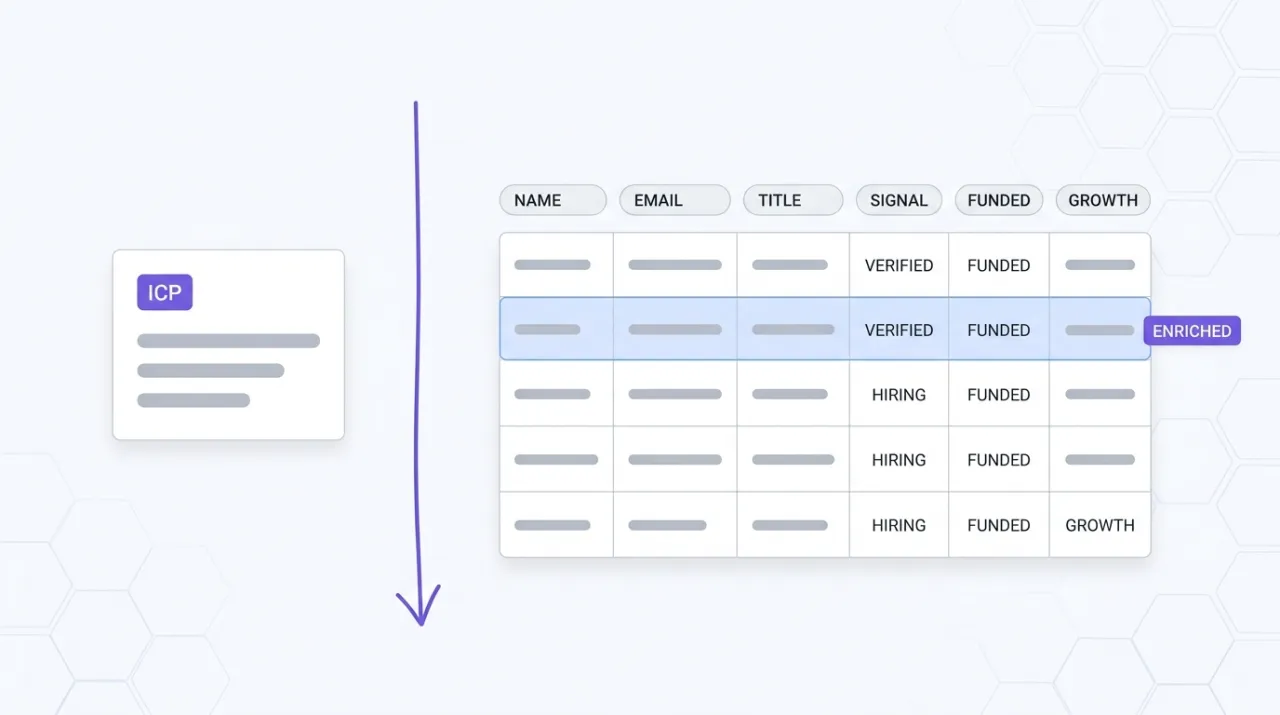
- → Score accounts against an ICP and rank a list without leaving the conversation
- → Draft outbound messaging grounded in the enrichment data you just pulled
Clay maintains it. It is free. One install, then Claude has hands on the open web.
What you can do once it is installed
Ask Claude to pull headcount growth, recent funding, tech stack, and recent news for a list of target accounts. Have it find the right contact at each company with a verified email. Tell it to run a Clay Function your ops team built (waterfall enrichment + ICP scoring) against a fresh account list and rank the results. Then ask it to draft a personalized outbound message for each top-ranked contact, grounded in the enrichment data it just pulled. The research, scoring, and drafting work that used to bounce between Clay tabs and a separate writing tool now happens inside the Claude conversation where the campaign is being shaped.
Add Clay MCP from the Connectors Directory
Clay MCP is published in Anthropic's official Connectors Directory inside Cowork. There is no URL to paste. Click the button below to open the Clay MCP connector in Cowork and authorize it in your browser.
Connect Clay MCP in Cowork3 steps
- Click the Connect Clay MCP in Cowork button above. Cowork opens with the connector ready to add.
- Click Connect in Cowork. Your browser opens a sign-in window for Clay MCP.
- Sign in and authorize. Clay MCP is now available in every conversation in your workspace.
Clay is a one-click connector in Anthropic's Connectors Directory inside Cowork. Click the button below, then Connect in Cowork, then sign in to Clay in your browser. New users get an account created automatically and 500 complimentary Clay credits on first connection. If you are on Claude Enterprise, a workspace admin must add the Clay connector before your seat can use it.
Prefer to find it inside Cowork yourself?
Open Cowork. Choose Customize, then Connectors. Scroll the directory and click the Clay MCP tile, then click Connect. Same OAuth flow.
Starter prompts
Copy any of these into Claude after you install Clay MCP to see it in action. Each prompt is generic enough to work in any workspace.
Enrich a list of target accounts and rank by fit
I'll paste a list of 25 target company domains below. For each, pull headcount, recent funding, tech stack, website traffic estimate, and any news from the last 90 days. Rank the list by fit for a B2B SaaS company selling to marketing teams at 50 to 500 person companies. Tell me the top 5 and why each made the cut.
Find the right contact at each top account
Take the top 5 accounts you ranked. For each, find the head of marketing or the most senior marketing decision-maker. Pull a verified work email, current title, time in role, and one recent piece of public activity (post, talk, hire, launch) we can reference in outreach.
Draft personalized outbound grounded in the enrichment
Draft a 90-word outbound email to each of those contacts. Reference one specific signal from their company enrichment (funding, hire, launch, tech-stack change) and tie it to a concrete value proposition. Keep the CTA soft. Match the tone of a peer making a referral, not a vendor pitching.
What this MCP does
An MCP (Model Context Protocol server) is a packaged add-on that gives Claude new abilities. Install one and Claude can use it from then on. Clay MCP is Clay's official one-click connector that gives Claude access to Clay's GTM research and enrichment stack from any conversation. The default tool surface covers contact and company discovery, headcount growth, recent news and funding, competitor and customer intelligence, tech stack analysis, website traffic, job openings, revenue models, verified emails, and work history. Clay Functions are reusable enrichment workflows your ops team builds in Clay (waterfall provider sequences, ICP scoring, outbound generation against Salesforce or Snowflake) that Claude can invoke once an admin makes them MCP-accessible. Workspace admins control which Functions Claude can call and set default or per-user credit budgets. The MCP is available on Clay's Launch, Growth, and Enterprise plans, both modern and legacy Enterprise.
The four jobs it does best:
Default enrichment tool surface
Out of the box, Claude can pull contact and company discovery, headcount growth, recent news and funding, competitor intelligence, tech stack, website traffic, job openings, revenue models, verified emails, and work history. The research layer of a GTM workflow becomes conversational.
Clay Functions as reusable workflows
Functions are enrichment workflows your ops team builds in Clay (waterfall provider sequences, ICP scoring, outbound generation that pulls from Salesforce or Snowflake). Once an admin enables them for MCP, Claude can run any Function on demand. The complex logic stays in Clay, the trigger is a natural-language prompt.
Function-level admin controls
Workspace admins toggle which Functions are available via MCP from the settings page. Gradual rollouts and sensitive workflow restrictions are possible without touching the underlying Clay Functions. The team decides what Claude can and cannot run.
Credit budgets per workspace or per user
Admins set a default credit budget for everyone on the MCP and configure per-user budgets for more granular control. Spend stays predictable even when reps experiment with new enrichment patterns inside Claude.
Who it is for
- • Sales and revenue operators at modern GTM teams: if your ops team already builds enrichment workflows in Clay, the MCP gives the rest of the team a conversational way to invoke them. Same workflows, new interface.
- • Founders running their own outbound: pull account research, find contacts, and draft personalized outreach without bouncing between Clay tabs and a separate writing tool.
- • Agencies and consultants running outbound for clients: install once per client workspace and run enrichment, ICP scoring, and outreach prep across multiple accounts from a single Claude environment.
- • Skip if: you are on a free Clay trial only (the MCP requires Launch, Growth, or Enterprise) or your enrichment lives in a different stack entirely (Apollo, ZoomInfo, Cognism, LeadIQ, Lusha) with no plan to consolidate on Clay.
Ways marketers and operators use Clay MCP
16 ways the same tool shows up across content, research, lead gen, and quality assurance work.
Account research and ICP scoring
- • Pull headcount, funding, tech stack, and news for a list of target accounts in one pass
- • Score accounts against an ICP definition and rank them by fit
- • Identify expansion-stage signals (new funding, leadership hires, fast headcount growth) across a watchlist
- • Compare a prospect against their nearest competitors on tech stack, traffic, and headcount
Contact discovery and verification
- • Find the right decision-maker at each account by role, seniority, or function
- • Pull verified work emails, current titles, time in role, and recent public activity
- • Build a contact list for an event invite or a campaign launch from a list of target companies
- • Refresh stale contact lists with current titles, employers, and emails
Outbound preparation and message drafting
- • Draft personalized outbound grounded in specific enrichment signals (funding, hire, launch, tech change)
- • Run an internal Clay Function (waterfall enrichment + ICP scoring + outbound generation) against a fresh account list
- • Generate LinkedIn connect notes and follow-up emails tied to enrichment signals
- • Match outreach tone to the audience based on title, company stage, and recent public activity
List cleaning and competitive intel
- • Audit an existing CRM segment for stale records (left the company, role change, company shut down)
- • Find every customer of a named competitor using public signals (tech stack, case studies, job ads)
- • Track headcount and hiring patterns at a watchlist of competitors over time
- • Pull traffic, tech, and funding deltas across a target account universe quarter over quarter
For teams running this at scale
For teams running outbound at meaningful volume, the right pattern is to let ops build the high-leverage Clay Functions (waterfall enrichment, ICP scoring, account-tier-specific outbound generation) and use the MCP to make those Functions invokable from any rep's Claude conversation. The ops team controls which Functions are MCP-accessible and sets per-user credit budgets. Reps get a conversational interface to the same workflows ops already trusts. For deployment automation that runs on schedules or reacts to product events outside of a conversation, pair the MCP with Clay's native scheduled-run features and let ops own the triggered side.
Russ Henneberry evaluated Clay's MCP as a capability assessment for client engagements where Clay is the GTM enrichment stack in use. theCLICK runs a content-led acquisition motion, not heavy outbound, so this is a capability review rather than a daily-use endorsement. The standout is Functions over MCP. The reusable workflow pattern means the heavy ops logic stays in Clay, while reps trigger it conversationally. Disambiguation note: the right Clay is clay.com (the GTM research platform). Several third-party MCP listings conflate it with clay.earth (an unrelated personal CRM iOS app). The connector in Anthropic's directory points to the right one. Current as of May 2026.
STAY IN THE LIBRARY LOOP
Get the next library entry first
We review new plugins, MCPs, skills, and CLIs as they ship. Subscribe and you'll get a short heads-up the next time we add one to the library, plus theCLICK's weekly AI marketing brief.
This library is operated by theCLICK (Modern Publisher, LLC)