

Descript MCP
Descript's official MCP plugs Claude into the AI video and audio editor. Import media, run Underlord edits, manage compositions, and export web links without leaving the conversation.
Install Descript MCP and Claude can:
- → Import media files into Descript and create new compositions from a Claude conversation
- → Run Underlord edits: filler removal, Studio Sound cleanup, captioning, and B-roll suggestions
- → Export web links and monitor real-time task progress for long processing jobs
- → Manage projects, folders, and compositions across a series without context switching
Descript maintains it. It is free. One install, then Claude has hands on the open web.
What you can do once it is installed
Drop a recording into a target folder in Descript and ask Claude to clean it up with Underlord, generate captions, and export a web-ready cut. Ask Claude to take a long podcast composition and pull three social clips by topic. Have it manage a series of episode compositions, keeping naming, folders, and metadata consistent. Have it monitor task progress on a long export and notify you when the web link is ready. The repurposing and polish layer of the production pipeline now responds to natural-language instructions.
Add Descript MCP as a custom connector
Open Claude Cowork. Choose Customize, then Connectors, then click the + next to Connectors. Paste these two values into the Add custom connector modal:
Name
Descript Remote MCP server URL
https://api.descript.com/v2/mcp Descript handles OAuth in your browser after you click Add. Sign in to your Descript account to authorize the connector. No API token required. Claude shows an Allow prompt the first time it uses each tool. Descript's docs reference the Claude Customize → Connectors → '+' flow by name.
First time installing an MCP in Cowork? Full walkthroughPrefer Claude Code or want the source?
Claude Code install
Starter prompts
Copy any of these into Claude after you install Descript MCP to see it in action. Each prompt is generic enough to work in any workspace.
Polish a raw recording end to end
Take the most recent file in my 'Raw Inbox' folder in Descript. Run the standard Underlord cleanup (filler removal, Studio Sound) and generate captions. Create a new composition in my 'Episodes' folder named with today's date. Export a web link when the composition is ready. Notify me when each step completes so I can review.
Pull three social clips from a long composition
Open the composition called '{name}' in Descript. Identify three high-energy moments suitable for short-form social clips (15 to 60 seconds each). For each clip, suggest a working title, the start and end timestamps, and a one-line hook. Create three new compositions in my 'Social Cuts' folder, one per clip, ready for me to refine.
Audit and reorganize a project series
Walk through every composition in my 'Podcast Season 4' folder in Descript. Tell me which ones have captions generated, which have a final export, and which still need work. Flag any naming inconsistencies (missing episode numbers, off-pattern titles). Recommend a cleanup plan I can approve task by task.
What this MCP does
An MCP (Model Context Protocol server) is a packaged add-on that gives Claude new abilities. Install one and Claude can use it from then on. Descript MCP is Descript's official hosted server at api.descript.com/v2/mcp that gives Claude direct access to Descript projects, compositions, and the Underlord editing toolkit via OAuth. This is a first-party server from Descript itself, served over remote HTTP, so no local install is required. The tool surface covers the production workflow: import media files, run Underlord edits (filler removal, Studio Sound cleanup, captioning, B-roll suggestions), create and manage compositions, target specific folders, export to web links, and track real-time task progress. The server launched in early May 2026. Marketers, creators, and producers use it to repurpose long-form recordings, polish raw footage, generate social cuts, and keep projects organized across an episode series or content library.
The four jobs it does best:
Underlord toolkit from inside the conversation
Underlord is Descript's AI editing assistant. The MCP exposes it as a set of tools Claude can call: filler-word removal, Studio Sound cleanup, automatic captioning, B-roll matching. The cleanup pass that used to require clicking through the Descript UI now happens via natural-language instructions.
Composition and project management
Create new compositions, target specific folders, manage naming and metadata across a series. Useful for podcasts, episodic content, course recordings, and any production workflow that produces dozens or hundreds of project files.
Web export with real-time task progress
Export compositions to shareable web links and monitor task status as the export runs. Long renders no longer require keeping a tab open and refreshing. Claude reports progress and notifies on completion.
OAuth login, no API token
Sign in to your Descript account in your browser. No API key sitting in any config file. The integration uses your existing Descript permissions, so it respects the projects and folders your account already has access to.
Who it is for
- • Podcasters and series producers: the repurposing layer of the production pipeline. Take long-form recordings and generate clips, captions, and exports without manual UI work.
- • Solo creators and operators: if you record yourself for content (course modules, training videos, social monologues), the cleanup pass and social-cut workflow are the obvious wins.
- • Marketing and content teams using Descript: the integration layer between your editor and the rest of your AI-driven content workflow. The composition is the unit; Claude is the conductor.
- • Skip if: your video pipeline runs through traditional NLE software (Premiere, DaVinci Resolve, Final Cut). Descript MCP only operates on Descript projects. If transcripts are all you need, a transcription service is the lighter tool.
Ways marketers and operators use Descript MCP
16 ways the same tool shows up across content, research, lead gen, and quality assurance work.
Long-form recording cleanup
- • Run filler-word removal across an interview, podcast, or training recording
- • Apply Studio Sound to bring up audio quality on a raw recording
- • Generate captions for accessibility and social-ready output
- • Add B-roll suggestions to a talking-head recording for visual variety
Short-form repurposing
- • Pull three to five social clips from a long podcast or video composition
- • Generate vertical (9:16) cuts for short-form platforms from horizontal source
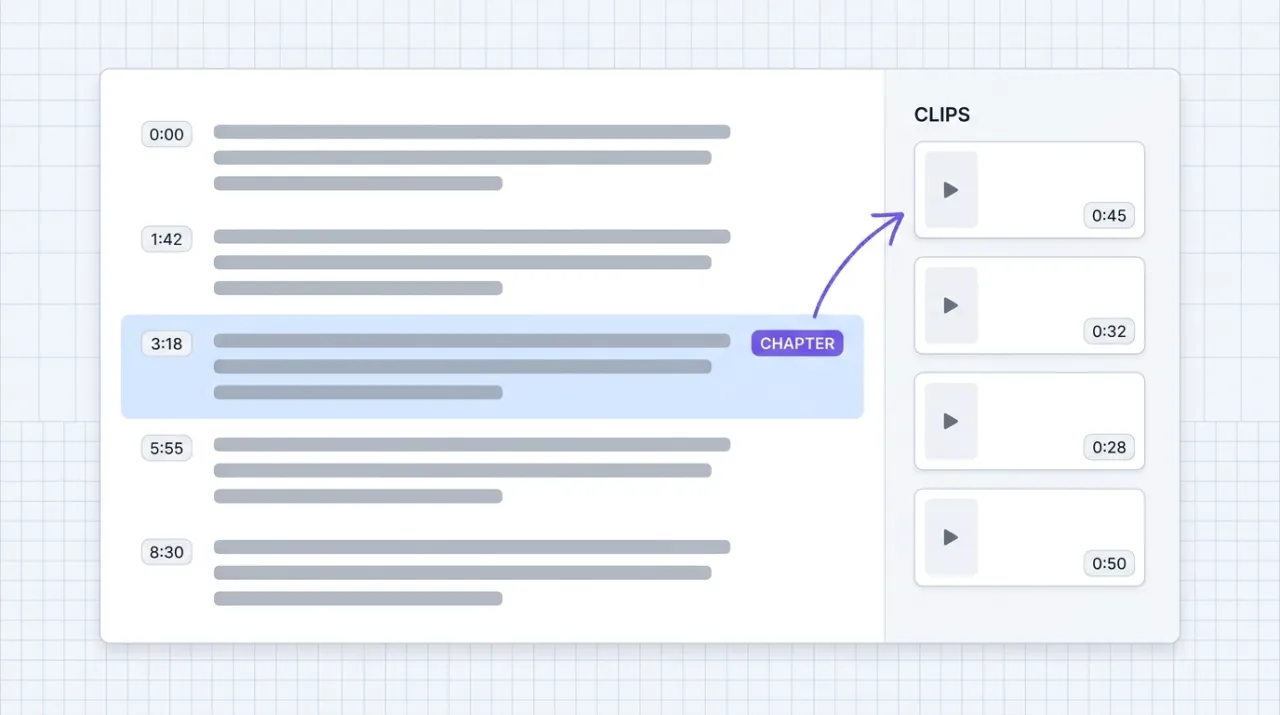
- • Create chapter-based clips for a long composition (one clip per chapter)
- • Identify highlight moments suitable for trailers, teasers, or pull-quotes
Series and project management
- • Audit a folder of compositions for completeness (captions, exports, naming)
- • Maintain consistent naming and metadata conventions across an episode series
- • Move compositions between folders as they progress from raw to final
- • Duplicate template compositions for the next episode in a series
Output and distribution
- • Export compositions to web links for review or distribution
- • Monitor long export jobs and report completion without manual checking
- • Generate captioned exports ready for platforms that auto-burn captions
- • Batch-export a folder of compositions for archive or backup
For teams running this at scale
For production teams running dozens of compositions per week, the MCP is the right interface for the editorial layer: cleanup, repurposing, naming, and exports. For high-volume automation that needs to run on schedules without a human in the loop, pair the MCP with Descript's REST API directly and let your engineering team own the scheduled jobs. The conversational interface fits the human-driven side of the workflow well.
Russ Henneberry tested Descript's MCP as a capability evaluation for downstream editing inside theCLICK's video stack. Vimeo hosts our finals and whisper-cpp generates our transcripts, so Descript's role is the polish-and-repurpose layer. The standout is the social-cut workflow. Pulling three short clips from a long recording with one prompt is the moment the integration earns its keep. Watch item: Descript's docs say the integration 'requires the Claude desktop app,' but the remote MCP transport is platform-agnostic and should work inside Cowork web as well. Confirm the install path in your environment before betting a workflow on it. Current as of May 2026.
STAY IN THE LIBRARY LOOP
Get the next library entry first
We review new plugins, MCPs, skills, and CLIs as they ship. Subscribe and you'll get a short heads-up the next time we add one to the library, plus theCLICK's weekly AI marketing brief.
This library is operated by theCLICK (Modern Publisher, LLC)