Growth OS for Claude Cowork — Phase 3
Skills. Reference files. Commands. Connectors.
Twenty-nine slides on how Claude actually gets stuff done. Skills are the training manuals. Reference files set the quality bar. Commands run the work. Connectors push it out into the world.

Growth OS for Claude Cowork
Phase 3 Infinite Capabilities
Skills, reference files, commands, and connectors. Twenty-nine slides on how Claude gets stuff done.
Russ Henneberry
- Founder of theCLICK.
- Trained and certified thousands of professionals through consulting, courses, and stage presentations.
- Author of Digital Marketing for Dummies.
I've spent the last 25 years teaching marketers how to ship. This is the next chapter.
Let's BUILD something together.
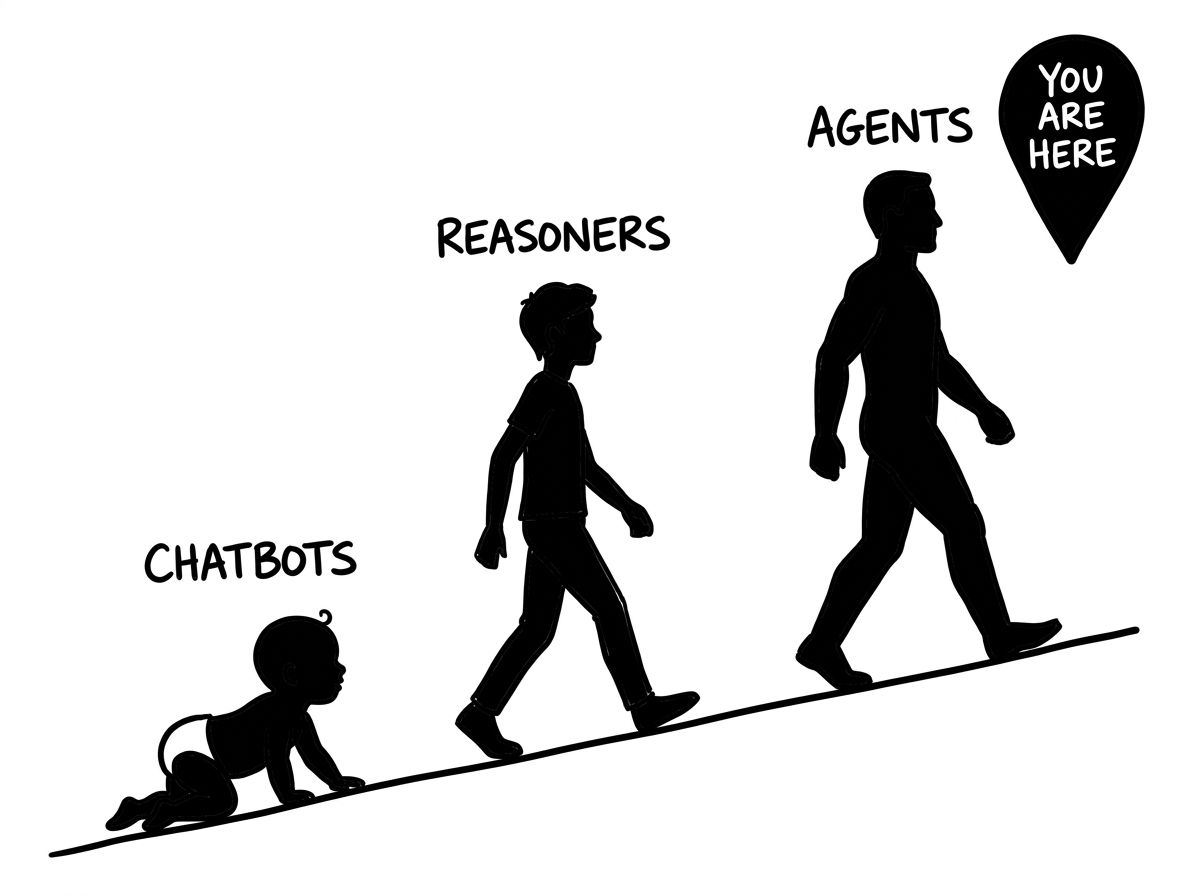
Chatbots. Reasoners. Agents.
- Chatbots typed answers at you.
- Reasoners thought before they typed.
- Agents stopped typing and started doing the work.
You are here. Skills are how agents get the work done.
Skills. How Claude gets stuff done.
Skill
A markdown file (SKILL.md) that tells Claude how to perform a specific task. It contains the instructions, standards, and quality rules Claude needs to execute that task.
Think of it like a training manual for a new hire. Instead of explaining your newsletter process from scratch every session, the skill already knows your format, your voice, your sources, and your quality bar. You just say "run story research" and it executes.
Skills vs Custom GPTs
Skills are easy to fix.
Just tell Claude what to fix.
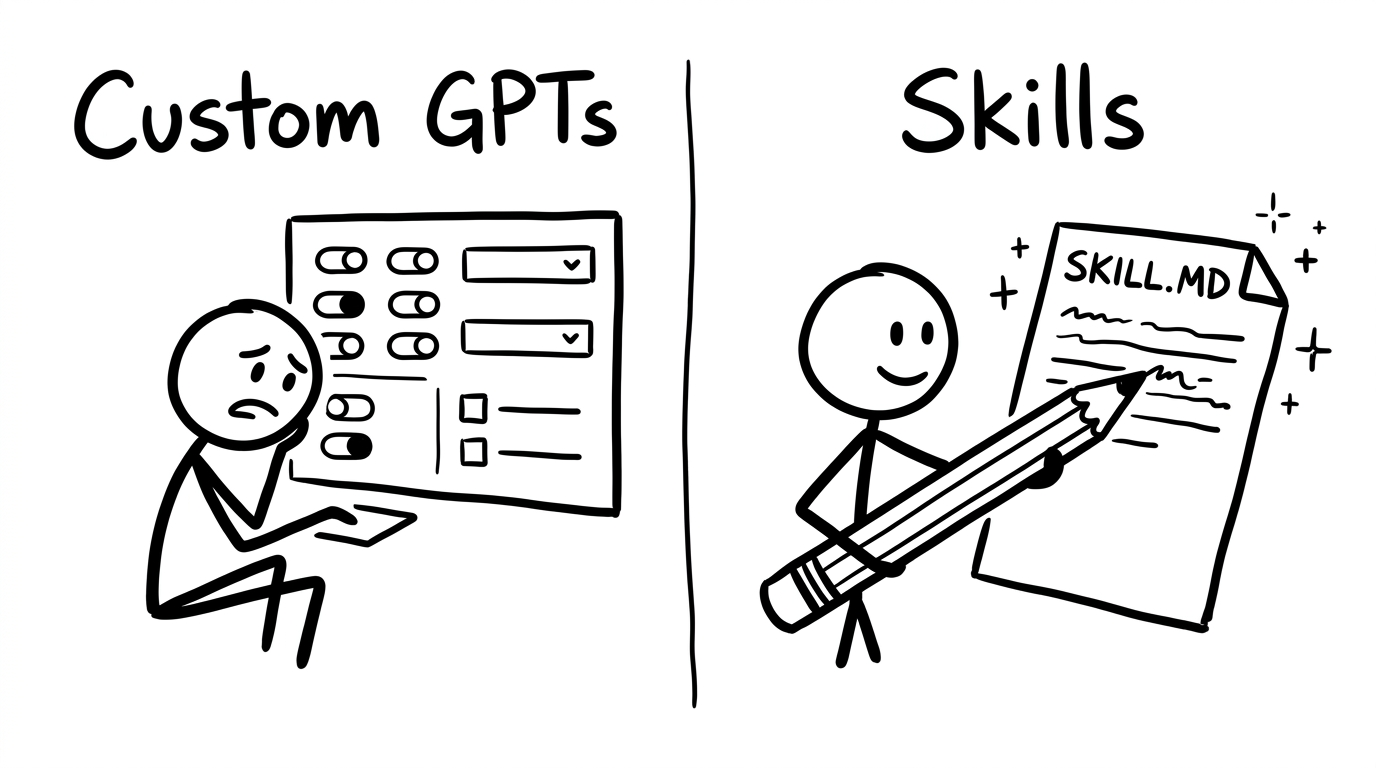
- Custom GPTs hide behind a settings UI you can't fully see or edit.
- Skills are plain markdown. Open the file. Change a line. Done.
- You can describe a fix in conversation and Claude updates the skill for you.
Editing a skill is editing a doc. Editing a GPT is filling out a form.
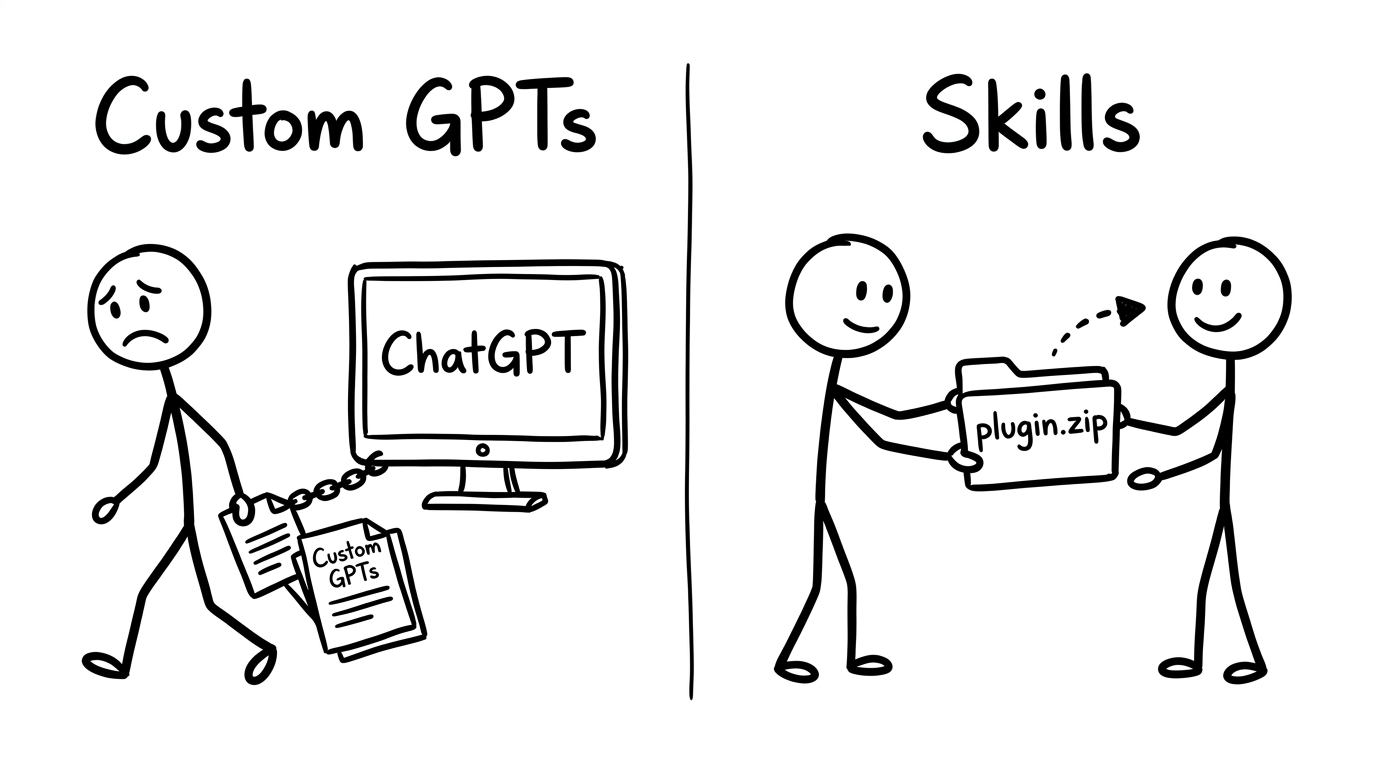
Skills are portable and easy to share.
- Custom GPTs are locked inside one platform.
- Skills are folders. Zip them. Send them. Install them.
- Your team gets the same skill running the same way on day one.
A skill is a package. A GPT is a tenant.
We'll cover plugins in Phase 4.
A plugin is a skill (or a stack of skills) packaged with workflows and context, ready to install in any Claude Cowork workspace. Phase 4 unpacks how plugins are built and how to ship one.
Skills are stackable.
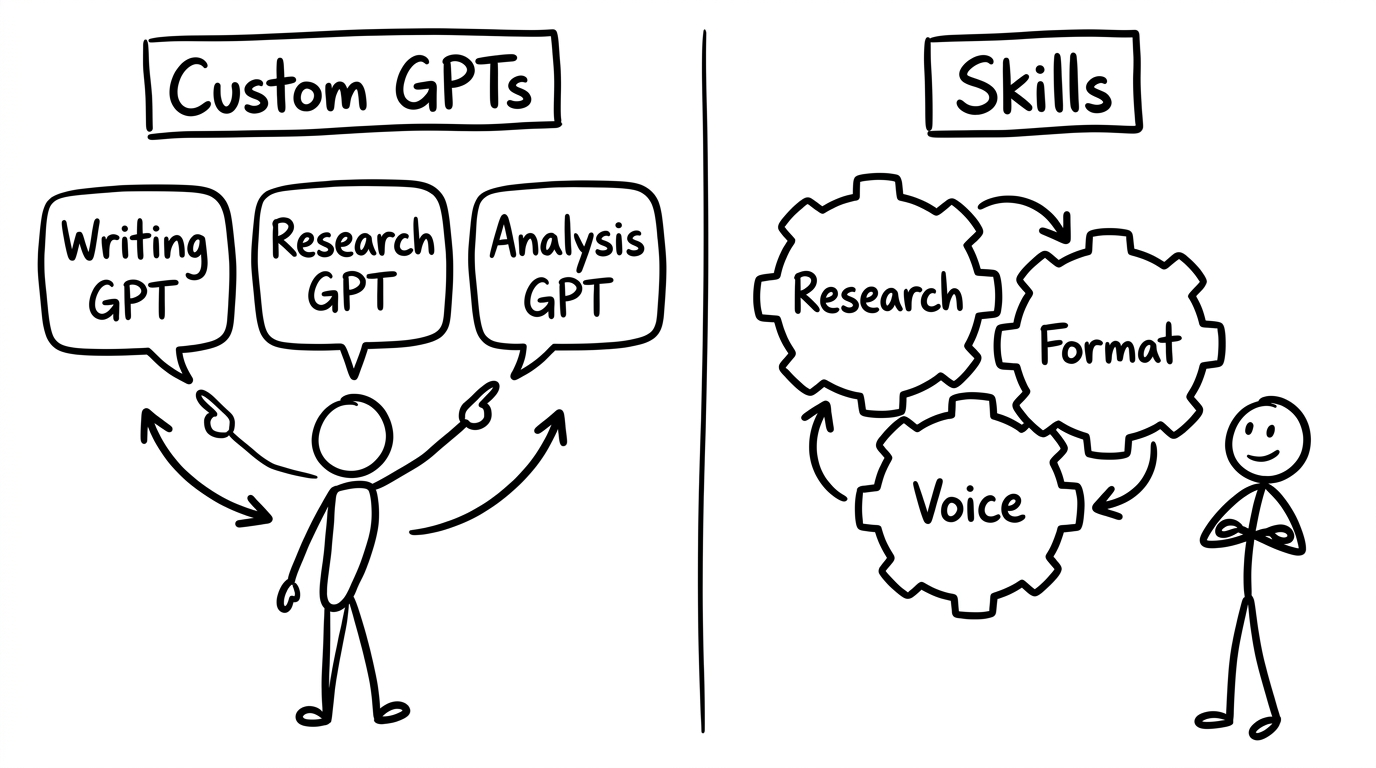
- Custom GPTs live in their own bubbles. You jump between tabs.
- Skills compose. Research feeds Format feeds Voice feeds Output.
- One conversation. Multiple skills. One coherent result.
Skills work the way a real team works. Together.
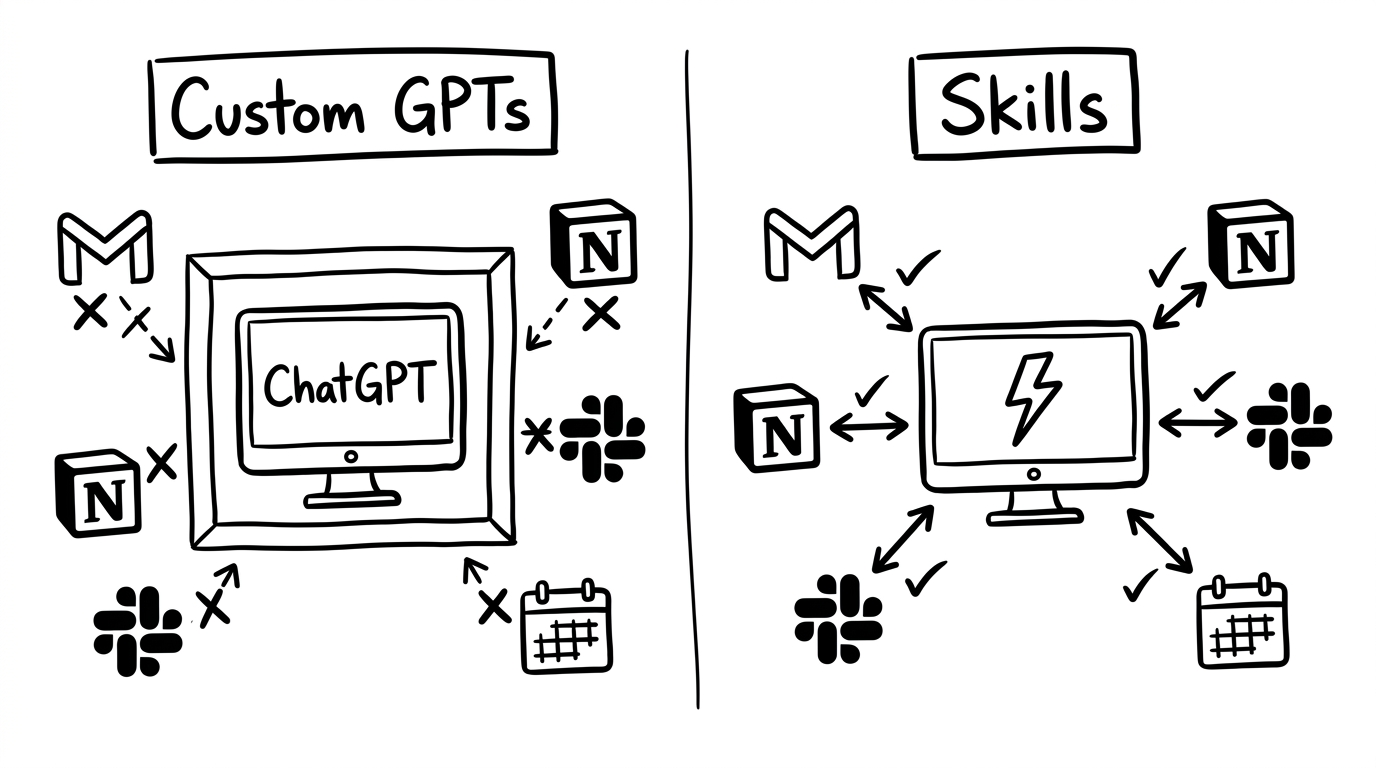
Skills connect to your tools.
- Custom GPT connectors are flaky and limited.
- Skills work natively with Gmail, Notion, Slack, Calendar, Drive, and more.
- Add a connector once. Every skill that needs it can use it.
Claude doesn't just write the email. It sends it.
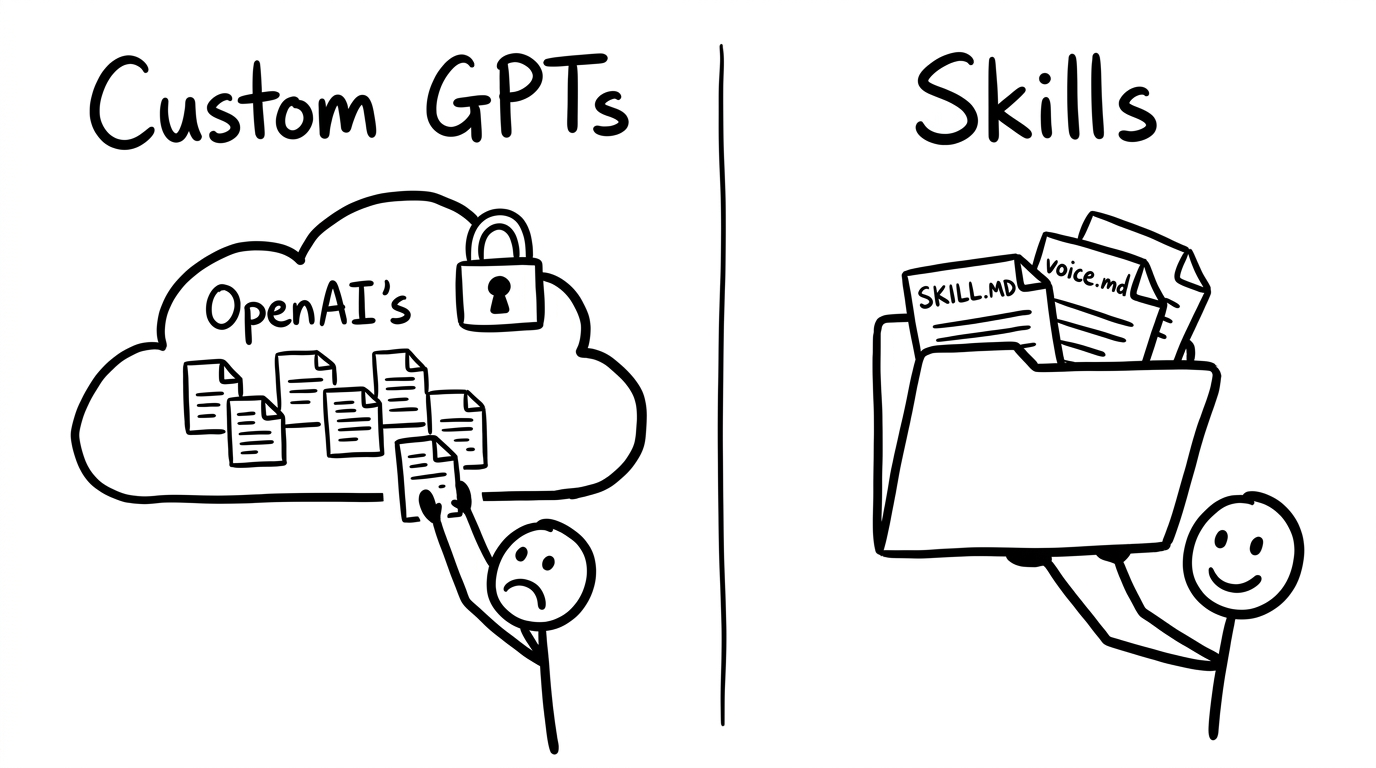
You own the files.
- Custom GPTs live in OpenAI's cloud. If they pull the plug, your work is gone.
- Skills live in your Google Drive, your repo, your machine.
- Edit them in any text editor. Version-control them. Back them up.
Your business runs on files you actually own.
Public. Private. Personal.
- Public skills from Anthropic and third-party builders give you proven capabilities out of the box. No need to build a newsletter skill from scratch if someone already perfected one.
- Private skills lock in your company's way of doing things. Brand voice, approval process, quality bar — every team member's Claude works the same way.
- Personal skills are the ones only you would build. Your shortcuts, your "here's how I actually get this done on a Tuesday morning" playbooks.
Stack public with private with personal. That's your edge.
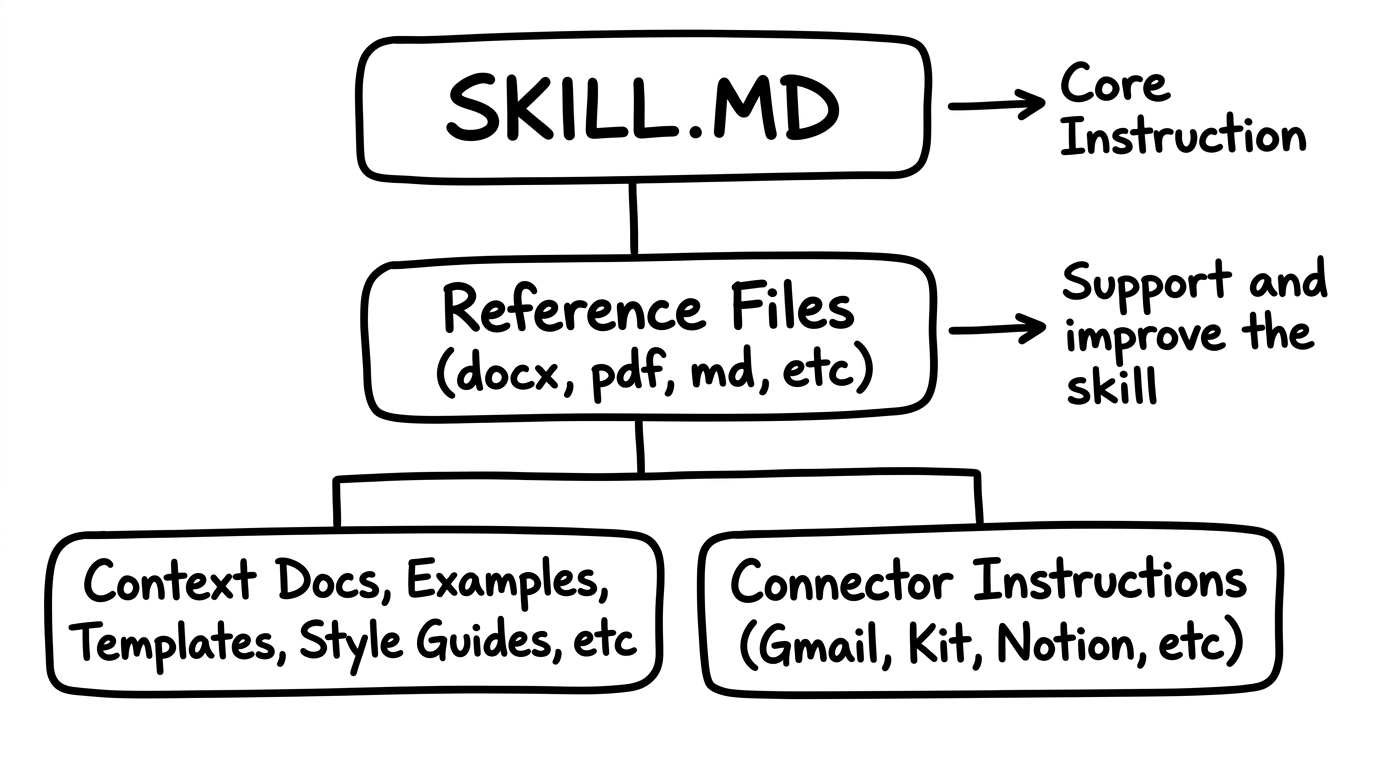
Anatomy of a Skill.
- SKILL.MD is the brain. It tells Claude what to do, what order to do it in, and what "good" looks like.
- Reference files give it context. Brand voice, persona, formatting templates, example outputs.
- Connector instructions wire Claude to your tools. Gmail, Kit, Notion, Slack, Calendar.
One file at the top. Everything else supports it.
Reference Files
Documents that give Claude the context it needs to do quality work: your brand voice, your persona, your templates, your standards, example outputs.
When you onboard a new hire, you don't just hand them a task list. You give them the brand guidelines, the style guide, the "here's how we do things" doc. Reference files are that.
Why they matter.
- Context docs set the quality bar. Brand voice, persona file, formatting templates, style examples.
- Connector instructions wire Claude to your tools. Authentication, endpoints, push and pull rules.
- They're why Claude writes in your voice instead of generic AI voice.
Reference files turn a writer into a doer that sounds like you.
Commands
A trigger phrase or shortcut that tells Claude to run a specific skill or routine. The "go" button.
You don't type out detailed instructions every time you want something done. You just say "story research" or type /morning-routine and Claude knows exactly what to execute, which skill to load, and what standards to follow.
Two ways to run a skill.
- Slash commands are the shortcut. Type /newsletter-research and Claude loads the skill instantly. Great for skills you run all the time.
- Natural language works too. Say "find me some stories about AI marketing" and Claude recognizes the skill you mean. No memorization required.
- Same result either way. Same skill. Same standards. Same output format.
Speed dial when you know the name. Plain English when you don't.
Connectors
An integration that lets Claude push and pull information and work to and from external tools and services: email, CMS, calendar, task manager.
Skills tell Claude what to do. Connectors let Claude actually do it. Without connectors, Claude can write a perfect email but can't send it. With connectors, Claude writes the email and drops it in your outbox.
Stop being the middleman.
- Claude doesn't just write the work. It delivers it. Emails get sent. Tasks get updated. Registrants get added.
- You stop shuttling data between tabs. Claude pulls from Notion, pushes to Beehiiv, checks Zoom, updates Slack.
- Every connector you add multiplies what Claude can do on its own.
One connector is useful. Seven working together is a system that runs while you're not in the chair.
Let's BUILD a skill.
Workflow: Create the Weekly Newsletter.
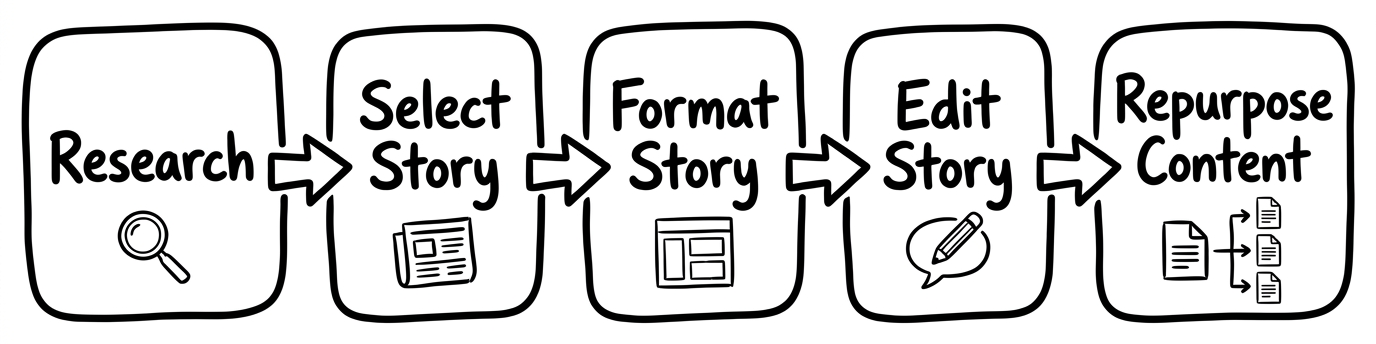
- Research the news. Pull stories from your sources.
- Select the story. Pick the one that fits your audience.
- Format the story. Apply your card template.
- Edit the story. Apply your voice. Tighten the copy.
- Repurpose the content. One newsletter becomes posts, threads, and a blog.
Each step becomes its own skill. Together, they're a system.
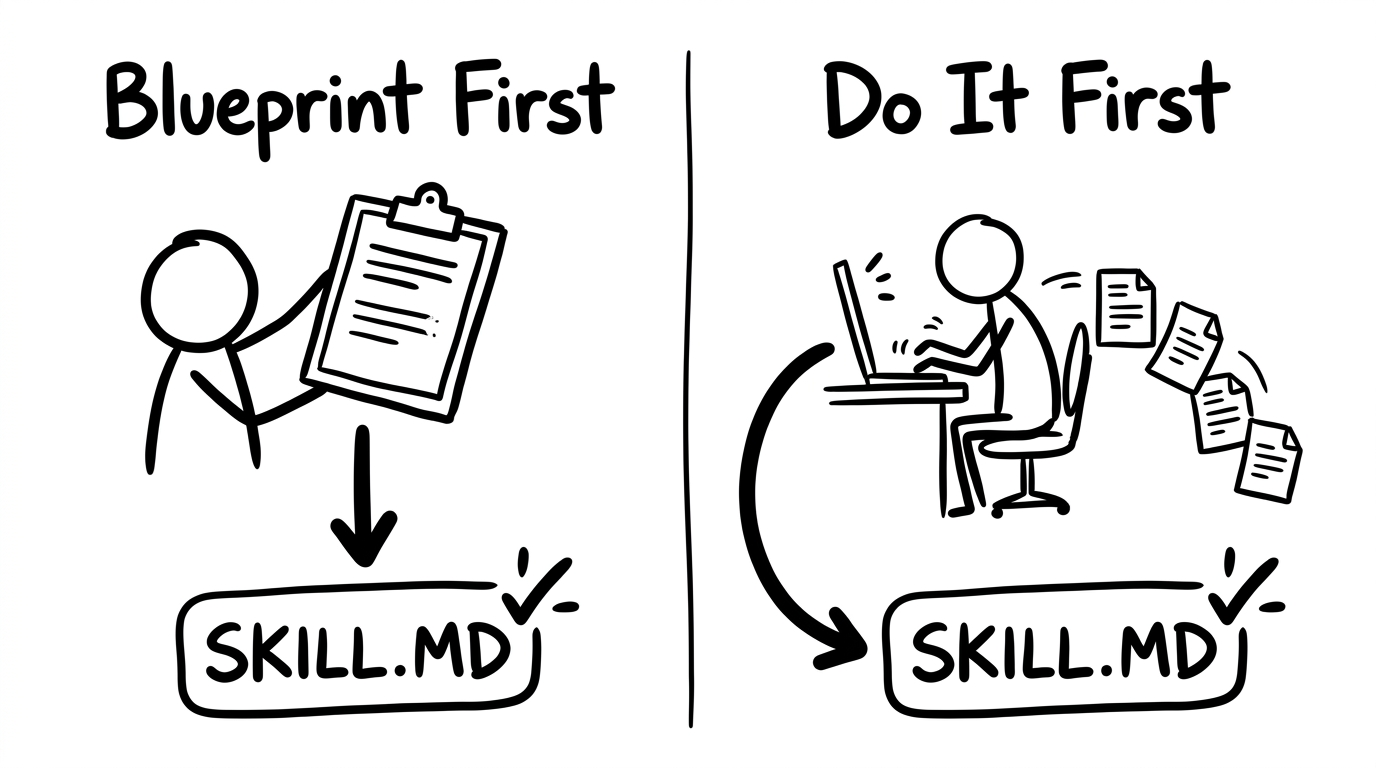
Blueprint First or Do It First.
- Blueprint First: you already know the process. You've done this task enough times to describe exactly how it should work. You tell Claude what to build.
- Do It First: you figure it out as you go. You walk through the task with Claude in real time. Once you're happy with the result, you say "now turn what we just did into a skill."
Both paths end in the same place: a repeatable skill that runs on command.
Do It First — start at Research.
When you don't know exactly what good looks like yet, do the work first. Then turn it into a skill.
- Walk through the task with Claude in real time.
- Keep adjusting until the output is right.
- When you're happy, say: "Turn what we just did into a skill."
- Claude writes the SKILL.md from the work you just did together.
The fastest way to a great skill is one good run-through.
Blueprint First — start at Format.
When you already know the process cold, describe it. Claude writes the SKILL.md upfront.
- Tell Claude exactly what the skill should do, in what order.
- Hand over the standards: voice, format, sources, quality bar.
- Claude drafts the SKILL.md.
- You run it on real work and tune it from there.
When the process is in your head already, this is the faster path.
Move slow and fix things.
Idea. Attempt. Fix. Attempt. Fix. Attempt. Fix. Automated.
- A skill is rarely perfect on the first run.
- Every fix is a line in the SKILL.md that makes the next run better.
- After a few rounds, the skill runs cleanly without intervention.
You're not writing software. You're writing the rules a coworker follows. Be patient with the rules.
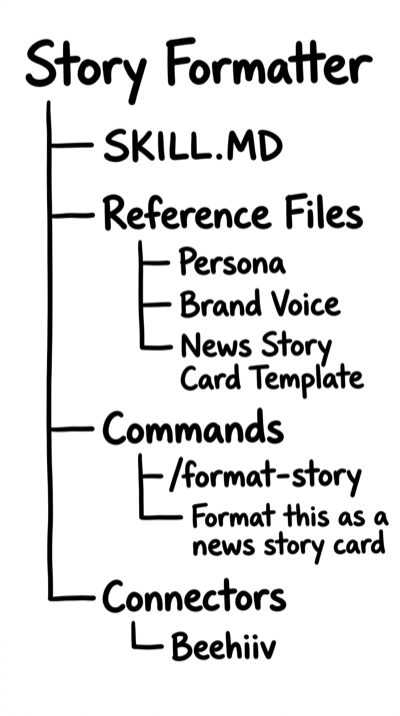
The Story Formatter skill.
- SKILL.MD: the brain. The instructions for turning a raw story into a finished card.
- Reference Files: persona, brand voice, news story card template.
- Commands: /format-story or just "format this as a news story card."
- Connectors: Beehiiv. The finished card lands in your draft.
Four parts. One repeatable, push-button skill.
Pick a task and build a skill.
- Find a task you do every week.
- Walk through it with Claude once, or hand over your blueprint.
- Save it as a SKILL.md.
- Run it tomorrow with one command.
You don't need permission. You need one task and one good run-through.
Phase 4 is next
Skills are the unit. Plugins are the package.
Ready to build skills, stack them into plugins, and install them across your business? Join the next theCLICK Pro cohort.
Join theCLICK Pro