

Canva MCP
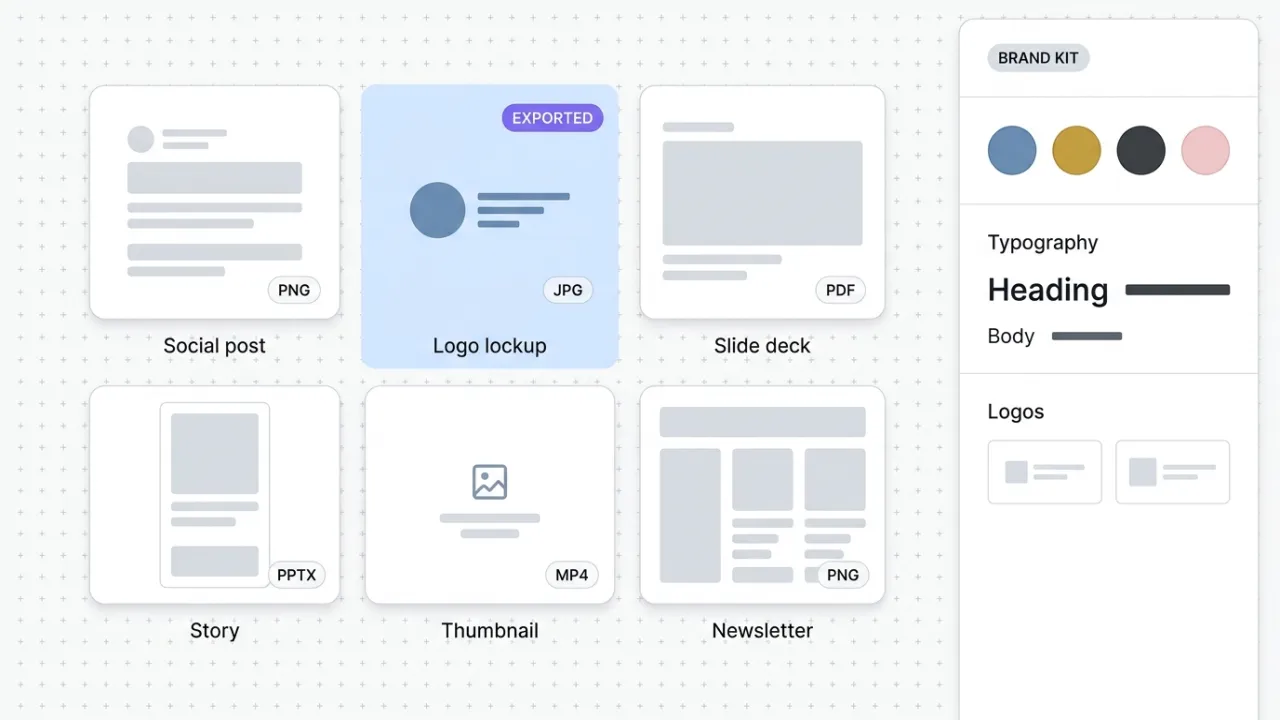
Canva's official MCP connects Claude to your design workspace. Generate, search, edit, resize, and export designs across formats, with brand kit and autofill capabilities for Enterprise teams.
Install Canva MCP and Claude can:
- → Generate and edit designs across social, slides, posters, and short video formats
- → Export to PNG, JPG, PDF, PPTX, or MP4 without leaving the Claude conversation
- → Search and organize your design library by name, folder, or recent activity
- → Resize finished designs into new aspect ratios on Canva Pro and above
Canva maintains it. It is free. One install, then Claude has hands on the open web.
What you can do once it is installed
Ask Claude to draft a launch graphic in your brand colors and export it as a PNG. Have it generate a 6-slide deck for tomorrow's webinar and hand back the PPTX. Search every design in your workspace for last quarter's product launches. Resize a finished design from Instagram square to LinkedIn banner. Drop a comment on a teammate's draft with feedback. The design layer that used to live in a separate browser tab now feeds the Claude conversation where the copy is being written.
Add Canva MCP as a custom connector
Open Claude Cowork. Choose Customize, then Connectors, then click the + next to Connectors. Paste these two values into the Add custom connector modal:
Name
Canva Remote MCP server URL
https://mcp.canva.com/mcp Canva handles OAuth in your browser after you click Add. Sign in to Canva and authorize the workspace you want Claude to access. Works on every Canva plan with progressively richer capabilities on Pro and Enterprise.
First time installing an MCP in Cowork? Full walkthroughPrefer Claude Code or want the source?
Claude Code install
Starter prompts
Copy any of these into Claude after you install Canva MCP to see it in action. Each prompt is generic enough to work in any workspace.
Resize one design across three channels
Take my most recent design (or one I'll point you at) and generate three resized variants: LinkedIn banner (1584 by 396), Instagram square (1080 by 1080), and Pinterest pin (1000 by 1500). Export each as PNG and tell me where they saved or share their design IDs.
Slide deck from a topic brief
Generate a 6-slide deck for a webinar on a topic I'll name. Slide structure: title, problem, solution, three benefit slides, CTA. Use a clean professional template from my workspace. Export the final deck as PPTX and share its design ID.
Launch graphic in two variations
Draft a launch announcement graphic for a product, feature, or content piece I'll describe. Use my brand colors and fonts if available. Generate two variations (one bold-headline-led, one image-led), export both as PNG, and tell me which design IDs they map to.
What this MCP does
An MCP (Model Context Protocol server) is a packaged add-on that gives Claude new abilities. Install one and Claude can use it from then on. Canva MCP is Canva's official hosted server at mcp.canva.com/mcp that gives Claude OAuth-scoped access to your Canva workspace. The tool surface covers design creation and editing, search across your design library, asset and folder management, exports across formats (PNG, JPG, PDF, PPTX, MP4), and commenting. On every plan you get the core design, search, and export tools. Canva Pro and above unlocks design resizing to new dimensions. Enterprise unlocks autofill templates, brand kits, and brand templates exposed through the MCP. Authorization is per-user OAuth, scoped to the workspace each Claude session grants. Marketers and creators use it for social graphics, slide decks, brand assets, and quick variant generation. The export step ships PNG, JPG, PDF, PPTX, or MP4 in one pass without leaving the Claude conversation.
The four jobs it does best:
Generate and edit designs from a Claude prompt
Describe what you need (a social graphic, a slide deck, a poster, a story-format asset) and Claude drafts it using your Canva workspace. Edit, swap content, and iterate without opening Canva in a separate tab.
Export across every format marketers ship
PNG for blog headers, JPG for social, PDF for one-pagers, PPTX for slide decks, MP4 for short video. The export step that used to mean clicking through Canva's download menu happens inside the conversation.
Search and organize your design library
Find that brand graphic from last quarter, pull every design tagged with a campaign, archive a folder of finished assets. The library-management layer Canva users build up over years becomes queryable from Claude.
Brand kits, brand templates, and autofill (Enterprise)
On Canva Enterprise, the MCP exposes brand kits, brand templates, and autofill so Claude can apply your brand colors, fonts, and logos automatically and generate batches of branded variants for a single campaign in one pass.
Who it is for
- • Solo creators, coaches, and consultants: the design work that used to mean bouncing between writing in Claude and laying out in Canva collapses into one conversation. Draft a graphic, get the PNG, ship the post.
- • Marketing teams: the format multiplication every campaign needs. One source design becomes the social post, the LinkedIn banner, the slide cover, and the email header. Pro-tier resizing turns this into a real multiplier.
- • Agency operators: the unlock for delivering branded variants across multiple client accounts from a single Claude environment. Enterprise customers get full brand kit and autofill support; Pro accounts still get strong day-to-day output.
- • Skip if: your design work demands pixel-level control or pro creative software (Figma, Adobe Creative Cloud). Canva MCP is for the broad middle of marketing design, not for finished product design or motion work.
Ways marketers and operators use Canva MCP
16 ways the same tool shows up across content, research, lead gen, and quality assurance work.
Social and content graphics
- • Draft a launch announcement graphic with your headline and export the PNG
- • Generate a carousel set for LinkedIn from a blog post outline
- • Spin up a thumbnail variant for a YouTube short or video chapter
- • Update an existing post graphic with new copy without rebuilding from scratch
Slide decks and presentations
- • Generate a 6-slide deck for an upcoming webinar from a topic outline
- • Export a finished deck to PPTX for handoff to a client or partner
- • Update slide content across an entire deck when the offer changes
- • Pull every existing deck in your workspace tagged with a campaign name
Brand and asset operations
- • Search the workspace for the latest version of a logo, brand graphic, or template
- • Move finished designs into a campaign folder for archive and retrieval
- • Apply brand kit colors and fonts to a fresh design (Enterprise)
- • Generate batches of branded variants from a single template using autofill (Enterprise)
Multi-format publishing
- • Resize a finished Instagram square into a LinkedIn banner and Pinterest pin (Pro)
- • Export a hero design as a PNG, JPG, and PDF in one pass for different channels
- • Generate a 16:9 cover image and a 9:16 story version of the same graphic
- • Hand back a PDF one-pager for a sales conversation, generated from notes
For teams running this at scale
Teams generating more than 50 branded assets per month will find Enterprise autofill is where the time savings compound. One template can generate a full channel set (square, story, banner, slide cover) instead of individual exports, and brand-kit enforcement removes the manual color and font check from every variant. Agencies running branded work across multiple client accounts should price Enterprise into the engagement.
We run Canva for theCLICK's marketing visuals and keep the official Canva connector authenticated in Claude, which is why this review is hands-on rather than theoretical. Concretely, that means drafting social graphics from blog outlines, exporting slide decks for webinars, resizing finished designs across channels, and pulling existing assets out of the library when a fresh campaign reuses them. The OAuth flow is clean, the install is one command, and the format coverage matches what marketing teams actually ship. Current as of May 2026.
More in the library
Other entries that share a category with this one. Editorial picks from theCLICK.

Nano Banana MCP
An open-source MCP server that connects Claude to Google's Nano Banana image models (Gemini 2.5 Flash Image, and Nano Banana Pro for Gemini 3 Pro Image). Generate, edit, and compose images up to 4K without leaving the conversation.

Beehiiv MCP
Beehiiv's official MCP connects Claude to your newsletter publication. Query subscriber data, post performance, segment health, and site SEO from inside the Claude conversation. v1 is read-mostly with write coming in later releases.

ClickUp MCP
ClickUp's official MCP connects Claude to your workspace. Create and update tasks, run time tracking, summarize comment threads, and orchestrate project ops from inside the conversation.
The Ecommerce Stack for Claude
Fourteen connectors that take an ecommerce brand from ad creative to checkout to support to retention, with install paths for Claude Cowork and Claude Code side by side.
STAY IN THE LIBRARY LOOP
Get the next library entry first
We review new plugins, MCPs, skills, and CLIs as they ship. Subscribe and you'll get a short heads-up the next time we add one to the library, plus theCLICK's weekly AI marketing brief.
This library is operated by theCLICK (Modern Publisher, LLC)