

ClickUp MCP
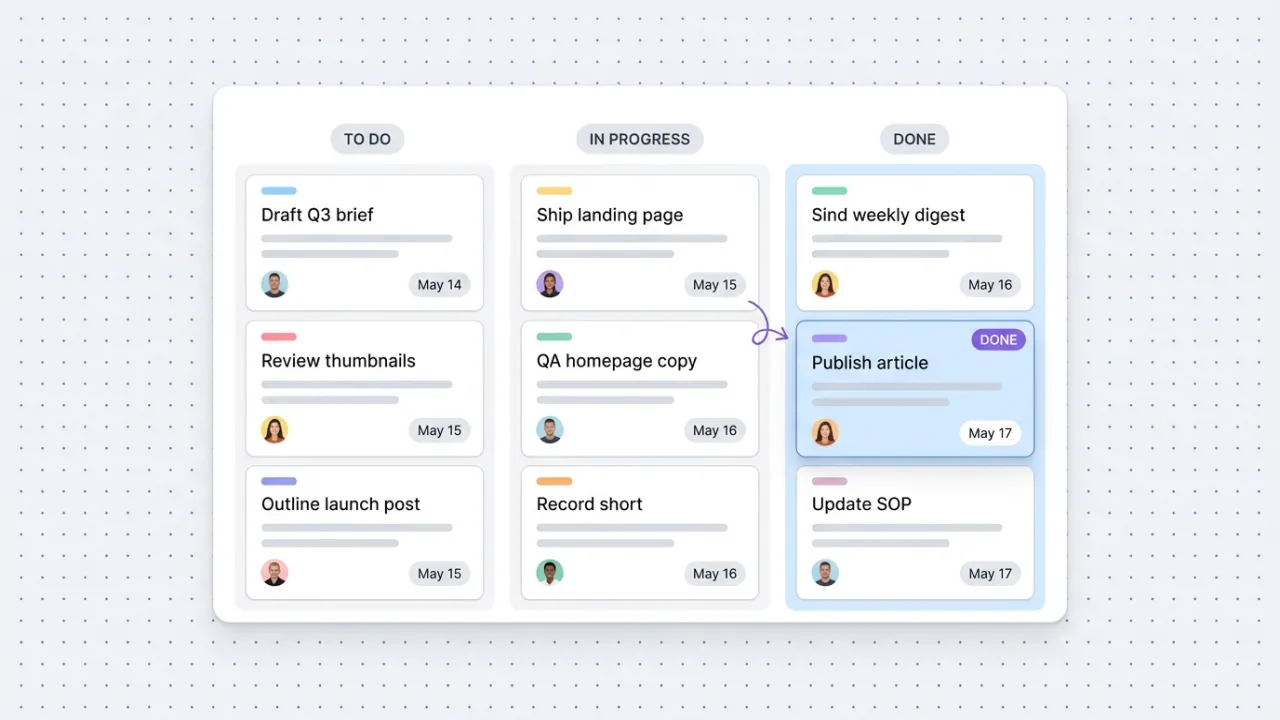
ClickUp's official MCP connects Claude to your workspace. Create and update tasks, run time tracking, summarize comment threads, and orchestrate project ops from inside the conversation.
Install ClickUp MCP and Claude can:
- → Create, update, and move tasks across lists, folders, and spaces from Claude
- → Summarize project comments, threads, and chat into briefs and decision logs
- → Start, stop, and report on time tracked against clients, campaigns, and projects
- → Build executive status reports across portfolios without leaving the conversation
ClickUp maintains it. It is free. One install, then Claude has hands on the open web.
What you can do once it is installed
Ask Claude to create this week's task list across your campaign space. Have it move three tasks into review and assign them. Tell it to summarize the last 30 comments on a project. Pull the time tracked against a client this week. Search every list for any task tagged 'launch' and assemble a status digest. The project ops layer that used to live in tabs and weekly check-ins now feeds the Claude conversation where the work is being planned and decided.
Add ClickUp MCP as a custom connector
Open Claude Cowork. Choose Customize, then Connectors, then click the + next to Connectors. Paste these two values into the Add custom connector modal:
Name
ClickUp Remote MCP server URL
https://mcp.clickup.com/mcp ClickUp handles OAuth in your browser after you click Add. Sign in to ClickUp and authorize the workspace you want Claude to access. Available on every ClickUp plan.
First time installing an MCP in Cowork? Full walkthroughPrefer Claude Code or want the source?
Claude Code install
Starter prompts
Copy any of these into Claude after you install ClickUp MCP to see it in action. Each prompt is generic enough to work in any workspace.
This week's task pulse
List the five tasks in my workspace that are overdue, the five tasks due this week, and the five tasks most recently updated. For each, surface the assignee and current status, and flag any that look at risk based on activity or due date.
Weekly client time report
Pull the time entries I have logged across the last 7 days. Group them by client or project, total the hours, and draft a one-paragraph status update for each client describing what I worked on and what is planned next.
Scaffold a campaign launch checklist
Create a new task list in my workspace called 'Campaign Launch' with 12 tasks across these phases: planning (3 tasks), copy and creative (3), QA (2), launch day (2), post-launch analytics (2). Use reasonable due dates spread across two weeks and assign them to me.
What this MCP does
An MCP (Model Context Protocol server) is a packaged add-on that gives Claude new abilities. Install one and Claude can use it from then on. ClickUp MCP is ClickUp's official hosted server at mcp.clickup.com that gives Claude OAuth-scoped access to your ClickUp workspace. The tool surface covers tasks (create, update, move, comment, tag, attach files), lists and folders (create, organize, read hierarchy), time tracking (start, stop, log, query), documents (create pages, update, list), chat (send messages, read channels and threads), reminders, custom fields, and workspace members. Authorization is per-user OAuth, scoped to the workspace each Claude session grants. Available on every ClickUp plan with rate limits of 50 calls per 24 hours on Free and 300 calls on Unlimited+ (the Everything AI add-on lifts these to public API rates). Marketers and operators use it for campaign tracking, content pipelines, time visibility, and team coordination.
The four jobs it does best:
Create and update tasks across your workspace
Spin up a new task, change priority, reassign, move between lists, drop a tag, attach a file. The structural edits that used to mean clicking through the ClickUp UI happen in the conversation that just produced the work.
Summarize comments, threads, and chat
Pull every comment on a task or every message in a project channel. Turn long discussion threads into one-paragraph decision summaries with named owners and dates. Useful before joining a meeting or writing a status update.
Time tracking, start to report
Start and stop timers, log entries against a task, pull time totals for a client this week. The visibility marketing teams and agency operators need without exporting CSVs or rebuilding pivot tables.
Documents, reminders, and workspace metadata
Create and update Docs pages, set reminders for follow-ups, list custom fields, and resolve assignees by name. The supporting surfaces that make project work actually flow inside Claude.
Who it is for
- • Solo founders, consultants, and operators: the project tracking, weekly task lists, and client time visibility you already keep in ClickUp now becomes editable from Claude. Plan campaigns, log work, and pull reports without context switching.
- • Marketing teams: the operations layer for content calendars, campaign tracking, launch checklists, and review cycles. The structural edits Claude can drive (moving tasks, reassigning, tagging, time logging) reduce coordination overhead.
- • Agency operators: the unlock for running multi-client ClickUp workspaces from one Claude environment. Useful when each client has its own list structure, naming convention, and time tracking practice.
- • Skip if: your project work lives in another tool (Asana, Linear, Trello, Notion databases, Airtable). Pick the MCP that matches the system you actually run.
Ways marketers and operators use ClickUp MCP
16 ways the same tool shows up across content, research, lead gen, and quality assurance work.
Campaign and project tracking
- • Create a launch checklist as a structured task list with owners and due dates
- • Move tasks between phases (planning, drafting, review, scheduled, live) from Claude
- • Tag a sprint of tasks with a campaign label and pull the status digest at the end of the week
- • Duplicate a campaign template for the next quarter or seasonal push
Content and editorial operations
- • Draft this week's content pipeline as a list with brief links and review owners
- • Update post status fields as articles move from draft to scheduled to published
- • Summarize editorial comments into one-paragraph feedback for the writer
- • Search every list for tasks blocked on review and assemble a daily nudge
Time tracking and client visibility
- • Start and stop timers against client tasks from the Claude conversation
- • Pull time logged against a client this week and assemble the report
- • Identify tasks that ran significantly over estimate for capacity planning
- • Generate weekly client status updates from time entries and task progress
Team coordination and reviews
- • Read and summarize the threaded comments on a task into a decision brief
- • Mention an assignee in a task comment with a summary of the latest direction
- • Send a channel message announcing the week's launches across the team
- • Pull every comment with a recent mention to triage outstanding asks
For teams running this at scale
If a team will burn through 300 API calls per 24 hours on the Unlimited plan (or 50 on Free Forever), upgrade to the Everything AI add-on for public API rate limits, or use ClickUp's REST API directly with proper queueing. The MCP is the right call for marketer-driven, conversation-paced project ops where individual Claude sessions make tens of calls, not thousands.
We run ClickUp as part of theCLICK's internal operations stack and the official MCP is the connector we keep installed in Claude, which is why this review is hands-on rather than theoretical. Concretely, that means spinning up tasks for content pipeline items, moving work through review stages, summarizing comment threads into one-paragraph decisions, and pulling time entries when a client report is due. The OAuth scoping is clean, the install is one command, and the rate limit sits well above what marketer-paced work consumes. Current as of May 2026.
More in the library
Other entries that share a category with this one. Editorial picks from theCLICK.

Notion MCP
Notion's official MCP connects Claude to your workspace. Read, write, and reorganize pages, databases, and comments without leaving the conversation.

Beehiiv MCP
Beehiiv's official MCP connects Claude to your newsletter publication. Query subscriber data, post performance, segment health, and site SEO from inside the Claude conversation. v1 is read-mostly with write coming in later releases.

Canva MCP
Canva's official MCP connects Claude to your design workspace. Generate, search, edit, resize, and export designs across formats, with brand kit and autofill capabilities for Enterprise teams.

The Ecommerce Stack for Claude
Fourteen connectors that take an ecommerce brand from ad creative to checkout to support to retention, with install paths for Claude Cowork and Claude Code side by side.
STAY IN THE LIBRARY LOOP
Get the next library entry first
We review new plugins, MCPs, skills, and CLIs as they ship. Subscribe and you'll get a short heads-up the next time we add one to the library, plus theCLICK's weekly AI marketing brief.
This library is operated by theCLICK (Modern Publisher, LLC)