
Google Ads MCP
Google's official open-source MCP at github.com/googleads/google-ads-mcp lets Claude Code query and manage Google Ads campaigns via the Google Ads API. Self-hosted on your machine or deployed to Cloud Run, with OAuth 2.0 or a service account.
Install Google Ads MCP and Claude can:
- → Query Google Ads campaign, ad group, and ad-level performance across any date range
- → Pull Performance Max asset group analytics and asset-level performance ratings
- → Run search-term audits and surface negative-keyword recommendations
- → Analyze Shopping campaign ROAS by product category, brand, or custom label
Google maintains it. It is free. One install, then Claude has hands on the open web.
What you can do once it is installed
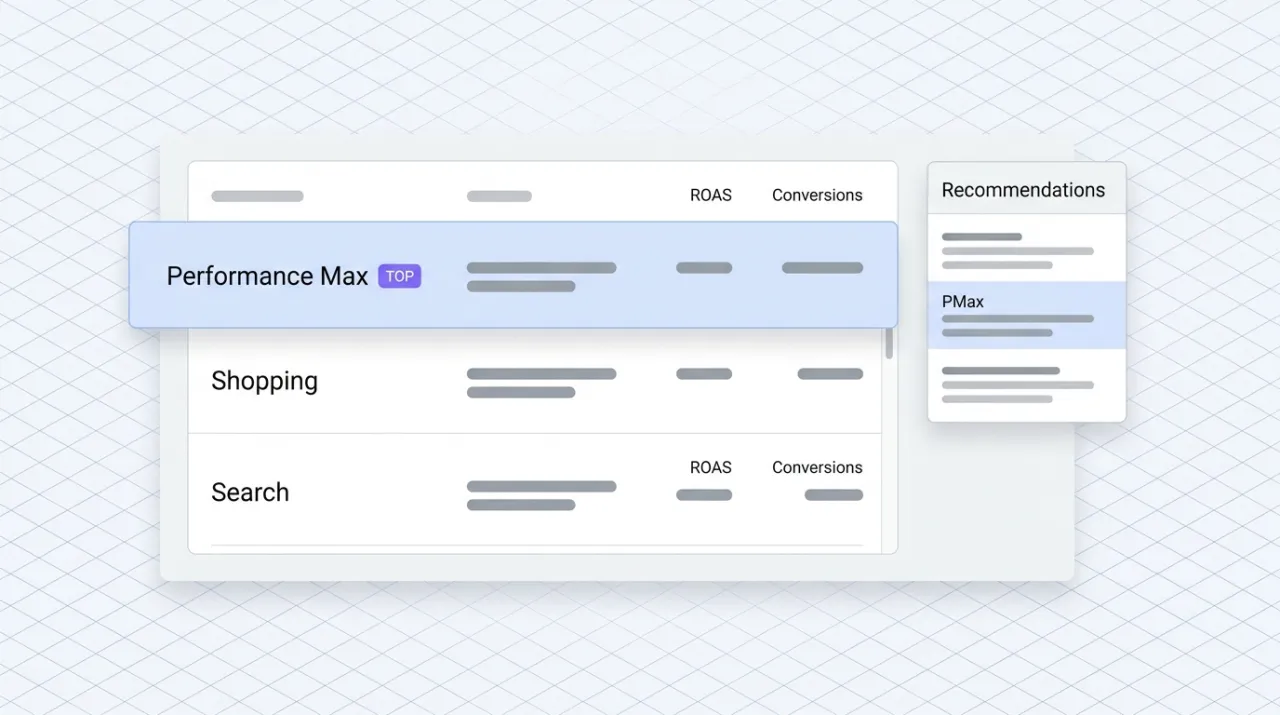
Ask Claude in your terminal to pull last week's Performance Max campaign performance and tell you which asset groups are driving conversions and which are dragging on ROAS. Have it surface the queries triggering ads from your Search campaigns and recommend negative keywords. Tell it to compare Shopping campaign ROAS by product category and identify the categories worth a bid-strategy change. The Google Ads operator's analytical work lives in the terminal, with full access to the API the campaign managers already use.
Starter prompts
Copy any of these into Claude after you install Google Ads MCP to see it in action. Each prompt is generic enough to work in any workspace.
Audit Performance Max asset groups for the past 14 days
Use the Google Ads MCP. Pull the last 14 days of Performance Max performance, broken out by asset group. For each asset group, surface conversions, conversion value, ROAS, and the asset-level performance ratings. Identify the top three asset groups driving conversions and the bottom three dragging ROAS. Recommend specific creative or audience changes for the underperformers.
Search-term audit and negative-keyword recommendations
Pull the search-term report from the last 30 days across all Search campaigns. Cluster the terms into intent buckets (branded, comparison, problem-solution, irrelevant). Identify the top 20 high-spend, low-conversion terms that should be added as negative keywords. Output as a CSV-ready list grouped by campaign so I can paste it straight into Google Ads.
Compare Shopping campaign ROAS by product category
Use the Google Ads MCP to pull Shopping campaign performance for the last 30 days, broken out by product category (use the product_type or custom_label dimension). Rank by ROAS. Identify the top three categories worth a bid-strategy change (Target ROAS or Maximize Conversion Value) and the bottom three worth pausing or reorganizing into a separate campaign. Hand back the recommendation with the supporting data.
What this MCP does
An MCP (Model Context Protocol server) is a packaged add-on that gives Claude new abilities. Install one and Claude can use it from then on. Google Ads MCP is Google's official open-source server at github.com/googleads/google-ads-mcp that bridges Claude to the Google Ads API. It is self-hosted: install with pipx and run locally, or deploy to Google Cloud Run for shared access across a team. Authentication uses OAuth 2.0 or a Google Cloud service account, and the server needs a developer token, project ID, and credentials configured before it will run. The tool surface covers the Google Ads API: campaign reporting (Search, Shopping, Performance Max, Display, Video), audience and remarketing analytics, conversion tracking, search-query reports, and read access to most reporting and configuration entities. Self-hosted install means the MCP runs in Claude Code, not in Cowork's custom-connector modal, since Cowork expects a remote URL. Marketers and engineers running Google Shopping and Performance Max use it for weekly performance audits, search-term refinements, audience analytics, and ad-hoc reporting alongside Meta and other paid channels.
The four jobs it does best:
Campaign performance across all Google Ads campaign types
Search, Shopping, Performance Max, Display, Video, App. The MCP exposes the same reporting surface as the Google Ads UI, so any campaign-level analysis a marketer would run in the dashboard is one prompt in Claude Code.
Performance Max asset group reporting
Pull asset-group-level performance, asset performance ratings, and the audience signals driving conversions. The visibility most operators want in Performance Max but the UI hides behind layers of clicks.
Search-term and negative-keyword work
Pull the search-term report, cluster by intent, and surface negative-keyword candidates with the spend and conversion data backing the call. The weekly Search-campaign hygiene work compresses to one prompt.
Audience and remarketing analytics
Query audience and remarketing-list performance, including overlap with active campaigns and incremental conversion lift by segment. Useful for budget allocation across audience strategies.
Who it is for
- • Ecommerce engineers and marketing engineers: the install path is Code-side (pipx plus local Claude Code), which matches where this audience already works. Compound queries against the Google Ads API without UI navigation.
- • Agencies running Google Ads for DTC clients: install once per client account or use a service-account credential to access multiple accounts under a manager account. The weekly audit pipeline compresses dramatically.
- • Performance marketing teams running Google Shopping or Performance Max: the asset-group visibility and search-term work alone justify the install for any operator with meaningful Google spend.
- • Skip if: you only use Claude Cowork (the desktop and web app). The MCP is self-hosted, so the install path is Claude Code or a Cloud Run deployment, not Cowork's custom-connector modal. Also skip if you do not run Google Ads or your spend is small enough that the in-app recommendations cover the work.
Ways marketers and operators use Google Ads MCP
16 ways the same tool shows up across content, research, lead gen, and quality assurance work.
Performance Max optimization
- • Audit asset-group performance and asset-level ratings on a weekly cadence
- • Surface the audience signals driving conversions in each asset group
- • Recommend creative refreshes for asset groups with low performance ratings
- • Compare Performance Max to standard Shopping for the same product category
Search-campaign hygiene
- • Pull search-term reports and cluster by intent (branded, comparison, problem-solution, irrelevant)
- • Identify high-spend, low-conversion terms that should be added as negative keywords
- • Audit match-type usage and recommend tighter or broader targeting where appropriate
- • Compare Quality Score trends across keyword groups
Shopping and feed work
- • Rank Shopping campaign ROAS by product category, brand, or custom label
- • Identify product groupings worth a bid-strategy change
- • Surface feed-error patterns that are limiting impression share
- • Audit product-level performance to inform feed and SKU prioritization
Audience and budget analytics
- • Query audience and remarketing-list performance, including overlap and incremental lift
- • Compare conversion paths and assist conversions across audience segments
- • Pull budget pacing data and surface campaigns under-pacing or over-pacing
- • Run weekly account audits with scale-or-kill recommendations by campaign
For teams running this at scale
For teams managing multiple Google Ads accounts under a manager account, the Cloud Run deployment path lets the MCP server run as a shared service. Configure a service account with the right manager-account permissions, deploy the server to Cloud Run, and the team's Claude Code environments connect to the same server URL. This is the right pattern for agencies and in-house teams that want one auth surface instead of per-developer credentials.
Russ Henneberry tested the Google Ads MCP as a capability evaluation for paid-acquisition client work. theCLICK does not run Google Ads at meaningful spend, so this is a capability assessment rather than a daily-driver review. The standout is the Performance Max asset-group visibility. The reporting surface the Google Ads UI hides behind clicks is one prompt in Claude Code. Watch items: self-hosted install is more friction than the OAuth-only Meta Ads MCP, the developer-token and project-ID setup is a real first-time cost, and this entry is honestly Code-only because Cowork expects a remote URL the user does not host. If the team lives in the terminal, the friction pays back fast. If it lives in the desktop app, wait for a hosted variant. Current as of May 2026.
More in the library
Other entries that share a category with this one. Editorial picks from theCLICK.
Meta Ads MCP
Meta's official MCP at mcp.facebook.com/ads plugs Claude straight into the Marketing API. Twenty-nine tools across Facebook, Instagram (feed, story, reel), and Audience Network. OAuth via Meta Business Suite, no developer app, no token to rotate.

The Ecommerce Stack for Claude
Fourteen connectors that take an ecommerce brand from ad creative to checkout to support to retention, with install paths for Claude Cowork and Claude Code side by side.

Gorgias MCP
Gorgias is the dominant helpdesk for DTC Shopify brands. The Composio Tool Router exposes it as an MCP so Claude can triage tickets, draft on-brand responses, manage tags and macros, and pull conversation insights into the strategy chat, without opening another Gorgias tab.

Klaviyo MCP
Klaviyo's official MCP plugs Claude into your ecommerce lifecycle marketing. Build flows, write campaigns, segment audiences, query revenue, and manage subscribers without opening another tab.
STAY IN THE LIBRARY LOOP
Get the next library entry first
We review new plugins, MCPs, skills, and CLIs as they ship. Subscribe and you'll get a short heads-up the next time we add one to the library, plus theCLICK's weekly AI marketing brief.
This library is operated by theCLICK (Modern Publisher, LLC)