

Klaviyo MCP
Klaviyo's official MCP plugs Claude into your ecommerce lifecycle marketing. Build flows, write campaigns, segment audiences, query revenue, and manage subscribers without opening another tab.
Install Klaviyo MCP and Claude can:
- → Draft, edit, and create email and SMS flows directly from a Claude conversation
- → Build segments and audiences with natural-language criteria, no UI filter wrangling
- → Pull campaign performance, revenue, and engagement metrics into the strategy conversation
- → Manage subscriber profiles, lists, events, and data privacy requests programmatically
Klaviyo maintains it. It is free. One install, then Claude has hands on the open web.
What you can do once it is installed
Ask Claude to draft a three-step welcome flow for a new product line and create it in Klaviyo as a flow. Have it build a segment of customers who bought twice in the last 60 days and write a thank-you campaign for that segment. Tell it to pull the open rate, click rate, and revenue per recipient for the last five campaigns and recommend which subject line patterns to repeat. The lifecycle marketing work that used to live in five Klaviyo tabs now happens inside the Claude conversation where the strategy is being shaped.
Add Klaviyo MCP as a custom connector
Open Claude Cowork. Choose Customize, then Connectors, then click the + next to Connectors. Paste these two values into the Add custom connector modal:
Name
Klaviyo Remote MCP server URL
https://mcp.klaviyo.com/mcp Klaviyo handles OAuth in your browser after you click Add. Sign in to your Klaviyo account to authorize the connector. You need Owner, Admin, or Manager access in Klaviyo to approve the connection. Free on every Klaviyo plan; a private API key works as a fallback via Advanced settings if you prefer.
First time installing an MCP in Cowork? Full walkthroughPrefer Claude Code or want the source?
Claude Code install
Starter prompts
Copy any of these into Claude after you install Klaviyo MCP to see it in action. Each prompt is generic enough to work in any workspace.
Audit lifecycle gaps across your account
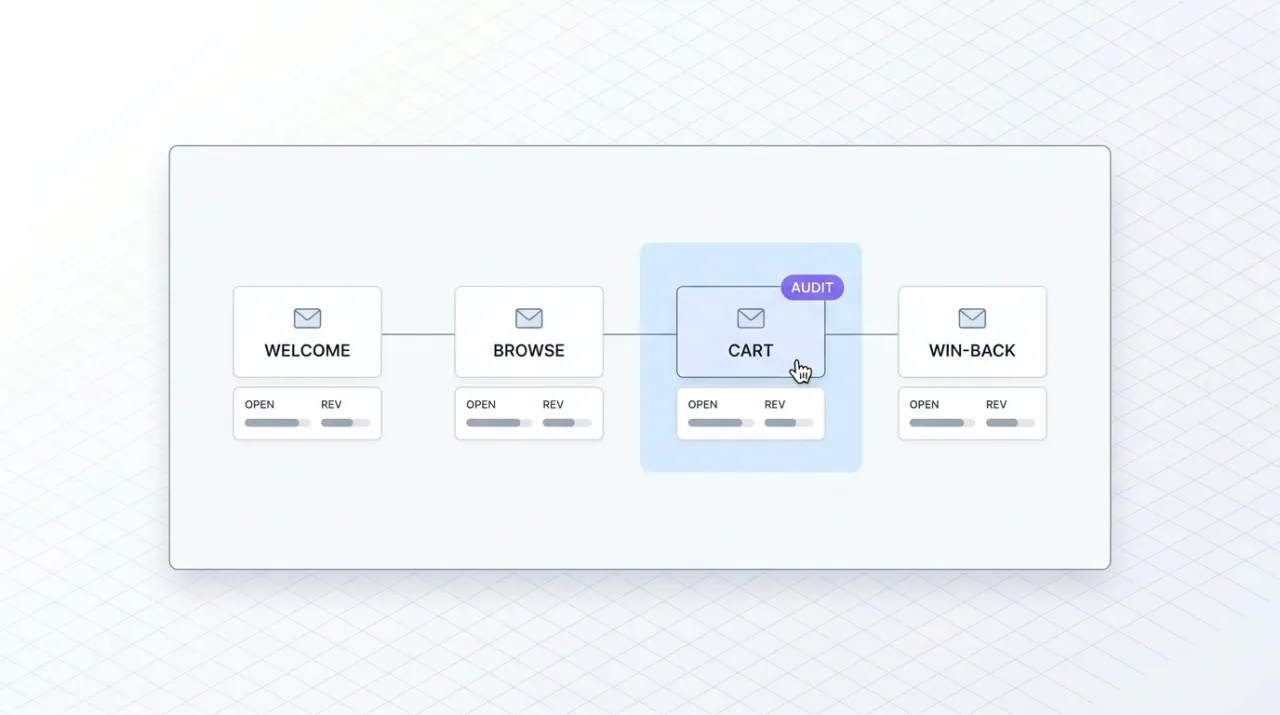
Audit my Klaviyo account for lifecycle gaps. Pull every active flow, group them by trigger type (welcome, browse, cart, post-purchase, win-back, sunset), and tell me which standard ecommerce flow types are missing entirely or appear underpowered. For each gap, suggest a three-step flow outline I could approve and ask you to create.
Build a high-value segment and a campaign for it
Build a Klaviyo segment of customers who have placed at least two orders in the last 90 days and whose total spend exceeds $200. Then draft a campaign email and SMS for that segment with a thank-you tone and a single soft CTA back to a hero product. Create the segment, save the campaign as a draft, and report the segment size before I review.
Pull the last 30 days of performance and recommend what to repeat
Pull the open rate, click rate, unsubscribe rate, and revenue per recipient for every campaign I have sent in the last 30 days. Rank them. Identify the top three subject-line patterns and the top three send times. Recommend a test plan for the next 30 days based on what is working, with the specific campaigns I should clone as the starting point.
What this MCP does
An MCP (Model Context Protocol server) is a packaged add-on that gives Claude new abilities. Install one and Claude can use it from then on. Klaviyo MCP is Klaviyo's official hosted server at mcp.klaviyo.com that gives Claude direct access to your Klaviyo account via OAuth. The tool surface covers the core marketing surfaces inside Klaviyo: subscriber profiles, lists, events, campaigns, flows, templates, segments, metrics, catalogs, and data privacy actions. A Query Metric Aggregates tool added in May 2026 lets Claude pull raw performance reporting alongside the standard list of activities. Common starting points include drafting a three-step welcome flow, building a segment of repeat buyers, and pulling revenue-per-recipient data across the last 30 days. The server launched in August 2025 and is free on every Klaviyo plan. Authorization respects existing Klaviyo roles, so Owner, Admin, or Manager access is required to approve the connection. Marketers and operators use it for lifecycle flow design, campaign drafting, segmentation, post-purchase journeys, audience auditing, and revenue analytics.
The four jobs it does best:
Flows, campaigns, and templates from inside the conversation
Drafting a welcome flow, post-purchase sequence, or win-back campaign no longer means hopping between Claude and the Klaviyo flow builder. Claude reads your existing flows, drafts new steps, and creates them in your account when you approve.
Segment building with natural-language criteria
Describe the customers you want to reach in plain English. Claude translates it into Klaviyo's segment definition language, creates the segment, and reports the size before you send. The audience layer of lifecycle marketing in conversational form.
Raw performance reporting via Query Metric Aggregates
The May 2026 addition opens up raw performance reporting against any Klaviyo metric. Pull revenue per recipient by send time, conversion by source, channel comparisons between email and SMS, all from the strategy conversation.
OAuth login with role-based control
Klaviyo handles OAuth in your browser. Only Owner, Admin, or Manager roles can approve the connection, so the integration respects your existing Klaviyo permissions. No API key sitting in a config file.
Who it is for
- • Solo ecommerce operators and founders: if you run your own Klaviyo and you already write copy with Claude, this collapses the strategy-to-execution loop. Draft flows and ship them without leaving the conversation.
- • Marketing teams at ecommerce brands: the unlock is using Claude for strategy and segmentation while the rest of the team still uses Klaviyo for execution. Same source of truth, two interfaces.
- • Agencies managing client Klaviyo accounts: install once per client account and run lifecycle audits, flow builds, and reporting pulls across multiple brands from a single Claude environment.
- • Skip if: your email and SMS lives in another platform entirely (Mailchimp, Iterable, Customer.io, ActiveCampaign, Sailthru). Klaviyo MCP is platform-specific. Pick the MCP or pairing that matches the system you actually use.
Ways marketers and operators use Klaviyo MCP
16 ways the same tool shows up across content, research, lead gen, and quality assurance work.
Lifecycle flow design and audit
- • Draft welcome flows for new subscribers and create them in Klaviyo on approval
- • Build abandoned-cart and browse-abandonment flows with multi-channel email and SMS steps
- • Design post-purchase sequences with review requests, cross-sell, and loyalty triggers
- • Audit existing flows for lifecycle gaps, dead ends, and underpowered touchpoints
Segmentation and audience strategy
- • Build behavior-based segments (purchased twice in 60 days, browsed but did not buy, lapsed VIP)
- • Create segments for product-specific re-engagement after launches or restocks
- • Build geographic, channel-preference, or lifecycle-stage segments for targeted campaigns
- • Audit segment overlap to find audiences receiving too much or too little outreach
Campaign drafting and execution
- • Draft email and SMS campaigns matched to a brand voice and a specific segment
- • Save drafts in Klaviyo for human review before scheduling
- • Clone high-performing campaigns as starting points for the next test cycle
- • Coordinate email and SMS pairings for product launches and seasonal pushes
Performance reporting and optimization
- • Pull open rate, click rate, and revenue per recipient across the last 30 or 90 days
- • Compare subject-line patterns, send times, and from-name variants for performance
- • Surface the top-performing campaigns and flows for replication and the underperformers for fix-or-kill decisions
- • Query channel-level revenue attribution (email vs SMS) for budget and effort allocation
For teams running this at scale
For teams sending at meaningful volume (low hundreds of thousands of sends per month and up), the MCP is the right interface for the marketer-facing work: strategy, segmentation, drafting, reporting. For deployment automation that needs to run on schedules or react to product events outside of a conversation, pair the MCP with Klaviyo's REST API directly and let your engineering team own the triggered side.
Russ Henneberry tested Klaviyo's MCP as a capability evaluation for ecommerce lifecycle work in client accounts. theCLICK runs Beehiiv for our own newsletter. This is a capability assessment for client engagements where Klaviyo is the platform in use. The standout is the segment builder. Describing a high-value audience in plain English and getting a saved Klaviyo segment back is the moment the integration earns its keep. Watch item: the integration respects Klaviyo role permissions, so coordinate access with whoever holds the Owner or Admin seat before installing in a client account. Current as of May 2026.
More in the library
Other entries that share a category with this one. Editorial picks from theCLICK.

Beehiiv MCP
Beehiiv's official MCP connects Claude to your newsletter publication. Query subscriber data, post performance, segment health, and site SEO from inside the Claude conversation. v1 is read-mostly with write coming in later releases.

The Ecommerce Stack for Claude
Fourteen connectors that take an ecommerce brand from ad creative to checkout to support to retention, with install paths for Claude Cowork and Claude Code side by side.

Google Ads MCP
Google's official open-source MCP at github.com/googleads/google-ads-mcp lets Claude Code query and manage Google Ads campaigns via the Google Ads API. Self-hosted on your machine or deployed to Cloud Run, with OAuth 2.0 or a service account.

Gorgias MCP
Gorgias is the dominant helpdesk for DTC Shopify brands. The Composio Tool Router exposes it as an MCP so Claude can triage tickets, draft on-brand responses, manage tags and macros, and pull conversation insights into the strategy chat, without opening another Gorgias tab.
STAY IN THE LIBRARY LOOP
Get the next library entry first
We review new plugins, MCPs, skills, and CLIs as they ship. Subscribe and you'll get a short heads-up the next time we add one to the library, plus theCLICK's weekly AI marketing brief.
This library is operated by theCLICK (Modern Publisher, LLC)