

Meta Ads MCP
Meta's official MCP at mcp.facebook.com/ads plugs Claude straight into the Marketing API. Twenty-nine tools across Facebook, Instagram (feed, story, reel), and Audience Network. OAuth via Meta Business Suite, no developer app, no token to rotate.
Install Meta Ads MCP and Claude can:
- → Build, edit, pause, and scale Facebook, Instagram, and Audience Network campaigns from a Claude conversation
- → Pull ROAS, CPA, CTR, and audience analytics across any date range without opening Ads Manager
- → Manage product catalogs, dynamic ads, and feed troubleshooting through natural language
- → Diagnose Conversions API health, event match quality, and pixel signal issues
Meta maintains it. It is free. One install, then Claude has hands on the open web.
What you can do once it is installed
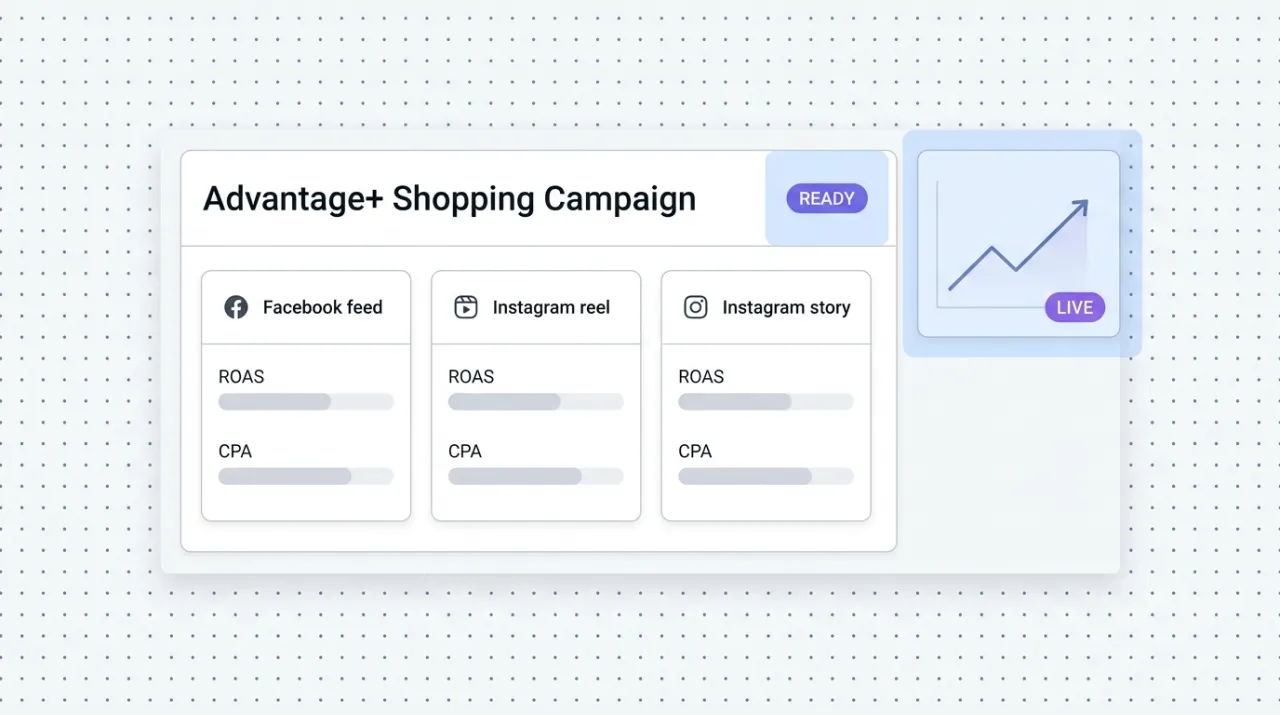
Ask Claude to build a new Advantage+ Shopping campaign for a product launch and have it ready to review in Ads Manager. Have it pull last week's ROAS and CPA by campaign and tell you which ad sets to scale and which to pause. Tell it to diagnose why the Conversions API event match quality dropped last month and propose a fix. The Marketing API work that used to mean ten tabs in Ads Manager or a custom internal tool now happens inside the Claude conversation where the strategy is being shaped.
Add Meta Ads MCP as a custom connector
Open Claude Cowork. Choose Customize, then Connectors, then click the + next to Connectors. Paste these two values into the Add custom connector modal:
Name
Meta Ads Remote MCP server URL
https://mcp.facebook.com/ads Meta handles OAuth in your browser after you click Add. Sign in with the same Meta Business Suite account you use to manage the ad account. No developer app to register, no app review, no access token to copy. Free during open beta on every Meta advertising account. The 29 tools span five capability areas: reporting and insights, campaign management, catalog operations, account diagnostics, and dataset operations.
First time installing an MCP in Cowork? Full walkthroughPrefer Claude Code or want the source?
Claude Code install
Starter prompts
Copy any of these into Claude after you install Meta Ads MCP to see it in action. Each prompt is generic enough to work in any workspace.
Build a campaign from a brief and stage it for review
Use the Meta Ads MCP. Build a new Advantage+ Shopping campaign for the product I'll describe. Set the objective to sales, daily budget to $100, geo to United States, ages 25 to 54, and use the existing product catalog. Generate three ad variations with different headlines and primary text. Stage everything in paused state so I can review in Ads Manager before launching. Hand back the campaign ID and a summary of what you built.
Run a weekly performance audit and recommend scale or kill
Pull the last 7 days of performance for every active campaign in my Meta ads account. Group by campaign objective. Surface ROAS, CPA, CTR, and frequency for each. Flag any ad set where frequency is above 3.5 or CPA is more than 30 percent above the campaign average. Recommend which to scale (budget increase), which to kill, and which to investigate. Hand back the list ranked by impact.
Diagnose tracking and signal health
Use the Meta Ads MCP to run an account-level diagnostic. Check the Conversions API event match quality, pixel health, and any signal-quality flags from Meta. Identify the top three issues hurting attribution. For each, give the specific fix (server-side parameters to add, pixel events to update, or audience configuration to change). Format the result so I can hand it to an engineer.
What this MCP does
An MCP (Model Context Protocol server) is a packaged add-on that gives Claude new abilities. Install one and Claude can use it from then on. Meta Ads MCP is Meta's official hosted server at mcp.facebook.com/ads that launched in open beta on April 29, 2026. It gives Claude direct access to the Meta Marketing API via OAuth through Meta Business Suite, with no developer app to register and no access token to manage. The tool surface covers 29 tools across five capability areas: reporting and insights (campaign performance, benchmarks, audience analytics), campaign management (build, edit, pause, scale across Facebook, Instagram feed, story, reel, and Audience Network), catalog operations (manage product catalogs, dynamic ads, and feed troubleshooting), account diagnostics (signal quality, event match quality, Conversions API health), and dataset operations (custom audiences, lookalikes, exclusions). This is the third major ad platform to ship an official agent connector and the first to launch with full read-and-write capability from day one. Marketers and operators use it for campaign building, performance reporting, audience strategy, catalog management, and tracking-signal troubleshooting without leaving the strategy conversation.
The four jobs it does best:
Campaign management across all Meta placements
Build campaigns for Facebook feed, Instagram feed, story, reel, and Audience Network from one conversation. Claude builds the structure, generates ad variations, and stages everything for human review before launch.
Reporting and insights without dashboard hopping
Pull performance across any date range and any breakdown (campaign, ad set, ad, placement, audience). Claude surfaces ROAS, CPA, CTR, frequency, and engagement, then recommends the scale-or-kill decisions worth making this week.
Catalog and dynamic ads operations
Manage product catalogs, troubleshoot feed errors, and configure dynamic ads from the conversation. Useful for ecommerce brands running Advantage+ Shopping or DPA campaigns where catalog hygiene drives ROAS.
Tracking-signal diagnostics
Check Conversions API event match quality, pixel health, and signal-quality flags. Identify the specific tracking issues that are leaking attribution and ROAS, with the fix instructions Claude can hand off to an engineer.
Who it is for
- • DTC ecommerce operators running Meta ads: the single highest-impact MCP for this audience. Build campaigns, pull performance, manage catalogs, and diagnose tracking without leaving Claude.
- • Performance marketing teams: the weekly campaign audit, scale-or-kill recommendation, and tracking diagnostics now happen inside the strategy conversation instead of across Ads Manager, Looker, and the analytics team's queue.
- • Agencies managing client Meta accounts: install once per client. Run cross-client audits, weekly performance pulls, and campaign builds from a single Claude environment. Major time and tab-switching savings.
- • Skip if: you do not advertise on Meta, or your spend is small enough that the in-app Ads Manager and Advantage+ automations already handle the work. The MCP earns its keep when there is real volume and real complexity to manage.
Ways marketers and operators use Meta Ads MCP
16 ways the same tool shows up across content, research, lead gen, and quality assurance work.
Campaign building and management
- • Build new campaigns from a brief and stage them for review in Ads Manager
- • Clone high-performing campaigns as starting points for the next test cycle
- • Adjust budgets, audiences, and creative across multiple campaigns in one prompt
- • Pause underperformers and scale winners based on real-time performance
Performance reporting and optimization
- • Pull ROAS, CPA, CTR, and frequency across any date range and breakdown
- • Run weekly account audits with scale-or-kill recommendations
- • Compare placement performance (feed, story, reel, Audience Network) to inform budget shifts
- • Benchmark campaign performance against industry averages from Meta's reporting
Catalog and dynamic ads
- • Audit product catalogs for feed errors and missing fields
- • Configure Advantage+ Shopping and dynamic product ad campaigns
- • Troubleshoot why specific products are not serving in dynamic ads
- • Pull catalog-level performance to identify top-selling and underperforming SKUs
Tracking and signal health
- • Diagnose Conversions API event match quality issues and recommend fixes
- • Audit pixel health and event tracking across the funnel
- • Surface signal-quality flags from Meta and prioritize the fixes that move ROAS
- • Hand off engineering-ready tickets with the exact server-side parameters to add
For teams running this at scale
For teams managing meaningful Meta spend (six figures per month and up) across multiple ad accounts or business managers, the MCP is the right interface for the marketer-facing work: strategy, weekly audits, campaign builds, performance reporting. For automated bid management, budget pacing, and creative rotation that needs to run continuously outside of a conversation, pair the MCP with Meta's Marketing API directly via a dedicated platform (Smartly, Madgicx, or a custom internal tool) and let the engineering team own the always-on side.
Russ Henneberry tested the Meta Ads MCP as a capability evaluation for ecommerce client engagements where Meta is the dominant paid channel. theCLICK does not run Meta ads at meaningful spend, so this is a capability assessment rather than a daily-driver review. The standout is the OAuth flow through Meta Business Suite. Zero developer app registration, zero app review wait, zero token rotation. The 29-tool surface covers what an operator actually does in Ads Manager during a week of work. Watch item: open beta means the tool surface and capabilities can shift before general availability. Pin a checkpoint to re-verify in 90 days. Current as of May 2026.
More in the library
Other entries that share a category with this one. Editorial picks from theCLICK.

Google Ads MCP
Google's official open-source MCP at github.com/googleads/google-ads-mcp lets Claude Code query and manage Google Ads campaigns via the Google Ads API. Self-hosted on your machine or deployed to Cloud Run, with OAuth 2.0 or a service account.

The Ecommerce Stack for Claude
Fourteen connectors that take an ecommerce brand from ad creative to checkout to support to retention, with install paths for Claude Cowork and Claude Code side by side.

Gorgias MCP
Gorgias is the dominant helpdesk for DTC Shopify brands. The Composio Tool Router exposes it as an MCP so Claude can triage tickets, draft on-brand responses, manage tags and macros, and pull conversation insights into the strategy chat, without opening another Gorgias tab.

Klaviyo MCP
Klaviyo's official MCP plugs Claude into your ecommerce lifecycle marketing. Build flows, write campaigns, segment audiences, query revenue, and manage subscribers without opening another tab.
STAY IN THE LIBRARY LOOP
Get the next library entry first
We review new plugins, MCPs, skills, and CLIs as they ship. Subscribe and you'll get a short heads-up the next time we add one to the library, plus theCLICK's weekly AI marketing brief.
This library is operated by theCLICK (Modern Publisher, LLC)