

Gorgias MCP
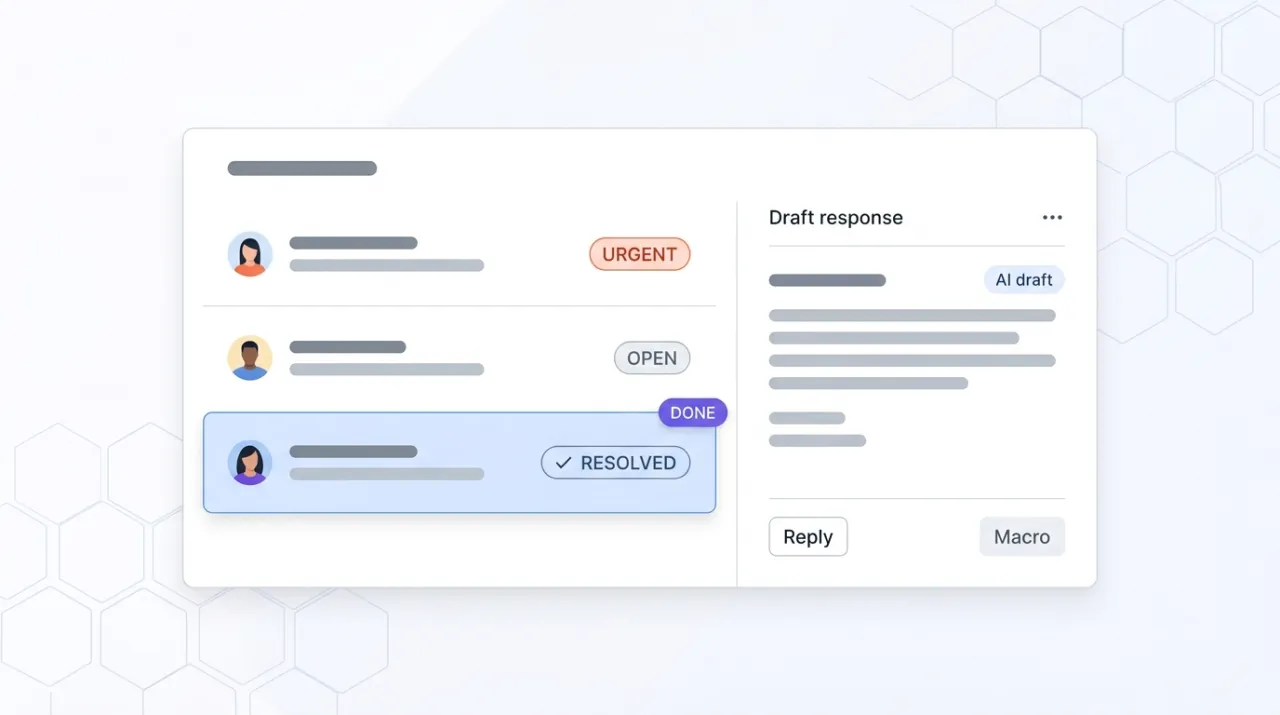
Gorgias is the dominant helpdesk for DTC Shopify brands. The Composio Tool Router exposes it as an MCP so Claude can triage tickets, draft on-brand responses, manage tags and macros, and pull conversation insights into the strategy chat, without opening another Gorgias tab.
Install Gorgias MCP and Claude can:
- → Triage support tickets, surface the ones needing a human reply, and auto-suggest macros for the rest
- → Draft on-brand responses to pre-purchase and post-purchase questions using existing macros and policies
- → Cluster tickets by theme to surface the top product, policy, and shipping issues driving support load
- → Pull customer-voice patterns and language back into product, content, and operations decisions
Composio maintains it. It is free. One install, then Claude has hands on the open web.
What you can do once it is installed
Ask Claude to triage the current inbox by priority and surface the five tickets that need a human reply today. Have it draft on-brand responses to common pre-purchase questions using your existing macros and policies. Tell it to cluster the last 200 tickets by theme and tell you which product or policy issue is generating the highest support load this week. The customer support work that lives in tabs and copy-paste loops now happens inside the conversation where the brand voice and product context already are.
Add Gorgias MCP as a custom connector
Open Claude Cowork. Choose Customize, then Connectors, then click the + next to Connectors. Paste these two values into the Add custom connector modal:
Name
Gorgias (via Composio) Remote MCP server URL
https://mcp.composio.dev/gorgias Gorgias is not yet shipping a first-party MCP, so this integration is via the Composio Tool Router. Sign up for a free Composio account, connect your Gorgias workspace inside Composio (one-time OAuth or API-key handshake), and Composio issues a session-scoped MCP URL. Paste it into Cowork's custom-connector modal with the API-key header Composio provides. Roles and ticket-scope in Gorgias control what data the connection can read or write, so coordinate with the Gorgias admin before generating a token for a shared workspace.
First time installing an MCP in Cowork? Full walkthroughPrefer Claude Code or want the source?
Claude Code install
Starter prompts
Copy any of these into Claude after you install Gorgias MCP to see it in action. Each prompt is generic enough to work in any workspace.
Triage the inbox and surface the tickets that need a human reply today
Use the Gorgias MCP. Triage all open tickets in the inbox. Group them by priority (urgent, high, normal, low) and by type (pre-purchase question, order-status question, shipping issue, return or refund, product complaint, other). Surface the five tickets that need a human reply today, with a one-sentence summary of each and the specific decision the human needs to make. Recommend which of the remaining tickets I can safely auto-respond to using existing macros.
Draft on-brand responses for common pre-purchase questions
Pull every open pre-purchase question from the Gorgias inbox. For each, draft a response using the brand voice (warm, helpful, concise) and the relevant macro if one applies. Cite which macro you used and which policy page or product detail the answer is drawn from so a human can verify. Save each draft to the ticket without sending so a human reviewer can approve before send.
Cluster the last 200 tickets and surface the top three product or policy themes
Use the Gorgias MCP to pull the last 200 closed tickets. Cluster the recurring complaints into themes (product quality, shipping speed, policy confusion, fit or sizing, other). Rank the top three themes by ticket volume and total customer impact. For each, hand back the typical customer language (one verbatim quote) and a recommendation for whether this is a product fix, a policy clarification, or a content gap on the store.
What this MCP does
An MCP (Model Context Protocol server) is a packaged add-on that gives Claude new abilities. Install one and Claude can use it from then on. Gorgias MCP is delivered via the Composio Tool Router at mcp.composio.dev/gorgias, since Gorgias itself does not yet ship a first-party MCP. Composio handles the auth handshake with Gorgias (OAuth or API key on the Composio side, transparent to Claude) and exposes the Gorgias tool surface to Claude as a managed MCP endpoint. The tool surface covers the core helpdesk surfaces: ticket triage and search, conversation read and write, customer profile lookup, tag and macro management, team and assignee operations, and ticket status updates. The Composio Tool Router lets multiple integrations share a single session URL, so the same connector can pull from Gorgias and any other Composio-hosted tool the team has wired up. Free on Composio's developer tier for the volumes most DTC operators need. Marketers and support leads use it for inbox triage, response drafting in the brand voice, sentiment and theme analysis, and pulling customer-voice patterns back into product and content decisions.
The four jobs it does best:
Inbox triage and prioritization
Pull every open ticket, group by priority and type, and surface the ones that need a human reply today. The morning support-lead triage ritual becomes one prompt instead of a 20-minute manual sweep.
Brand-voice response drafting with macros and policy citation
Draft responses in the brand voice using existing Gorgias macros and the store's actual policies. Each draft cites which macro and which policy it leaned on so a human reviewer can verify before send. Useful for high-volume pre-purchase support.
Tag, macro, and team management
Manage tags, macros, and team assignments from the conversation. Useful for support leads cleaning up tag sprawl or building out new macros from clustered ticket themes.
Customer-voice analytics for product and content decisions
The conversation data inside Gorgias is the highest-fidelity customer-voice source most DTC brands have. The MCP makes it queryable from the strategy chat. Cluster the last 200 tickets, surface the top themes, and inform product, content, and policy decisions from real language.
Who it is for
- • DTC ecommerce brands on Gorgias: the inbox triage and brand-voice drafting are the daily-use wins. The customer-voice clustering is the strategic unlock most operators undervalue.
- • Support team leads at scaling brands: the triage and macro management compress the lead's morning routine and the team's response time. Useful for any team where ticket volume is growing faster than headcount.
- • Agencies running DTC support operations for clients: install once per client account (via Composio) and run cross-client analyses. The customer-voice synthesis becomes a deliverable instead of a manual sweep.
- • Skip if: your helpdesk is on Zendesk, Help Scout, Intercom, or Freshdesk. Gorgias MCP is platform-specific. The Composio Tool Router has integrations for several of those platforms too, so the install pattern transfers even when the tool changes.
Ways marketers and operators use Gorgias MCP
16 ways the same tool shows up across content, research, lead gen, and quality assurance work.
Inbox triage and response automation
- • Triage open tickets and surface the ones needing a human reply today
- • Draft on-brand responses using existing macros and policies
- • Auto-suggest the right macro for each ticket and save drafts for human review
- • Identify tickets safe to auto-respond and tickets that need escalation
Customer-voice analytics
- • Cluster recent tickets by theme to surface the top product and policy issues
- • Pull verbatim customer language for use in copy, positioning, and onboarding
- • Track sentiment trends over time across the inbox
- • Identify product-launch issues from spike patterns in incoming tickets
Team and operations management
- • Audit tag and macro sprawl and recommend consolidation
- • Build new macros from clustered ticket themes
- • Reassign tickets to the right team or specialist based on content
- • Pull team performance metrics (response time, resolution time, CSAT) into the strategy chat
Product and content feedback loops
- • Feed clustered ticket themes into product roadmap discussions
- • Identify content and policy-page gaps from recurring pre-purchase questions
- • Surface the customer language and objections that should appear on product pages
- • Inform return-policy and shipping-policy changes from ticket-volume data
For teams running this at scale
For teams running large support operations (hundreds of tickets per day and up), the MCP is the right interface for the lead-and-strategist work: triage, theme analysis, macro management, customer-voice synthesis. For continuous automation (auto-responder flows, scheduled CSAT pulls, real-time SLA monitoring), pair the MCP with Gorgias's native automation rules and webhooks. The MCP earns its keep on the human-in-the-loop side; Gorgias's native automation owns the always-on side.
Russ Henneberry tested the Gorgias MCP via the Composio Tool Router as a capability evaluation for DTC client work where Gorgias is the helpdesk in use. theCLICK runs its own support through Slack and Beehiiv, not Gorgias, so this is a capability assessment rather than a daily-driver review. The standout is the customer-voice clustering. The conversation data sitting in Gorgias is the highest-fidelity customer-language source most DTC brands have, and the MCP makes it queryable from the strategy chat. Watch items: the integration goes through Composio rather than a first-party Gorgias MCP, so the dependency surface is Composio + Gorgias rather than just Gorgias. Coordinate with the Gorgias admin on token scope before installing in a shared workspace. Current as of May 2026.
More in the library
Other entries that share a category with this one. Editorial picks from theCLICK.

Shopify Storefront MCP
Shopify's official Storefront MCP at /api/mcp gives Claude cart-building, checkout-link generation, and store-policy lookup for any store on the platform. Catalog search lives on a separate UCP endpoint that needs a developer-track setup.
The Ecommerce Stack for Claude
Fourteen connectors that take an ecommerce brand from ad creative to checkout to support to retention, with install paths for Claude Cowork and Claude Code side by side.

Google Ads MCP
Google's official open-source MCP at github.com/googleads/google-ads-mcp lets Claude Code query and manage Google Ads campaigns via the Google Ads API. Self-hosted on your machine or deployed to Cloud Run, with OAuth 2.0 or a service account.

Klaviyo MCP
Klaviyo's official MCP plugs Claude into your ecommerce lifecycle marketing. Build flows, write campaigns, segment audiences, query revenue, and manage subscribers without opening another tab.
STAY IN THE LIBRARY LOOP
Get the next library entry first
We review new plugins, MCPs, skills, and CLIs as they ship. Subscribe and you'll get a short heads-up the next time we add one to the library, plus theCLICK's weekly AI marketing brief.
This library is operated by theCLICK (Modern Publisher, LLC)