

Notion MCP
Notion's official MCP connects Claude to your workspace. Read, write, and reorganize pages, databases, and comments without leaving the conversation.
Install Notion MCP and Claude can:
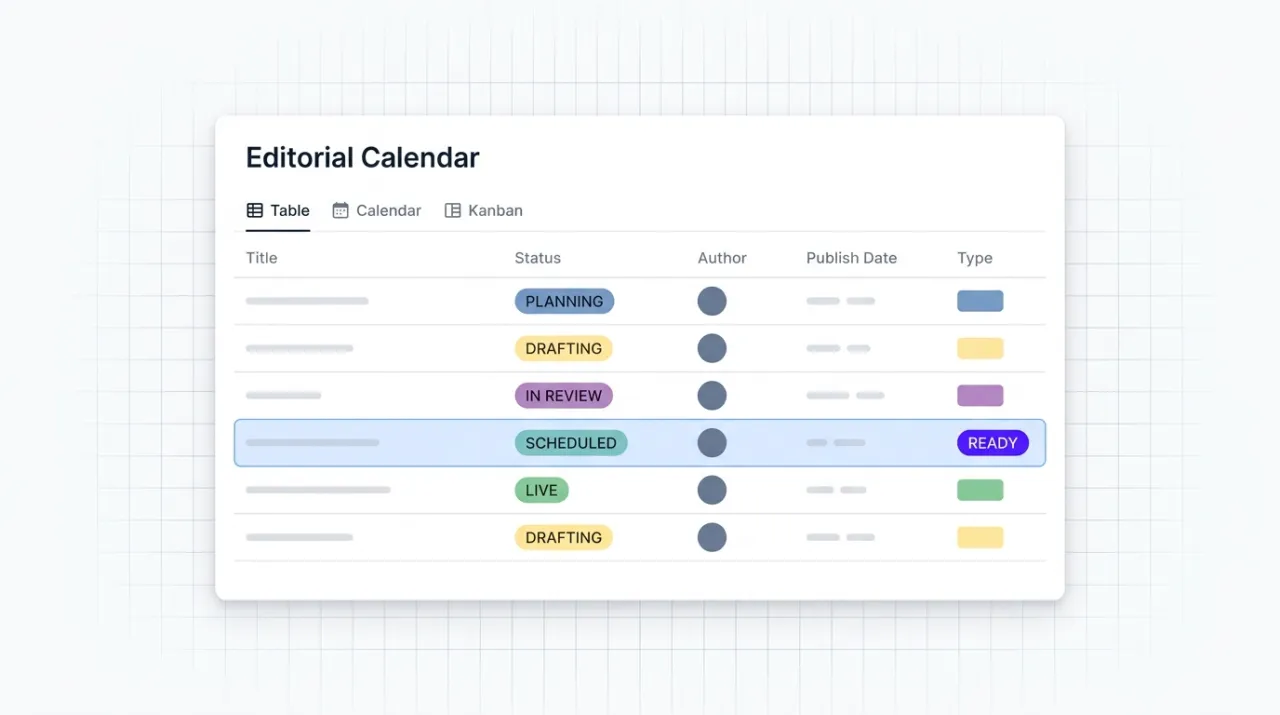
- → Draft and update editorial calendars, content briefs, and campaign trackers in Notion from Claude
- → Search your workspace for past briefs, research notes, and SOPs to inform new work
- → Create and reorganize pages, databases, and database views without context switching
- → Leave comments and pull threads to coordinate with teammates inside the writing flow
Notion maintains it. It is free. One install, then Claude has hands on the open web.
What you can do once it is installed
Ask Claude to draft this week's editorial calendar and create the briefs as new pages. Have it search the workspace for last quarter's customer interview notes. Tell it to move three pages into the new campaign folder. Have it update a database row with the latest performance numbers. Comment on a teammate's draft with a feedback summary. The content ops layer that used to live in browser tabs now happens inside the Claude conversation where the writing is already happening.
Add Notion MCP as a custom connector
Open Claude Cowork. Choose Customize, then Connectors, then click the + next to Connectors. Paste these two values into the Add custom connector modal:
Name
Notion Remote MCP server URL
https://mcp.notion.com/mcp Notion handles OAuth in your browser after you click Add. Sign in to your Notion account and grant workspace access to authorize the connector.
First time installing an MCP in Cowork? Full walkthroughPrefer Claude Code or want the source?
Claude Code install
Starter prompts
Copy any of these into Claude after you install Notion MCP to see it in action. Each prompt is generic enough to work in any workspace.
Audit recent workspace activity
Search my Notion workspace for pages updated in the last 14 days. Group them by top-level folder, list the five with the heaviest comment activity, and flag any that look stalled (still in an active status but no updates in 7+ days).
Stand up a campaign tracker database
Create a new page in my workspace called 'Campaign Tracker' with a database inside it. Columns: campaign name, owner, status (Planning, In Progress, Launched, Wrapped), launch date, channel, success metric, notes. Add three placeholder rows so I can see the structure.
Distill the most-commented thread into a decision brief
Search my workspace for the most-commented page in the last 30 days. Read every comment on it and summarize the thread into a one-paragraph decision brief: what was decided, who owns the next step, and what is still open.
What this MCP does
An MCP (Model Context Protocol server) is a packaged add-on that gives Claude new abilities. Install one and Claude can use it from then on. Notion MCP is Notion's official hosted server at mcp.notion.com that gives Claude read and write access to your Notion workspace via OAuth. The server exposes 14 tools covering search and fetch (find pages by query, retrieve content), page creation and editing (create, duplicate, move, update), database operations (update data sources, manage views), commenting and collaboration (create and read comments), and workspace metadata (users, teams). Authorization is per-user OAuth, scoped to the workspaces and pages each Claude session grants access to. The service is free with any Notion plan; Enterprise plans add admin controls over which MCP clients can connect. Marketers and operators use it for editorial calendars, content briefs, customer research, SOPs, and project tracking.
The four jobs it does best:
Search and fetch any page in your workspace
Find pages by query string or fetch by ID. Useful for surfacing past briefs, customer research, and reference SOPs into the Claude conversation that is producing the new work.
Create and update pages, databases, and views
Draft a brief as a new page. Update a project status field in a database. Create a new database view tailored for this week's pipeline. The structural edits that used to mean clicking through the Notion UI.
Move, duplicate, and reorganize content
Move pages between team folders, duplicate a brief template for the next campaign, archive completed work. Bulk reorganization without leaving the conversation.
Comment and collaborate with teammates
Read comment threads to surface feedback. Post comments to flag changes, request reviews, or summarize a decision. Lightweight coordination without opening Notion in a browser tab.
Who it is for
- • Solo creators, consultants, and operators: the Notion workspace where you already plan content, store research, and track projects now connects to the AI that helps you produce it. One mental model, one flow.
- • Marketing teams: the integration layer between your editorial calendar, briefs, customer research, and the AI that writes and edits. Reduces tab switching and context loss.
- • Agency operators: the unlock for managing per-client Notion workspaces from a single Claude environment. Useful when each client has its own brand voice, persona, and content schedule documented in their own workspace.
- • Skip if: your content ops live in another tool entirely (Asana, Trello, Linear, ClickUp, Airtable). Notion MCP is platform-specific. Pick the MCP that matches the system you actually use.
Ways marketers and operators use Notion MCP
16 ways the same tool shows up across content, research, lead gen, and quality assurance work.
Editorial and content production
- • Draft this week's editorial calendar as a structured database with topics, owners, and deadlines
- • Create content briefs as new pages from a meeting note or outline
- • Update post status fields (drafting, in review, scheduled, live) from Claude as work progresses
- • Search past briefs and articles for related angles before writing new content
Research and knowledge base
- • Capture customer interview notes into a structured research database
- • Build and update persona documents with new insights from interviews and reviews
- • Maintain SOPs and process documentation as your operations evolve
- • Pull reference SOPs into a Claude session to ground new work in established practice
Project and campaign tracking
- • Create campaign trackers with timelines, owners, deliverables, and status
- • Move pages between phases of a project (planning, execution, retro)
- • Update database rows with performance numbers after each campaign cycle
- • Duplicate campaign templates for the next product launch or seasonal push
Team coordination and review
- • Leave comments on a teammate's draft with summarized feedback from Claude
- • Pull comment threads on a brief to surface the latest direction before writing
- • Mention teammates in comments to request review or approval
- • Surface user and team metadata to route work to the right people
For teams running this at scale
If a team will exceed Notion's API rate limit (3 requests per second per integration), the MCP is the wrong layer. Use Notion's REST API directly with proper queueing and rate limiting. The MCP is the right call for marketer-driven, conversation-driven content ops where the work happens at human speed.
We use Notion as the source of truth for content briefs, persona docs, and SOPs, which is why this review is hands-on rather than theoretical. Concretely, that means drafting editorial calendars as Notion databases, creating campaign briefs as new pages from a meeting transcript, pulling reference SOPs into Claude conversations to ground new work, and updating project status fields without opening the Notion app. The OAuth flow is smooth and the workspace-scoping is intuitive. Current as of May 2026.
More in the library
Other entries that share a category with this one. Editorial picks from theCLICK.

ClickUp MCP
ClickUp's official MCP connects Claude to your workspace. Create and update tasks, run time tracking, summarize comment threads, and orchestrate project ops from inside the conversation.

Beehiiv MCP
Beehiiv's official MCP connects Claude to your newsletter publication. Query subscriber data, post performance, segment health, and site SEO from inside the Claude conversation. v1 is read-mostly with write coming in later releases.

Canva MCP
Canva's official MCP connects Claude to your design workspace. Generate, search, edit, resize, and export designs across formats, with brand kit and autofill capabilities for Enterprise teams.

The Ecommerce Stack for Claude
Fourteen connectors that take an ecommerce brand from ad creative to checkout to support to retention, with install paths for Claude Cowork and Claude Code side by side.
STAY IN THE LIBRARY LOOP
Get the next library entry first
We review new plugins, MCPs, skills, and CLIs as they ship. Subscribe and you'll get a short heads-up the next time we add one to the library, plus theCLICK's weekly AI marketing brief.
This library is operated by theCLICK (Modern Publisher, LLC)