

Slack MCP
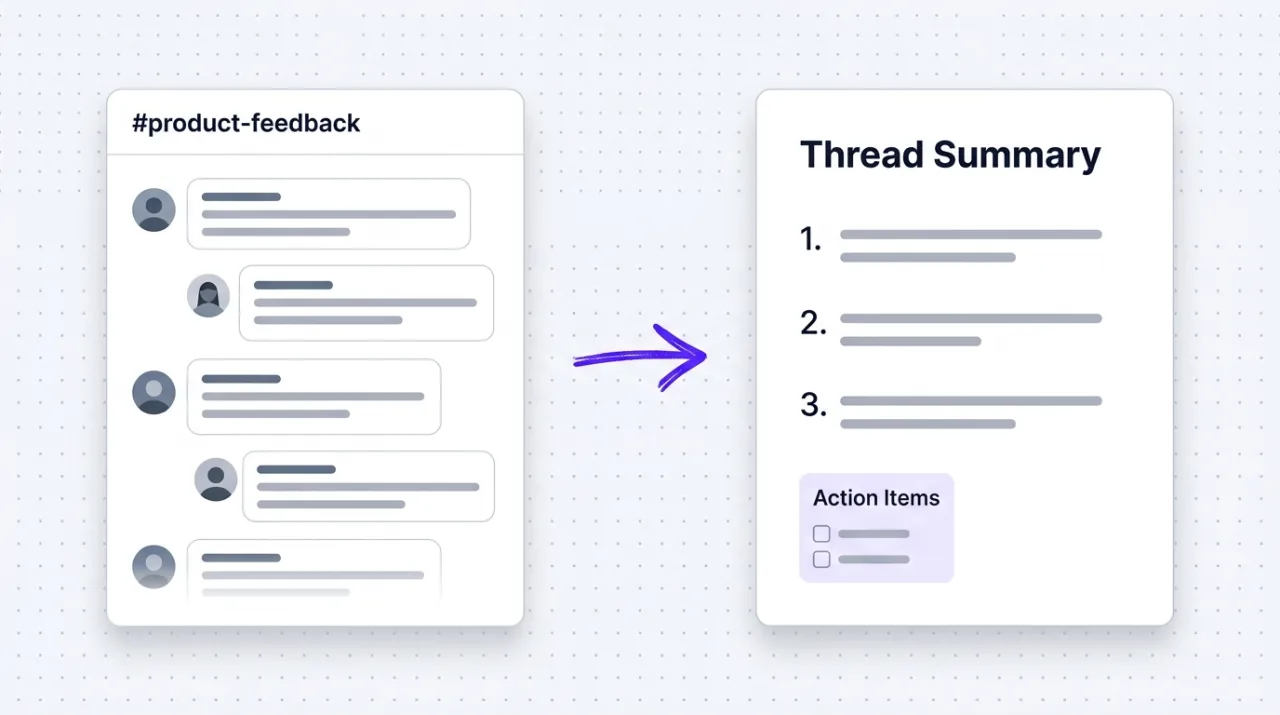
Slack's official MCP connects Claude to your workspace. Search channels, summarize threads, send messages, and surface customer voice from inside the conversation.
Install Slack MCP and Claude can:
- → Aggregate customer voice and feedback from support and product channels
- → Turn long threads into briefs, standup posts, and decision summaries
- → Search public and private channels for past discussions, decisions, and resources
- → Schedule messages, post drafts for review, and update team Canvases
Slack maintains it. It is free. One install, then Claude has hands on the open web.
What you can do once it is installed
Ask Claude to summarize the activity in your customer support channel from last week. Have it search every public channel for mentions of a competitor. Tell it to draft a standup post and schedule it for Monday morning. Read a long thread and turn it into a brief. Look up a teammate's profile to confirm role before mentioning them. The team context that lived in scrolling Slack now feeds the AI conversation where the work is actually getting done.
Add Slack MCP as a custom connector
Open Claude Cowork. Choose Customize, then Connectors, then click the + next to Connectors. Paste these two values into the Add custom connector modal:
Name
Slack Remote MCP server URL
https://mcp.slack.com/mcp Slack handles OAuth in your browser after you click Add. Sign in to your Slack workspace to authorize. Workspace admins may need to approve the connector before it activates for everyone.
First time installing an MCP in Cowork? Full walkthroughPrefer Claude Code or want the source?
Claude Code install
Starter prompts
Copy any of these into Claude after you install Slack MCP to see it in action. Each prompt is generic enough to work in any workspace.
Customer voice extraction across channels
Search every channel I have access to for the last 30 days. Find mentions of a competitor or product I'll name. Cluster the discussions into the top three themes, include one verbatim quote per theme, and tell me which channel each quote came from.
Monday standup from last week's activity
Read the activity in my primary working channel from the last 7 days. Draft a Monday standup post (4 to 6 bullets) summarizing what shipped, what is in flight, and what is blocked. Format it as a clean Slack message ready to paste or schedule.
Surface team-wide unanswered questions
Search the last 14 days of public channels I have access to for messages that ended with a question mark. List the 10 most common question patterns. For each, suggest whether it should become an FAQ entry, an SOP, or a content piece.
What this MCP does
An MCP (Model Context Protocol server) is a packaged add-on that gives Claude new abilities. Install one and Claude can use it from then on. Slack MCP is Slack's official hosted server at mcp.slack.com that gives Claude secure, OAuth-scoped access to your Slack workspace. The server exposes 13 tools covering search (channels, public messages, public-and-private messages, users), read operations (channel history, thread replies, user profiles, Canvas pages), write operations (send messages, send drafts, schedule sends, create and update Canvases), and workspace metadata. Install is one command via Claude Code's plugin system, then a browser OAuth flow grants workspace permission. The service is free on all Slack plans, and workspace admins control which connectors are approved before they activate.
The four jobs it does best:
Search across channels, users, and messages
Find every mention of a competitor across public channels. Surface past discussions about a feature, a customer, or a topic. Look up users by role to know who to mention. The query surface marketers actually need.
Read threads and channel history
Pull the latest activity in a channel, fetch every reply in a long thread, read a Canvas page. Useful for catching up on context before joining a discussion or turning a long thread into a brief.
Send messages, drafts, and scheduled posts
Post a message immediately, save a draft for review, or schedule a send for later. Useful for routine updates, weekly digests, announcement timing, and content that should land at a specific moment.
Create and update Canvases
Build a structured Canvas page from a conversation. Update an existing Canvas with new notes. Canvases are Slack's lightweight wiki layer, and the MCP turns them into a workflow surface Claude can write into.
Who it is for
- • Solo founders and consultants: the customer feedback, partner threads, and team coordination scattered across your Slack now becomes searchable context for Claude conversations.
- • Marketing teams: the unlock for turning customer support channels and community channels into structured voice-of-customer input for positioning, copy, and content.
- • Agency operators: the integration layer for client Slack workspaces. Useful for surfacing client feedback, finding past decisions, and assembling weekly status from message history.
- • Skip if: your team does not use Slack, or your organization restricts AI access to Slack content. Other team chat MCPs (Discord, Teams) cover the equivalent capability for those platforms.
Ways marketers and operators use Slack MCP
16 ways the same tool shows up across content, research, lead gen, and quality assurance work.
Customer voice and research
- • Search every public channel for mentions of a competitor or a feature topic
- • Aggregate support channel patterns to identify recurring customer pain points
- • Pull the latest community channel discussions to surface emerging questions
- • Look up customer language and verbatim quotes for positioning and copy
Team coordination and reviews
- • Generate standup posts from yesterday's activity across your working channels
- • Summarize a long thread into a decision brief with named action owners
- • Schedule a weekly digest message for Monday mornings
- • Post drafts of announcements for team review before sending
Content production and ideation
- • Pull product team discussions to seed blog post or newsletter topics
- • Find resources, links, and references shared in channels for content research
- • Convert thread highlights into a Canvas brief for new content
- • Surface past launches and announcements to inform new campaign positioning
Operations and knowledge
- • Find subject-matter experts by searching user profiles and bios
- • Search private channels you have access to for past project decisions
- • Update team Canvases with meeting notes, decisions, or new processes
- • Read partner or vendor DMs to assemble status reports without re-asking
For teams running this at scale
If a team will programmatically post or read thousands of messages per day (bots, integrations, automations), use Slack's REST API or a webhook-driven integration directly. The MCP is the right call for marketer-driven, conversation-driven work where Claude is the consumer of context and the writer of human-paced outputs, not for high-volume automation pipelines.
We run our internal coordination on Slack and use the MCP every week, which is why this review is hands-on rather than theoretical. That means turning long product threads into briefs, scheduling weekly updates to community channels, and aggregating customer support themes to inform newsletter and blog topics. The OAuth scoping is granular, workspace admins keep control of what is approved, and the install is the cleanest of any team-chat MCP we have run.
More in the library
Other entries that share a category with this one. Editorial picks from theCLICK.

Apify MCP
Name a platform. Claude finds the right Apify Actor, runs it in the cloud, and hands back structured data. Competitor pricing, SERP results, lead lists, review sentiment, without writing a line of code.

Canva MCP
Canva's official MCP connects Claude to your design workspace. Generate, search, edit, resize, and export designs across formats, with brand kit and autofill capabilities for Enterprise teams.

Beehiiv MCP
Beehiiv's official MCP connects Claude to your newsletter publication. Query subscriber data, post performance, segment health, and site SEO from inside the Claude conversation. v1 is read-mostly with write coming in later releases.

ClickUp MCP
ClickUp's official MCP connects Claude to your workspace. Create and update tasks, run time tracking, summarize comment threads, and orchestrate project ops from inside the conversation.
STAY IN THE LIBRARY LOOP
Get the next library entry first
We review new plugins, MCPs, skills, and CLIs as they ship. Subscribe and you'll get a short heads-up the next time we add one to the library, plus theCLICK's weekly AI marketing brief.
This library is operated by theCLICK (Modern Publisher, LLC)