

Triple Whale MCP
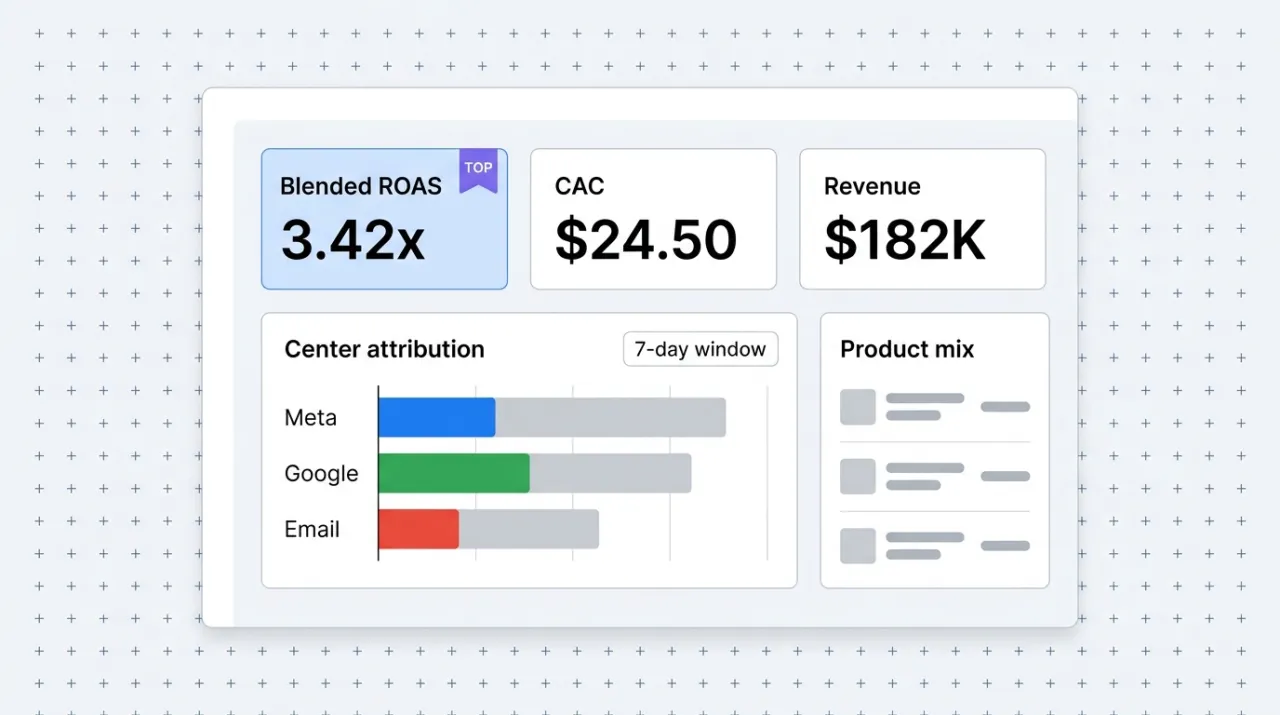
Triple Whale's official MCP gives Claude direct access to the DTC analytics dashboard ecommerce operators read every morning. Blended ROAS, CAC, channel performance, and pixel attribution in natural language, no Looker chart-building required.
Install Triple Whale MCP and Claude can:
- → Pull blended ROAS, CAC, and channel revenue in one prompt instead of three dashboards
- → Compare pixel attribution to blended attribution to inform real budget decisions
- → Audit ad creative performance across Meta, Google, and TikTok in a single conversation
- → Run ad-hoc queries against Moby for cohort, customer, and product analyses
Triple Whale maintains it. It is free. One install, then Claude has hands on the open web.
What you can do once it is installed
Ask Claude for yesterday's blended ROAS and CAC across every channel and have it tell you which channel needs attention before your morning standup. Have it compare this week's channel mix against last week and flag the anomalies. Tell it to pull pixel-attributed revenue by ad creative and surface the winners and losers from the most recent test cycle. The morning dashboard ritual that used to mean three tabs and a spreadsheet now happens in one prompt, with the next question already in the same conversation.
Add Triple Whale MCP as a custom connector
Open Claude Cowork. Choose Customize, then Connectors, then click the + next to Connectors. Paste these two values into the Add custom connector modal:
Name
Triple Whale (Moby) Remote MCP server URL
https://mcp.triplewhale.com Triple Whale uses API key authentication rather than OAuth. Generate an API key in Triple Whale settings (Settings → API), then paste it as the x-api-key header in Cowork's custom-connector Advanced settings. A Triple Whale subscription is required (free plan does not include MCP access). Roles and account scoping in Triple Whale control what data the key can read, so coordinate with whoever holds account-owner access before generating a key for a shared workspace.
First time installing an MCP in Cowork? Full walkthroughPrefer Claude Code or want the source?
Claude Code install
Starter prompts
Copy any of these into Claude after you install Triple Whale MCP to see it in action. Each prompt is generic enough to work in any workspace.
Run the morning revenue and channel check
Use the Triple Whale MCP. Pull yesterday's total revenue, blended ROAS, blended CAC, and revenue by channel (Meta, Google, TikTok, Email, Organic). Compare each number to a 7-day rolling average. Flag anything that is more than 15 percent off the rolling average and tell me whether it is good or bad. Hand back a one-paragraph briefing I can read before standup.
Compare pixel attribution to blended attribution
Pull last week's revenue attribution two ways: by pixel (last-click) and by Triple Whale's blended model. Compare the two for Meta, Google, and TikTok. Tell me where pixel attribution is over-crediting or under-crediting a channel, and what that means for budget decisions. Give a specific recommendation: which channel should I shift budget toward this week based on the blended view.
Surface ad creative winners and losers from the last 14 days
Pull ad creative performance from Triple Whale for the last 14 days across Meta. Rank by ROAS. Identify the top three winners (which I should clone or scale) and the bottom three losers (which I should kill). For each, explain in one sentence what likely drove the result based on the available data. Format the output so I can paste it into our creative review doc.
What this MCP does
An MCP (Model Context Protocol server) is a packaged add-on that gives Claude new abilities. Install one and Claude can use it from then on. Triple Whale MCP (Moby MCP) is Triple Whale's official hosted server at mcp.triplewhale.com that connects Claude to a brand's Triple Whale workspace. The tool surface covers the core DTC analytics surfaces inside Triple Whale: blended ROAS and CAC across paid channels, pixel attribution and modeled attribution comparisons, channel-level revenue and performance breakdowns, ad creative performance, audience and customer-cohort analytics, and ad-hoc queries against Moby, Triple Whale's AI analyst layer. The server uses API key authentication via the x-api-key header rather than OAuth, so an account owner or admin generates the key once in Triple Whale settings and pastes it into the connector configuration. Marketers, founders, and analysts use it for morning revenue checks, weekly channel reviews, creative performance audits, attribution comparisons, and ad-hoc reporting without building a single Looker chart.
The four jobs it does best:
Blended ROAS and CAC at the channel level
The morning revenue check is one prompt. Blended ROAS, CAC, and channel revenue compared to rolling averages, with anomalies flagged. Faster than opening Triple Whale and faster than the daily Slack digest.
Pixel and blended attribution side by side
Compare last-click pixel attribution to Triple Whale's blended model in the same answer. The over-crediting and under-crediting patterns surface immediately, and the budget-shift recommendation follows from the comparison.
Creative performance reporting for Meta, Google, and TikTok
Rank ads by ROAS, surface winners worth scaling, and flag losers worth killing. The weekly creative review now starts with a ranked list and a recommendation, not a blank dashboard.
Moby query layer for ad-hoc analyses
Moby is Triple Whale's AI analyst. The MCP gives Claude direct access to it, so cohort analyses, product-mix questions, and customer-lifetime-value queries run inline in the strategy conversation.
Who it is for
- • DTC founders and operators on Triple Whale: the morning revenue ritual collapses to one prompt. The weekly channel review becomes a conversation. The two highest-frequency analytics touchpoints in the operator's week.
- • Performance marketing teams running Meta plus Google plus TikTok: the blended attribution view is the unlock. Real budget decisions based on the modeled mix, not just pixel-credited revenue.
- • Agencies managing DTC clients: install once per client account. The Monday-morning client briefing now writes itself from a single prompt across every active brand.
- • Skip if: your DTC analytics live in another platform (Northbeam, Polar Analytics, custom internal tooling). Triple Whale MCP is platform-specific. The competitive analytics platforms ship their own MCPs or will.
Ways marketers and operators use Triple Whale MCP
16 ways the same tool shows up across content, research, lead gen, and quality assurance work.
Daily and weekly revenue ops
- • Pull yesterday's revenue, ROAS, and CAC and compare to rolling averages
- • Surface anomalies in channel performance for the morning standup briefing
- • Track customer-acquisition cost trends week over week
- • Generate the Monday-morning client briefing across multiple DTC brands
Attribution and budget decisions
- • Compare pixel attribution to blended attribution at the channel level
- • Identify where pixel over-credits or under-credits a paid channel
- • Inform weekly budget-shift decisions from the blended view
- • Validate the impact of attribution-model changes on reported ROAS
Creative and campaign analysis
- • Rank ad creative by ROAS across Meta, Google, and TikTok
- • Identify winners worth cloning and losers worth killing
- • Compare creative performance week over week
- • Pull the creative shortlist for the next test cycle from real performance data
Cohort, customer, and product analytics
- • Run cohort analyses for customer-acquisition-month performance
- • Surface product-mix changes driving margin shifts
- • Pull customer-lifetime-value trends for the top three customer segments
- • Identify the product SKUs driving the largest share of new customer acquisition
For teams running this at scale
For finance, RevOps, or executive teams that need scheduled board-ready reports and KPI tracking across multiple brands or portfolios, the MCP is the right interface for the daily and ad-hoc work. For automated alerting, scheduled board exports, and BI integration that runs continuously outside of a conversation, use Triple Whale's scheduled reports and webhook outputs alongside the MCP. The MCP earns its keep on the marketer-and-operator side; the platform's native scheduling owns the always-on side.
Russ Henneberry tested the Triple Whale MCP as a capability evaluation for DTC client work where Triple Whale is the attribution platform in use. theCLICK does not run a DTC ecommerce business, so this is a capability assessment rather than a daily-driver review. The standout is the comparison between pixel attribution and the blended model in a single answer. The decision input most operators are guessing at is right there. Watch items: API key auth (instead of OAuth) means a senior person on the team needs to manage the key, and platform pricing tiers control which data your key can read. Confirm both before installing in a shared workspace. Current as of May 2026.
More in the library
Other entries that share a category with this one. Editorial picks from theCLICK.

Google Ads MCP
Google's official open-source MCP at github.com/googleads/google-ads-mcp lets Claude Code query and manage Google Ads campaigns via the Google Ads API. Self-hosted on your machine or deployed to Cloud Run, with OAuth 2.0 or a service account.

Meta Ads MCP
Meta's official MCP at mcp.facebook.com/ads plugs Claude straight into the Marketing API. Twenty-nine tools across Facebook, Instagram (feed, story, reel), and Audience Network. OAuth via Meta Business Suite, no developer app, no token to rotate.

The Ecommerce Stack for Claude
Fourteen connectors that take an ecommerce brand from ad creative to checkout to support to retention, with install paths for Claude Cowork and Claude Code side by side.

Gorgias MCP
Gorgias is the dominant helpdesk for DTC Shopify brands. The Composio Tool Router exposes it as an MCP so Claude can triage tickets, draft on-brand responses, manage tags and macros, and pull conversation insights into the strategy chat, without opening another Gorgias tab.
STAY IN THE LIBRARY LOOP
Get the next library entry first
We review new plugins, MCPs, skills, and CLIs as they ship. Subscribe and you'll get a short heads-up the next time we add one to the library, plus theCLICK's weekly AI marketing brief.
This library is operated by theCLICK (Modern Publisher, LLC)