

TLDR:
- Claude Cowork skills are markdown files that automate how your AI does a specific task. There are two ways to build them.
- Blueprint First works when you already know the process. Describe it upfront, show Claude an example of the output, and it builds the skill.
- Do It First works when you're still figuring out the process. Work through the task with Claude, fix it until it's right, then tell Claude to lock it down as a skill.
- Most people default to blueprint. Most skills actually start better with do-it-first. The choice depends on how well you can describe the process before you see the output.
- Both methods end the same way: a SKILL.md file that runs on command, every time, the way you want it.
Two paths. Same destination.
There are two ways to build a skill in Claude Cowork. One works when you can describe the process clearly before you start. The other works when you can't. And that second one is more common than you'd expect.
This article walks through both approaches step by step, with real examples from live skill-building sessions. You'll know exactly which one to reach for, and your skill will work on the first real run.
What Is a Claude Skill?
A skill is a markdown file (usually called SKILL.md) that tells Claude how to perform a specific task the way you want it done. It contains the instructions, quality standards, and execution steps your AI needs to do the job right every time.
Think of it like a training manual for a new hire. Except this hire reads it instantly, follows it exactly, and never asks you to repeat yourself.
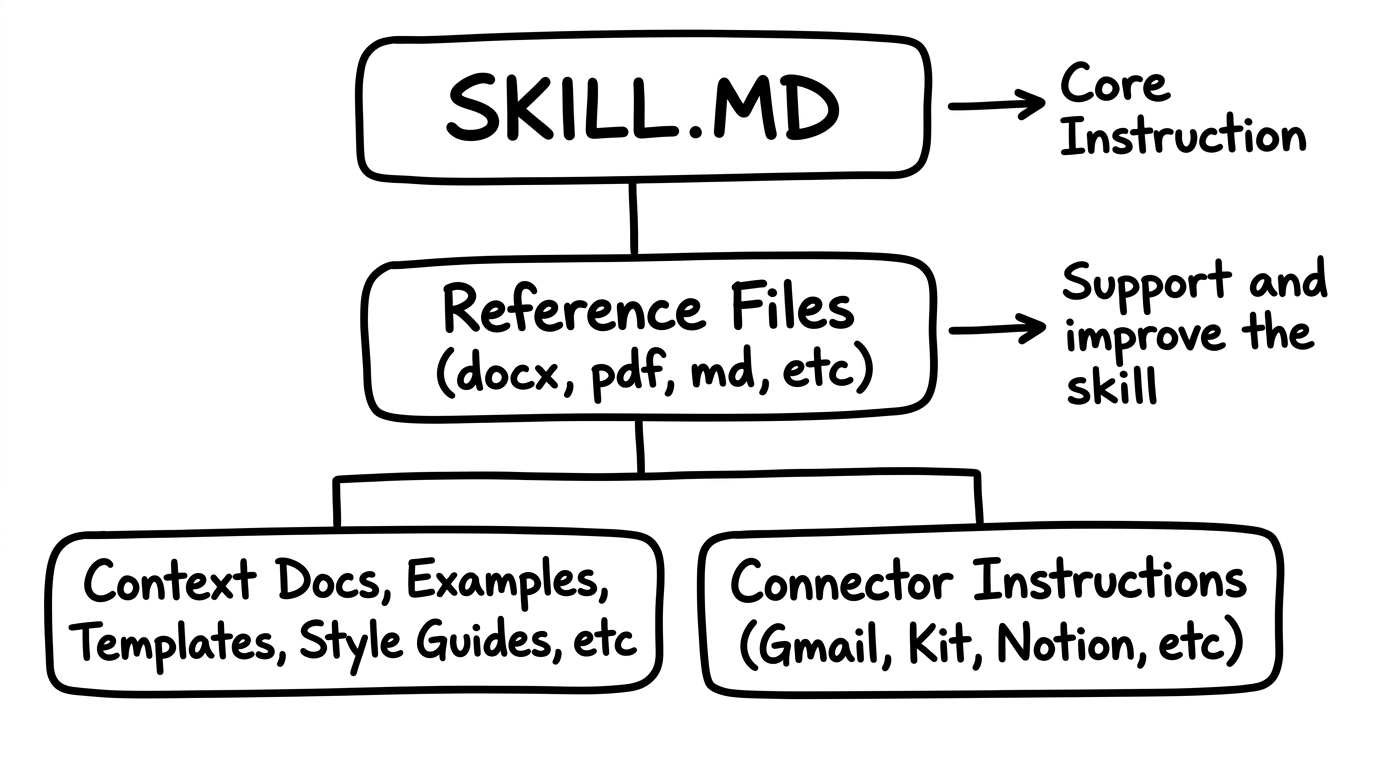
A skill includes the core instruction file (SKILL.md), reference files that support it (your persona doc, brand voice, templates, finished examples), and connector instructions if the skill needs to push or pull data from tools like Gmail, Notion, or Slack.
Once a skill exists, you trigger it with a phrase. Say "run story research" and Claude executes the whole process without you explaining anything. Every time.
Skills are also the building blocks of plugins, which are portable bundles of skills you can share with your team, hand to clients, or browse in the plugin marketplace. If you've been working with Custom GPTs, you already understand the concept. Skills are where that concept grows up.
The Two Approaches
There are two ways to build a skill. Both produce the same artifact (a SKILL.md file with reference files). The difference is where the knowledge starts.
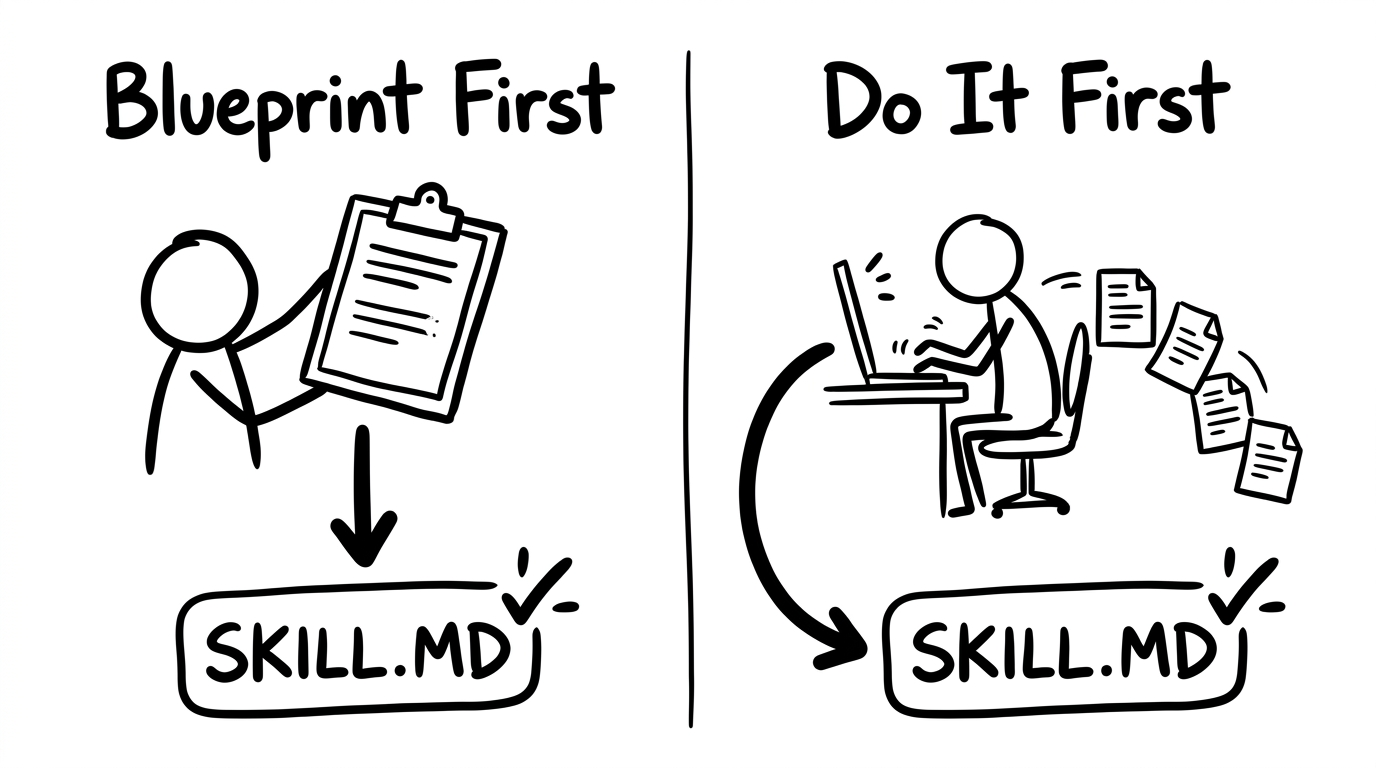
Blueprint First means you already know the process. You describe it in detail, maybe hand Claude a screenshot or a finished example, and Claude builds the skill from your description.
Do It First (also called "backing into it") means you work through the task manually with Claude. You prompt, adjust, fix, and iterate until the output is right. Then you tell Claude to go back through the thread and lock it down as a skill.
| Blueprint First | Do It First | |
|---|---|---|
| When to use | You already know the process cold | You're figuring it out as you go |
| Starting input | A description, screenshot, or finished example | A rough idea and a willingness to iterate |
| How it works | Describe the process upfront. Claude builds the skill from your specs. | Do the task with Claude. Fix it until it's right. Then tell Claude to lock it down as a skill. |
| Speed | Faster (less iteration) | Slower on run one (but the skill is often better because you refined it live) |
| Risk | Skill may miss nuance you forgot to describe | You might iterate longer than expected |
| Best for | Formatting, templates, checklists, reports | Research, writing, creative work, new processes |
Both approaches end in the same place. You get a SKILL.md file and a set of reference files that Claude uses every time you trigger the skill. The question is which path gets you there with less pain.
Method 1: Blueprint First
Use this when you can already picture the finished output in your head.
Blueprint First means you describe the entire process upfront. You already know the steps, the format, the quality bar, and what the final product should look like. You hand that knowledge to Claude and say: build the skill.
The key input is a completed example. A screenshot, a finished document, a formatted template. Something that shows Claude what "good" looks like. Claude reverse-engineers the process from there.
Here's how this played out in a real training session. The task was building a story formatter skill for a newsletter. The process was straightforward: take a raw news story from research and format it into a specific newsletter block format (headline, bullets, analysis, links) that matched an established style.
I already knew exactly how the finished story should look. So instead of doing it manually first, I showed Claude a screenshot of a completed story block and prompted:
Claude built the skill, created a reference template, and had it working on the first test run.
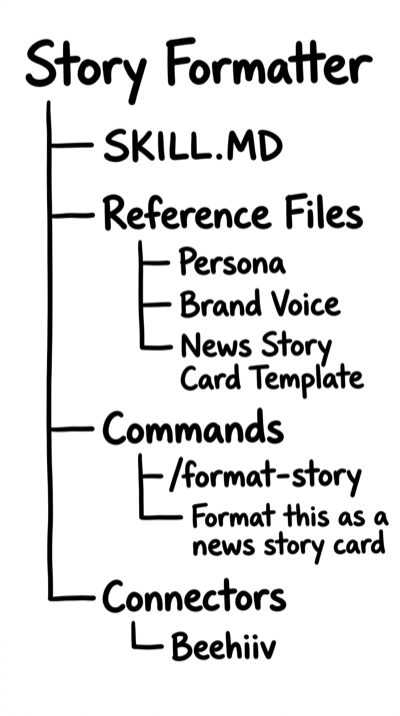
Blueprint First works best when:
- You have a clear, repeatable structure (formatting, reports, checklists, templates)
- You can show Claude a finished example of the output
- The task doesn't require much experimentation
- You've done this task enough times that the steps are obvious to you
Method 2: Do It First (Backing Into the Skill)
Use this when you're not entirely sure what the process should look like. Or when you're building something new and you need to discover the right approach by doing it.
Do It First is exactly what it sounds like. You do the task manually inside Claude Cowork. You prompt, you get output, you don't like it, you fix it. You add a column to the table. You tell it to check different sources. You push it in a direction that feels right. And at some point, the output clicks.
Then you prompt Claude to lock it down:
Claude reads the entire conversation, extracts the steps you took, notes the fixes you made along the way, and writes a SKILL.md that captures the whole thing. Your messy, iterative conversation becomes a clean, repeatable process.
Here's the real example. The task was building a newsletter research skill to find AI and marketing stories. I didn't have a rigid format in mind. I started with a broad prompt:
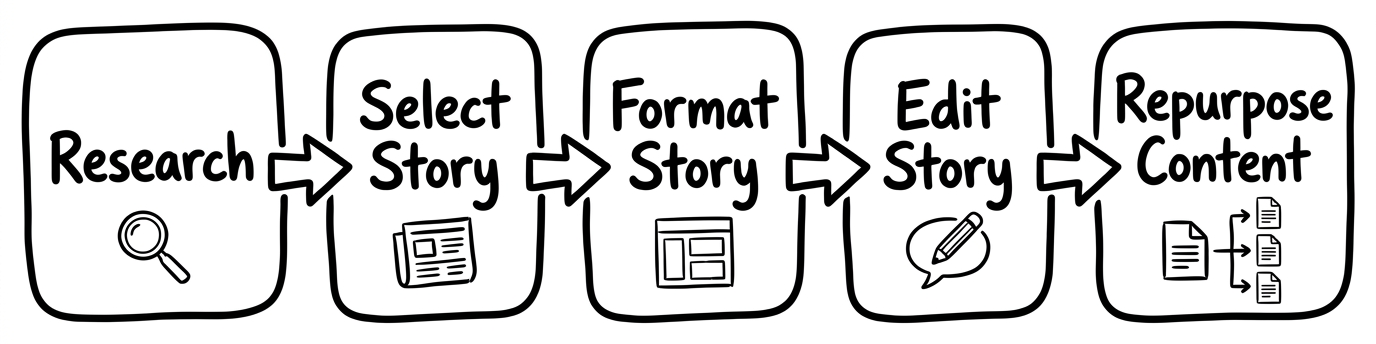
Claude ran the research. Some of the sources were wrong. Some stories were stale. The table needed more columns. The persona alignment was off. So I kept fixing:
After several rounds, the research output was exactly right. That's when I prompted:
Claude went back through the thread, extracted the full process (including all the corrections), and wrote the skill.
Do It First works best when:
- You're building something new or experimental
- You can't describe the process clearly before you start
- The task requires creative judgment (you'll know "good" when you see it)
- You're vibing toward an outcome and you want the flexibility to adjust
The phrase "vibing toward an outcome" comes up a lot in this community. It captures what Do It First really is. You don't have a blueprint. You have a direction. And you let the conversation carry you there, making fixes along the way, until you arrive at something worth automating.
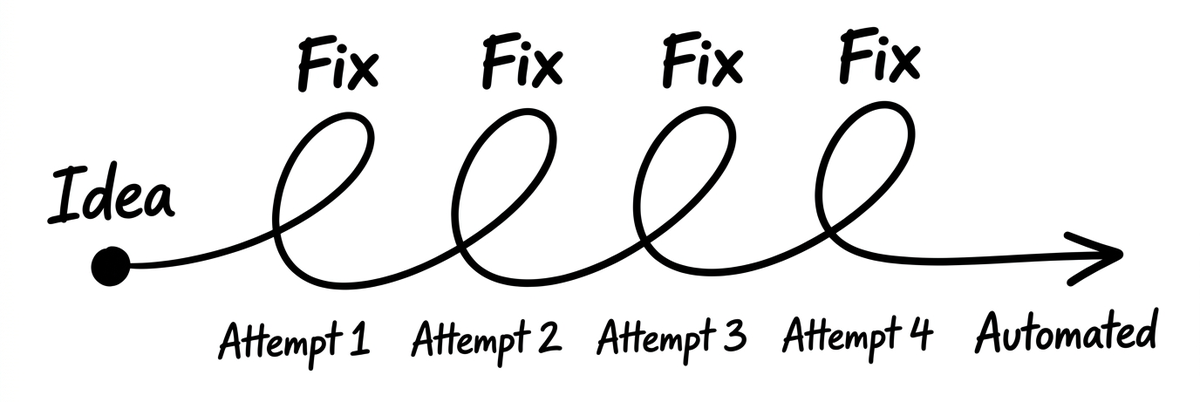
Then you back into the skill.
How to Choose
Here's a simple question that settles it:
"Can I describe this process clearly enough, right now, for a new hire to follow it on day one?"
If the answer is yes, go Blueprint First. You'll save time because you're not iterating. You're just describing what you already know.
If the answer is "sort of" or "probably not," go Do It First. You'll save frustration because you won't be trying to describe a process you haven't fully figured out yet.
Blueprint First is faster when you have the knowledge. Do It First is safer when you don't.
And there's a hybrid path worth knowing about. You can start with Do It First, get the process right through iteration, and then rebuild the skill later as a cleaner Blueprint once you fully understand it. The first version captures what works. The second version polishes it.
Three Rules That Apply to Both Methods
Regardless of which approach you choose, three principles make the difference between a skill that works and a skill that collects dust.
Rule 1: Move Slow and Fix Things
The first time you run through a skill-building process, plan extra time. Don't rush it. The first run is the most expensive run in terms of your time and attention. Every fix you make during that first run improves the skill permanently. Run one costs you 30 minutes. Run five costs you 30 seconds.
This is what separates people who say "AI doesn't do what I want" from people whose AI runs like clockwork. The patience to fix it on run one is what unlocks automation on run ten.
Rule 2: Always Reference Your Persona and Offer
Almost every business skill should tell Claude to check the persona doc and offer doc before running. These are the two most important context files in your workspace.
Your persona describes who you sell to. Your offer describes what you sell. When Claude reads both before executing a skill, the output comes back personalized. When it doesn't, you get generic output that sounds like it was written for a business Claude has never met.
This is why running the GrowthOS Quick Start matters. It sets up your workspace with these core files so every skill you build from that point forward has the right context.
Rule 3: Save Your Best Output as a Reference File
When you produce something great with Claude (a perfect social post, a formatted report, a client email that nailed the tone), save it. Drop it into a reference folder and tell the skill to use it as an example of what "good" looks like.
Reference files are how skills get better over time without you rewriting the instructions. Claude learns from examples the same way a new hire does. Show it the best version and it patterns off of it.
Go Build One
Pick one task you've been doing manually with Claude. Something you repeat. Something that eats 20 minutes every time.
Ask yourself: can I describe it clearly right now? If yes, blueprint it. If no, do it first.
Give yourself 30 minutes for the first run. Plan for fixes. Use the idea-fix-automated loop. And when the output clicks, lock it down.
If you haven't set up your workspace yet, the Quick Start takes about 20 minutes. After that, you're building skills that actually work.
The best skill in your workspace is the one you haven't built yet. Go fix that.